
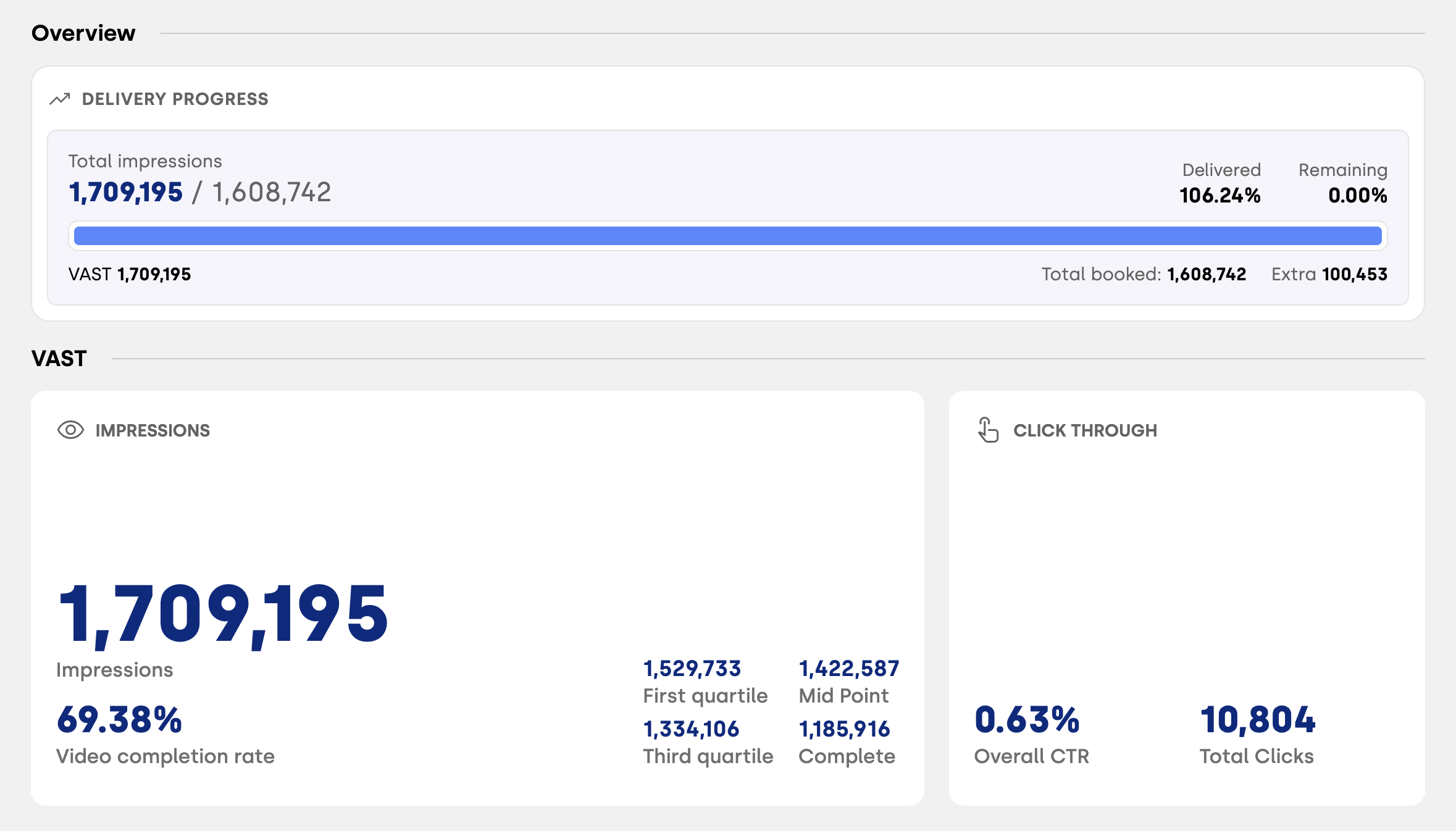
VAST-related KPIs differ from the classic metrics typically used for display creatives. Video performance is measured through a dedicated set of indicators that focus on video playback, completion, and user interaction. Below you’ll find a complete overview of the key VAST metrics and how to interpret them.
Core VAST Metrics
Impressions: The number of video starts, representing how many times the video was successfully loaded and initiated.
First Quartile: The number of videos that reached 25% of their total duration.
Midpoint: The number of videos that reached 50% completion.
Third Quartile: The number of videos that reached 75% completion.
Complete: The number of videos that were fully watched until the end.
Video Completion Rate: The percentage of completed videos calculated against the total number of impressions.
Clicks: The total number of user clicks on the video.
Click-Through Rate (CTR): The percentage of clicks calculated against the total number of impressions.
Performance Tab
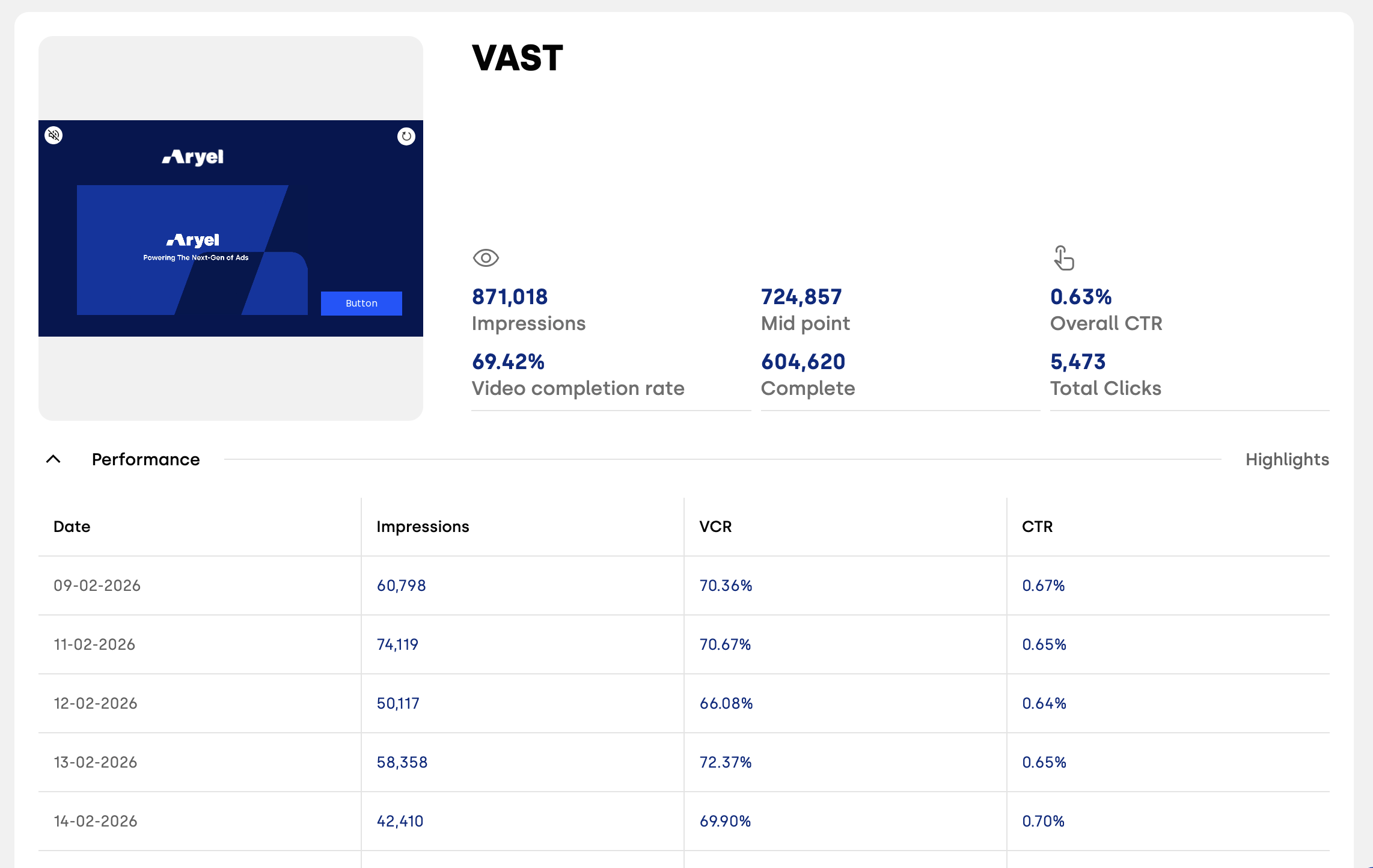
In the Performance tab, you’ll find an overview of key metrics such as Impressions, Video Completion Rate and CTR, with a day-by-day split that allows you to monitor performance trends over time.
Events Tab
The Events tab provides additional insights into how users interact with the VAST creative during playback. Depending on the VAST version in delivery, you may see different interaction events available for analysis. Common events include:
Skip: Indicates that the user skipped the video before completion.
Mute: The user muted the video audio during playback.
Unmute: The user re-enabled the audio after muting the video.
Rewind: The user moved the playback backward to rewatch part of the video.
Pause: The video playback was temporarily paused by the user.
Resume: Playback was resumed after being paused.
Fullscreen: The user expanded the video to full-screen mode.
Exit Fullscreen: The user exited the full-screen viewing mode.
Understanding these metrics allows you to evaluate not only how your video is delivered, but also how users actively engage with it throughout the viewing experience.