
The Peep component allows you to build different types of ads, including creatives that feature an overlay cover placed on top of an underlying content. This setup enables highly interactive and engaging ad experiences. With Peep, you can create Aryel Scratch and Lenscape creatives.
Adding a Peep Component
You can add the Peep component in two different ways:
From the left sidebar, click the + Add Component button, select Peep from the type dropdown, and assign it the desired name.
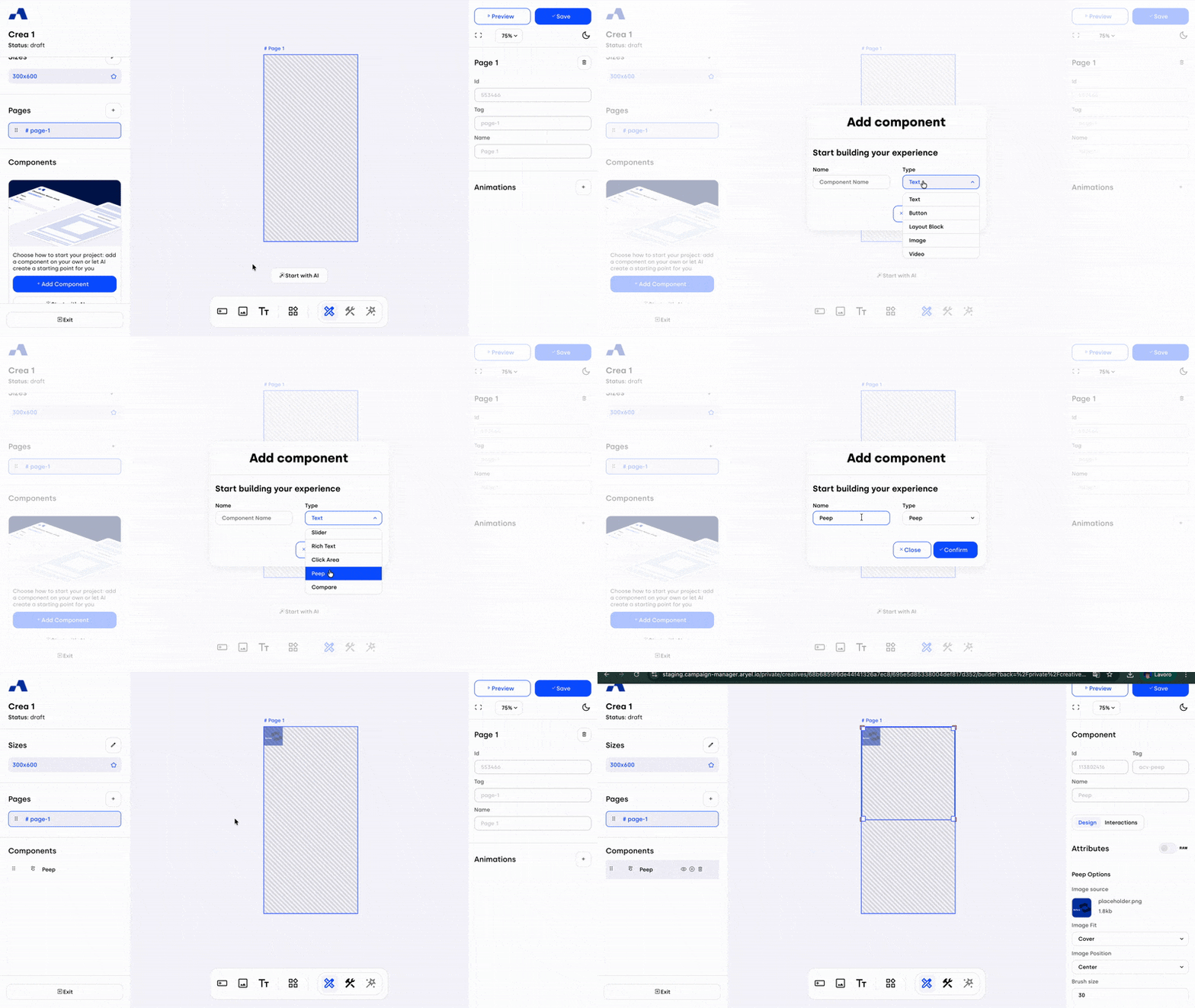
From the central toolbar, click the Peep icon and then place the component directly onto the page by clicking inside the page.
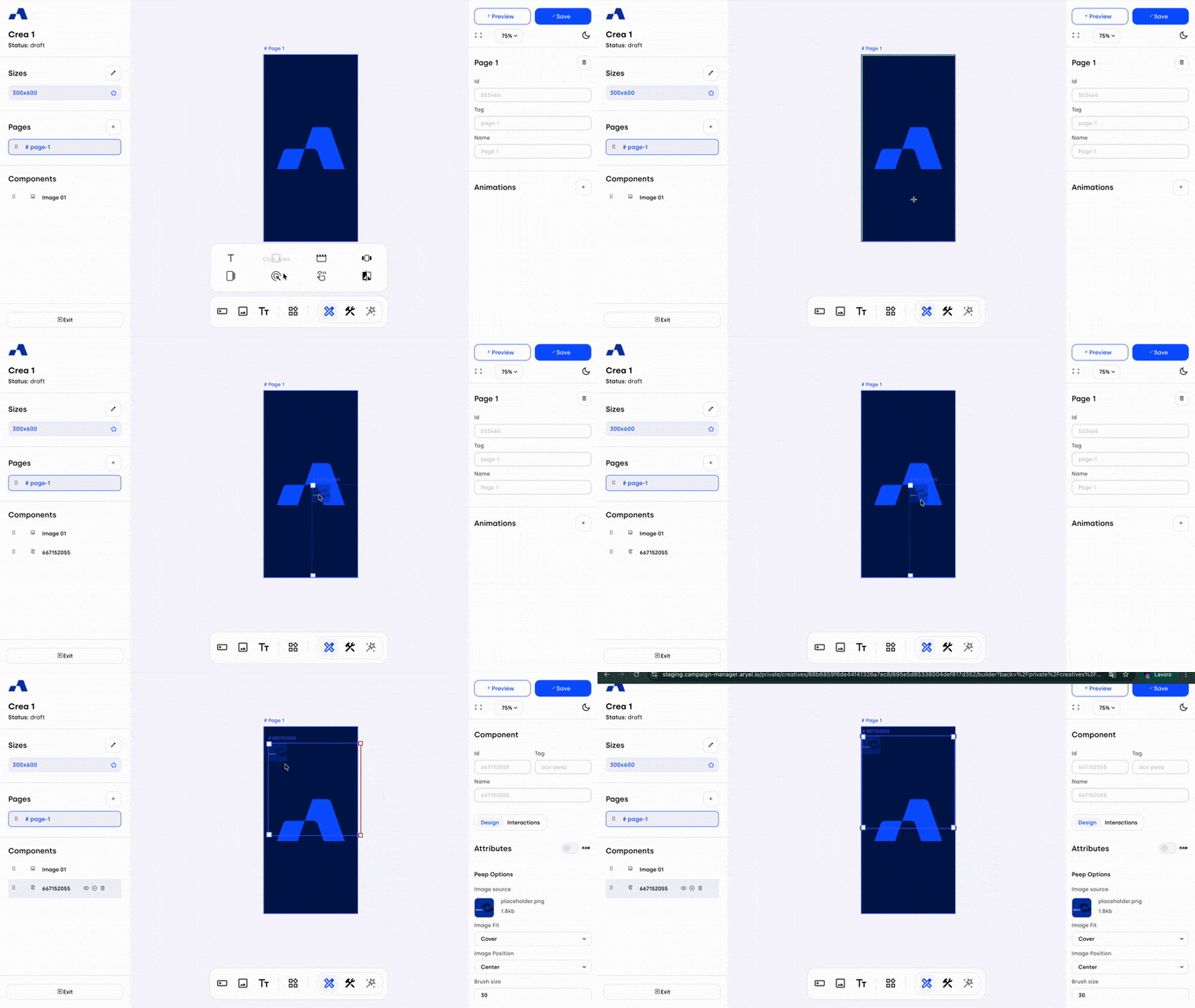
Once added, the Peep component will appear in the Layers section and can be selected and configured like any other component.
Right Sidebar Configuration
When the Peep component is selected, the right sidebar updates to display dedicated settings specific to this component.
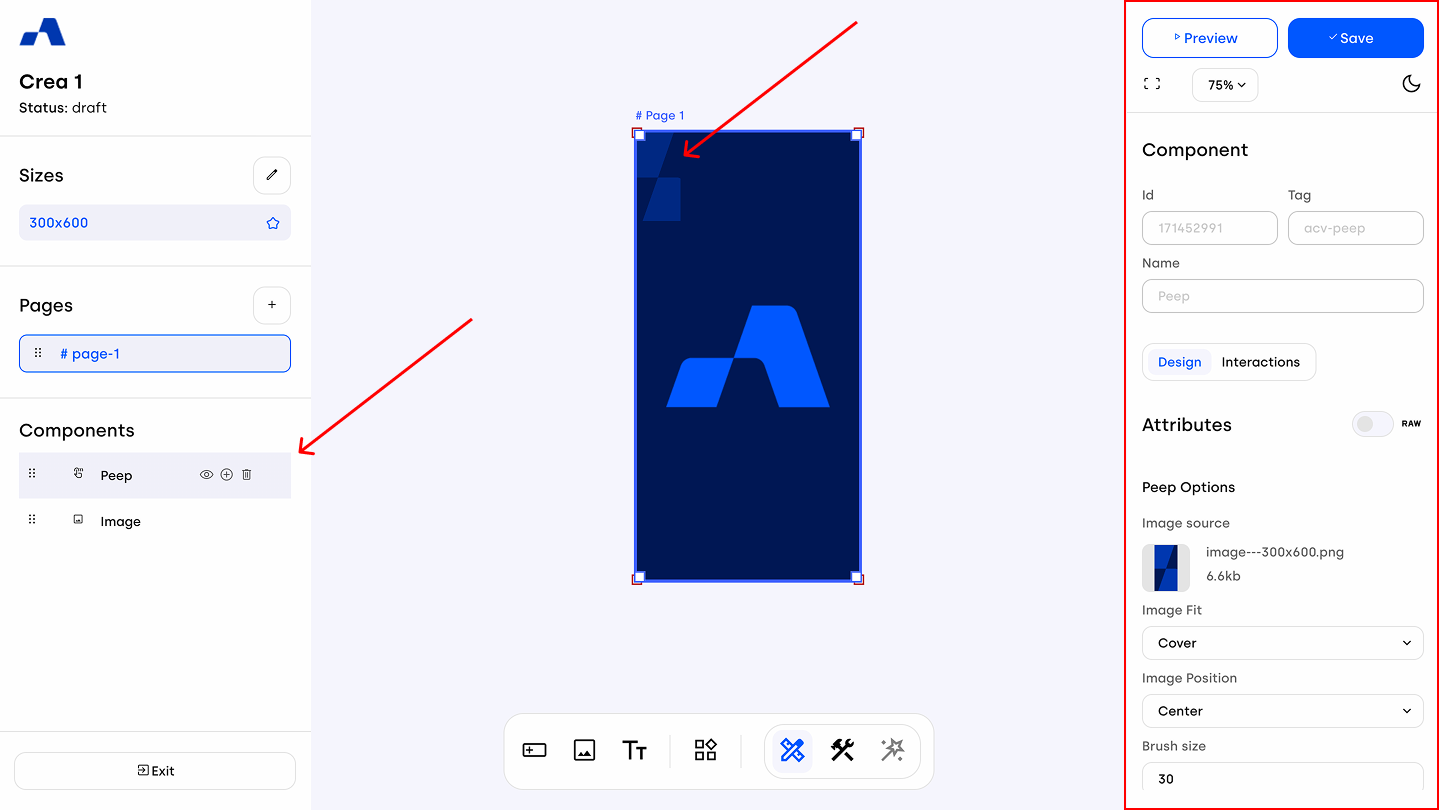
Design Tab
Peep Options
The first section allows you to replace the default placeholder image used as the cover. From here, you can manage the fit and positioning of the cover image, as well as the brush size.
You will also find the Enable trail checkbox, which is a key setting for defining the type of interaction you want to create:
When Enable trail is activated, the cover can be scratched away. You can then define - by filling out the relevant fields - the percentage to be scratched to trigger the interaction and completion events. Once the completion percentage of the area has been scratched, the underlying content will be fully revealed.

When Enable trail is disabled, user interaction generates a circular lens that uncovers small portions of the creative beneath the cover. In this mode, you can also define the delay after which the underlying asset becomes fully visible.

Styles Settings
Scrolling further, you’ll find the style options available for the Peep component. Here you can customize the overall appearance of the cover. You can also apply the filter and transform shorthands to add advanced visual effects.
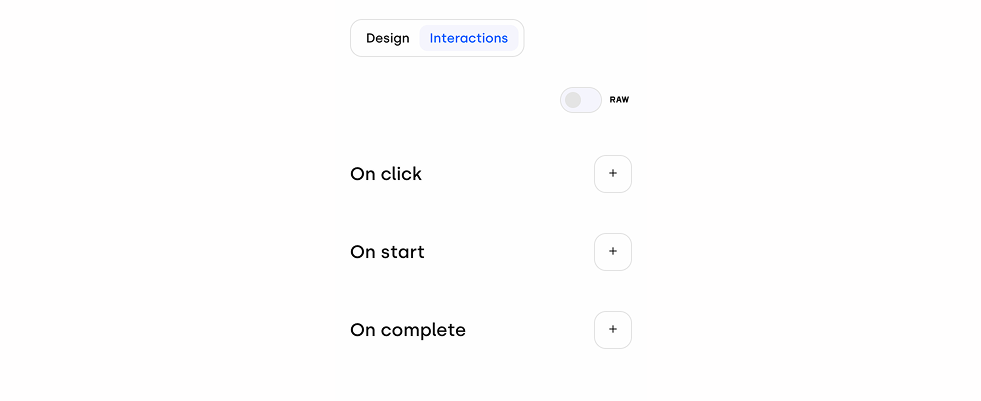
Interactions Tab
In the Interactions section, you can define how the creative behaves in response to the different actions a user can perform on the ad.
The Peep component is a versatile and powerful tool for creating a wide variety of interactive creatives. Exploring its settings and interaction modes will help you unlock its full potential.