
Kick off your September with powerful new tools designed to give you ultimate control over your ad experience. This month, we're completely revamping how you manage user actions, introducing centralized diagnostic tools, launching a brand-new animation timeline, upgrading our canvas controls, and refreshing the asset management panel for a faster editing experience. We are also bringing more flexibility to your data exports with enhanced report downloads. These latest improvements will help you build complex, interactive creatives faster and with greater accuracy than ever before.
Interaction Management: Streamlined Workflow & Easy Duplication
Configure component behaviors with a faster, more intuitive setup process.
Redesigned Setup Flow: Setting up actions is now more straightforward. Simply select the event trigger from the new grid and click the "+ Add action" button to configure your target and action in a dedicated side panel.
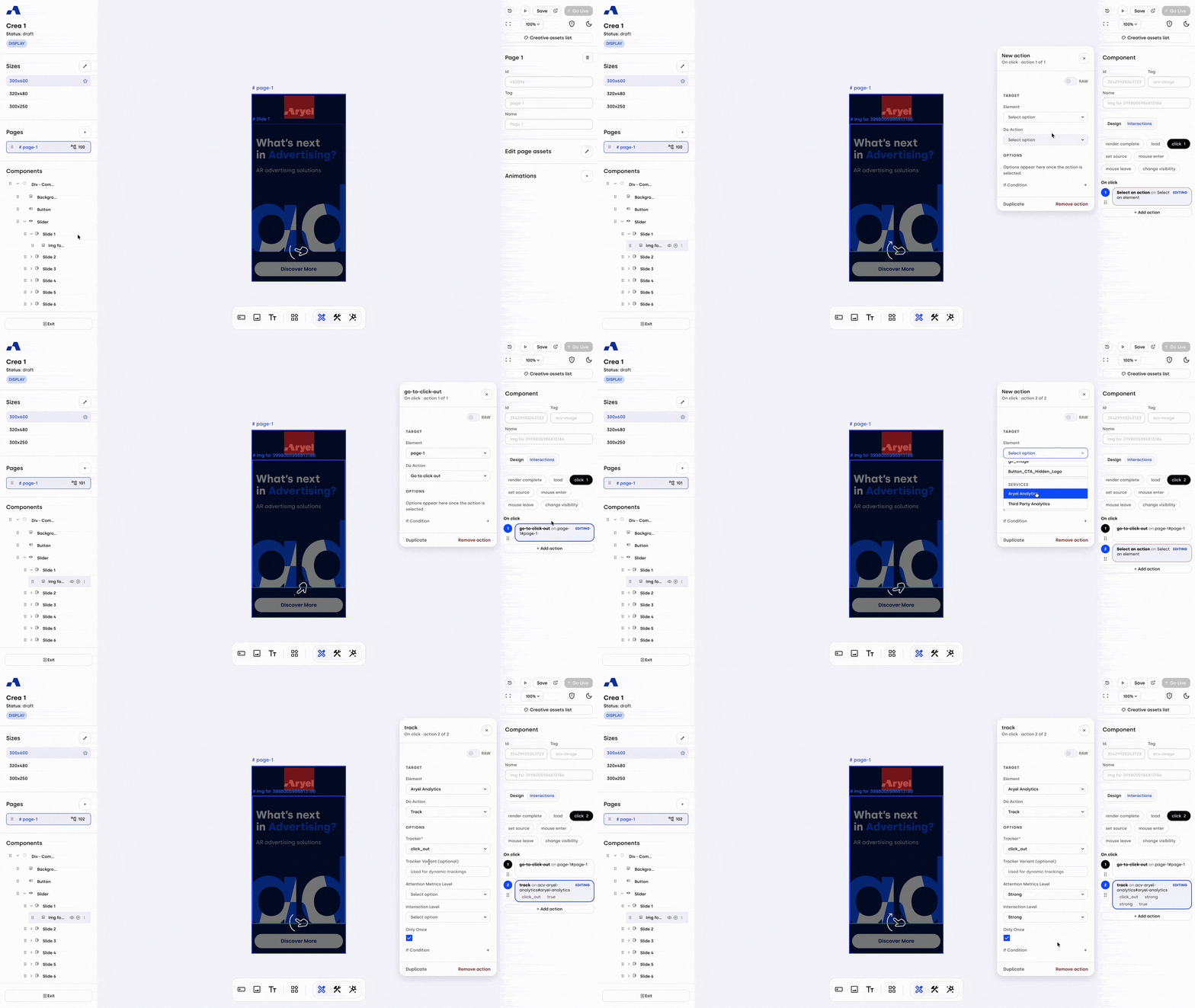
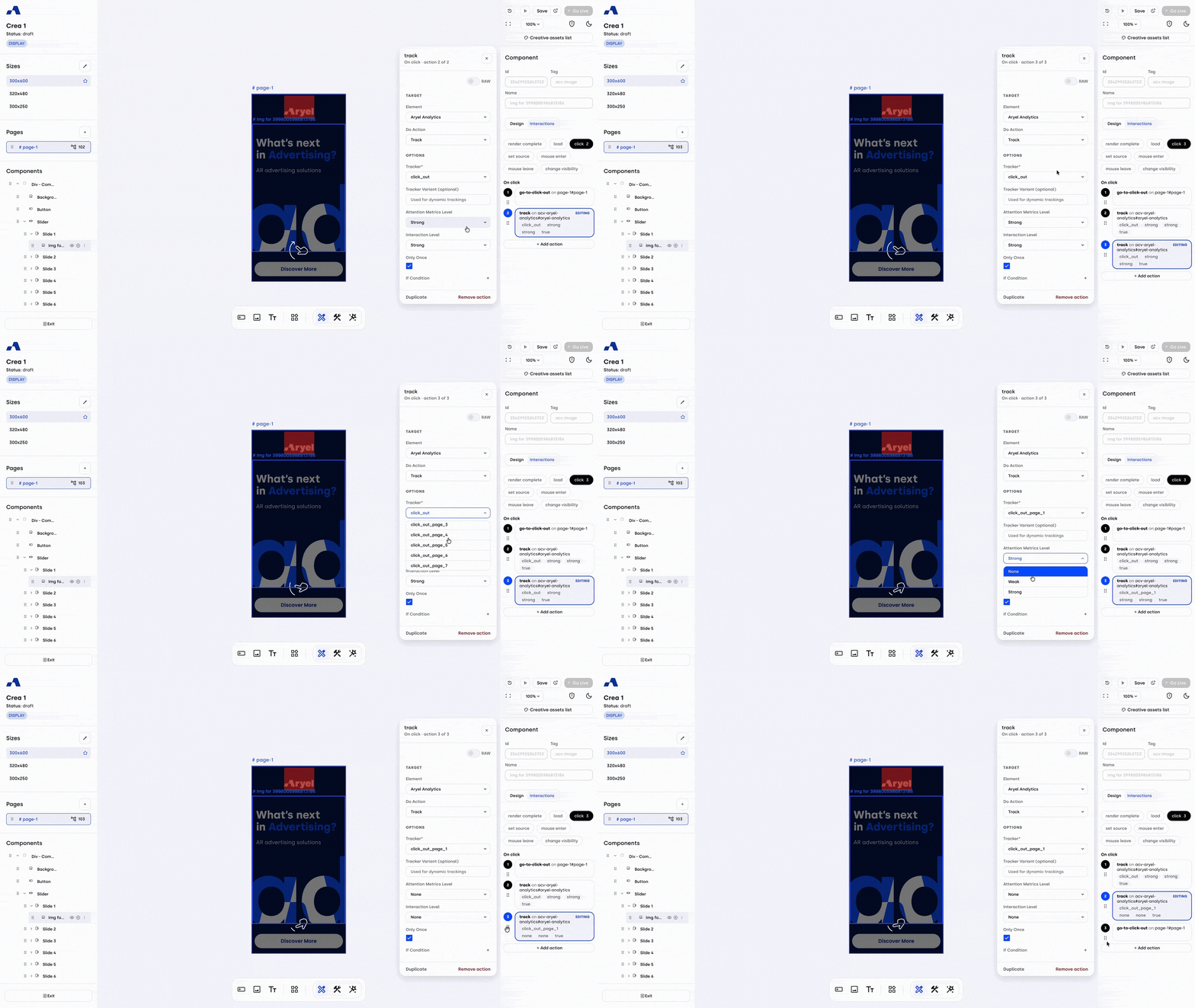
Instant Duplication: To accelerate your build time, we have added a convenient "Duplicate" button inside the action panel. This allows you to instantly replicate complex configurations within the same event block without having to start from scratch.
Interactions Overview: Centralized Management & Smart Diagnostics
Gain complete visibility and control over every event and action configured on your page from one centralized hub.
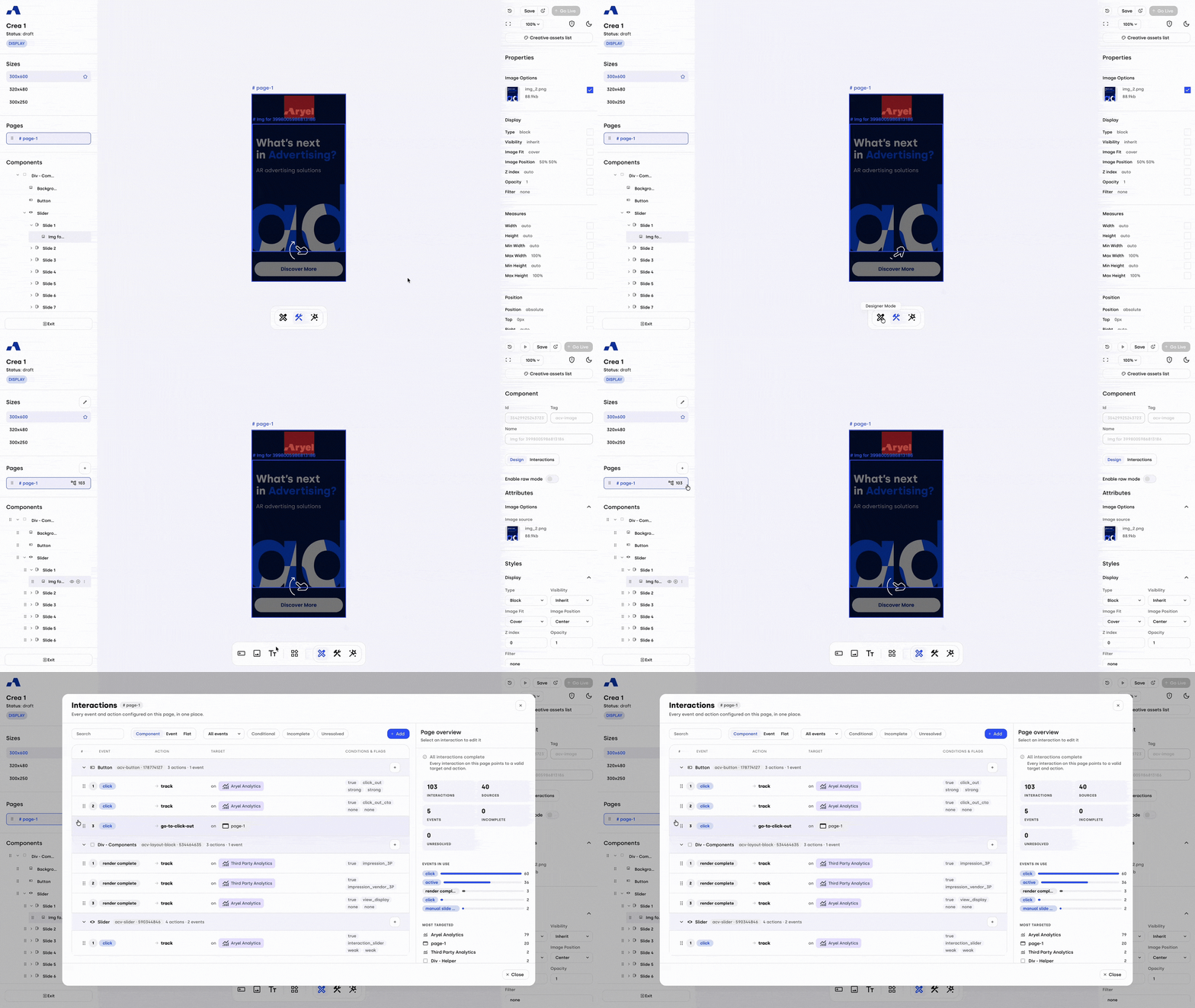
Dedicated Workspace Panel: Accessible in Designer Mode via the interactions icon next to the page name, this new panel lets you view, edit, and manage all page interactions in a single place. You can also add new interactions directly from this hub.
Flexible Display Modes: Organize your view to suit your workflow. Switch seamlessly between Component view (grouped by the source component), Event view (grouped by the trigger type), or Flat view (a linear, ungrouped list). When adding an interaction from the Component view, the system smartly auto-fills the source component to save you time.
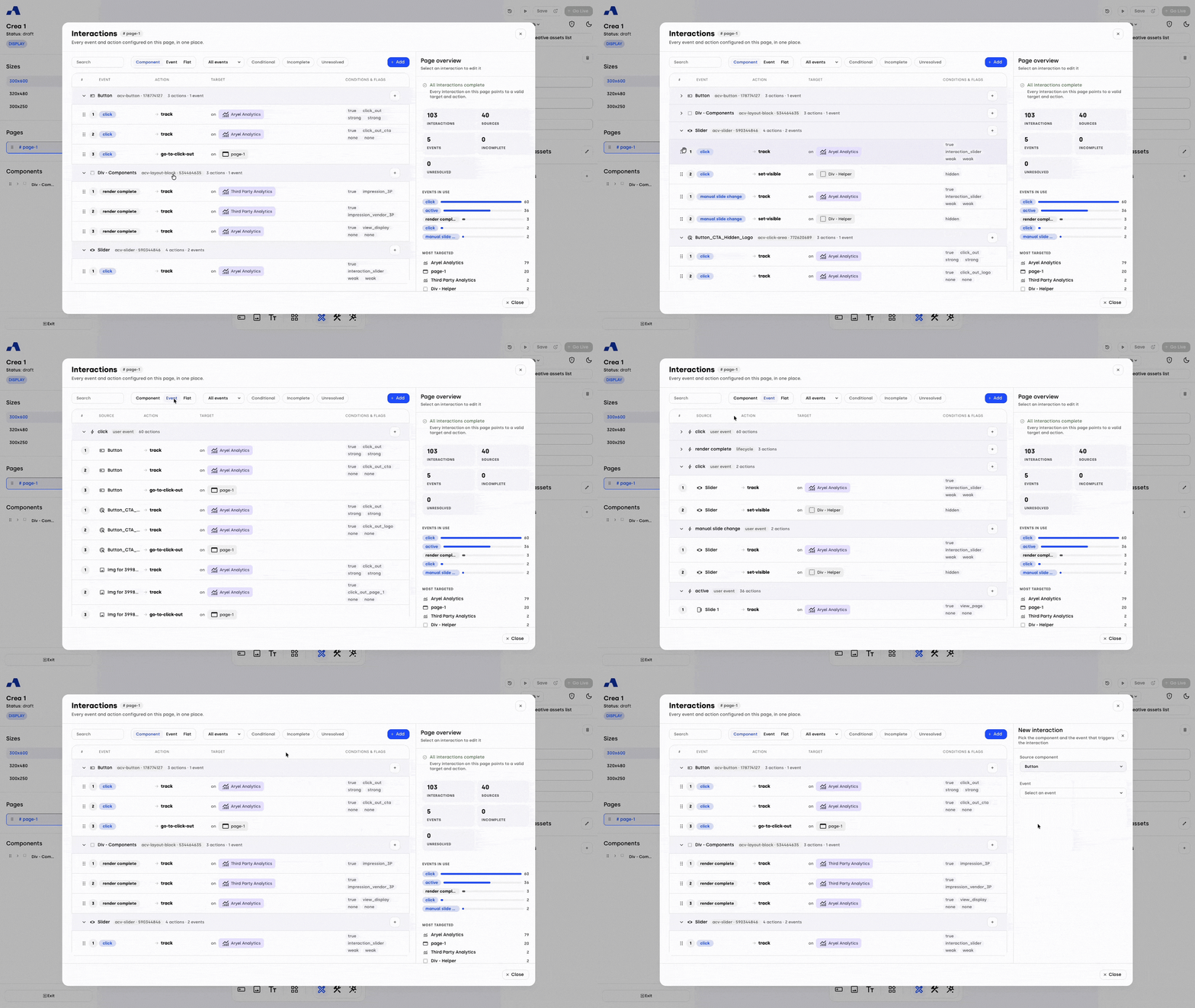
Advanced Filtering: Instantly locate specific setups using the text search, the event dropdown menu, or the new quick filters. You can rapidly isolate "Conditional" interactions to review your logic setups, or use the "Incomplete" and "Unresolved" filters to instantly track down errors at a glance.
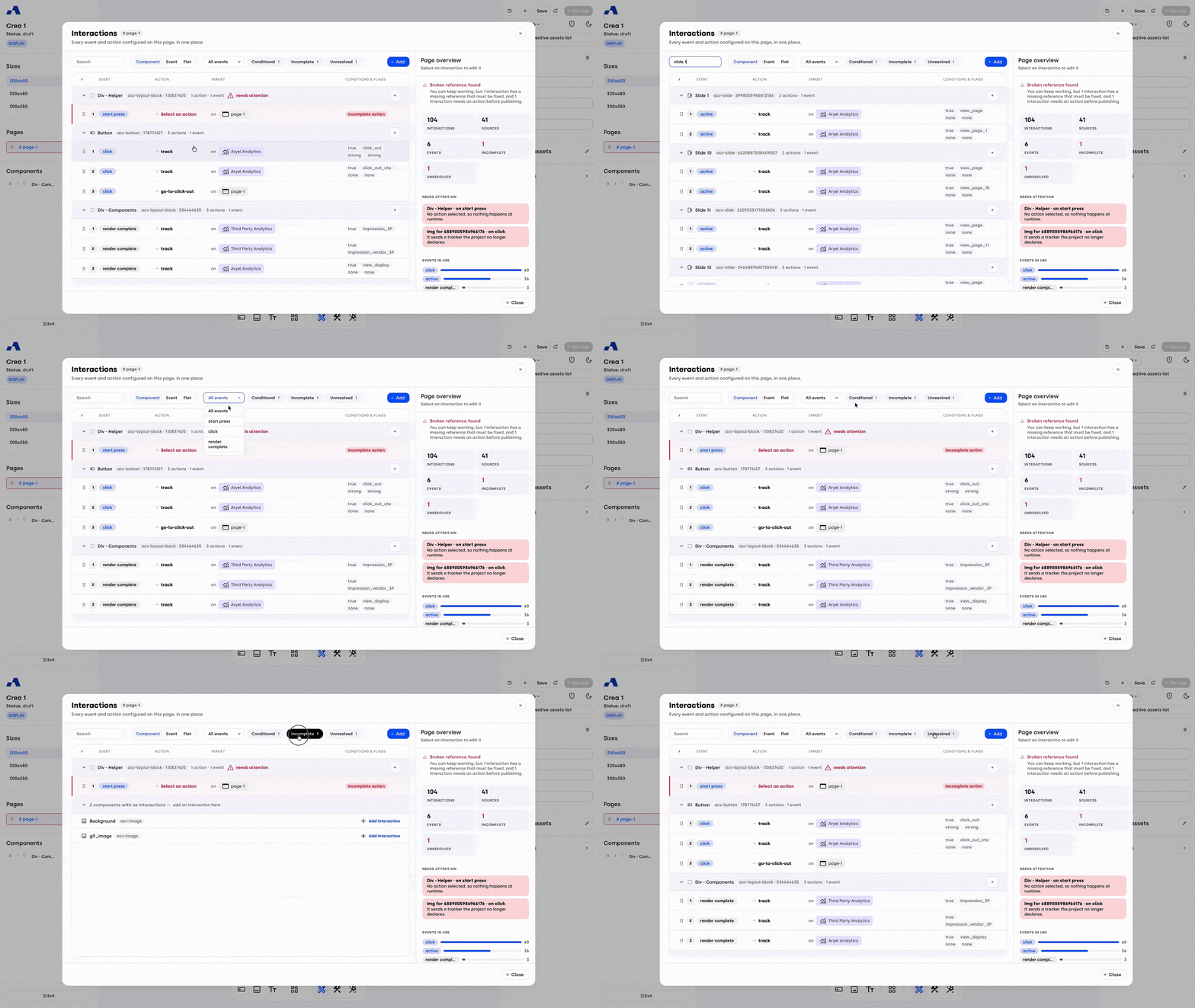
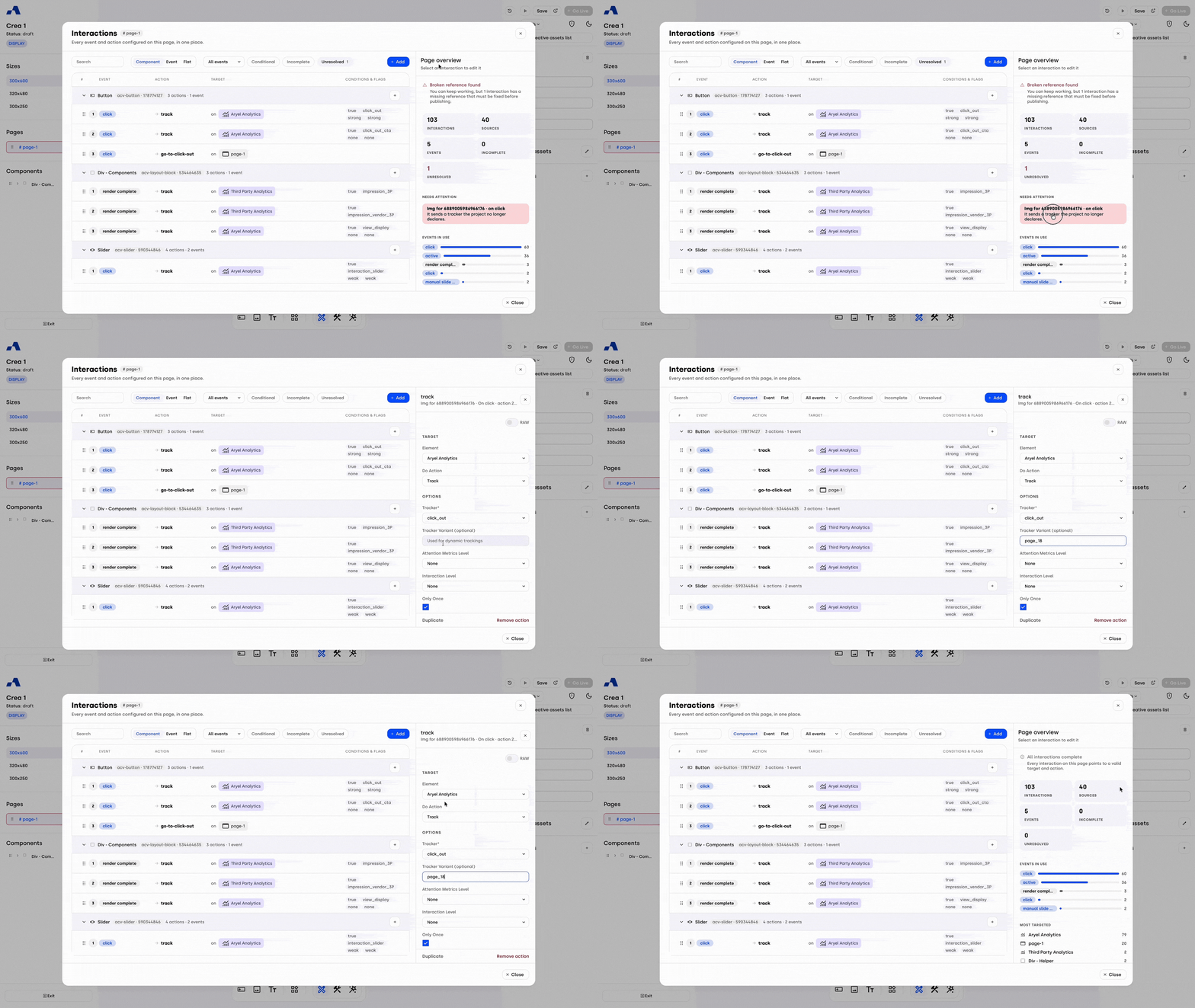
Intelligent Diagnostics (Page Overview): When no interaction is selected, the right side of the screen displays the Page Overview. Its powerful "Needs Attention" section acts as a built-in diagnostic tool, automatically flagging "Incomplete" actions (missing targets or actions) and "Unresolved" setups (broken references pointing to deleted elements). Each error provides a clear explanation and a direct, clickable link to the exact interaction so you can fix it immediately.
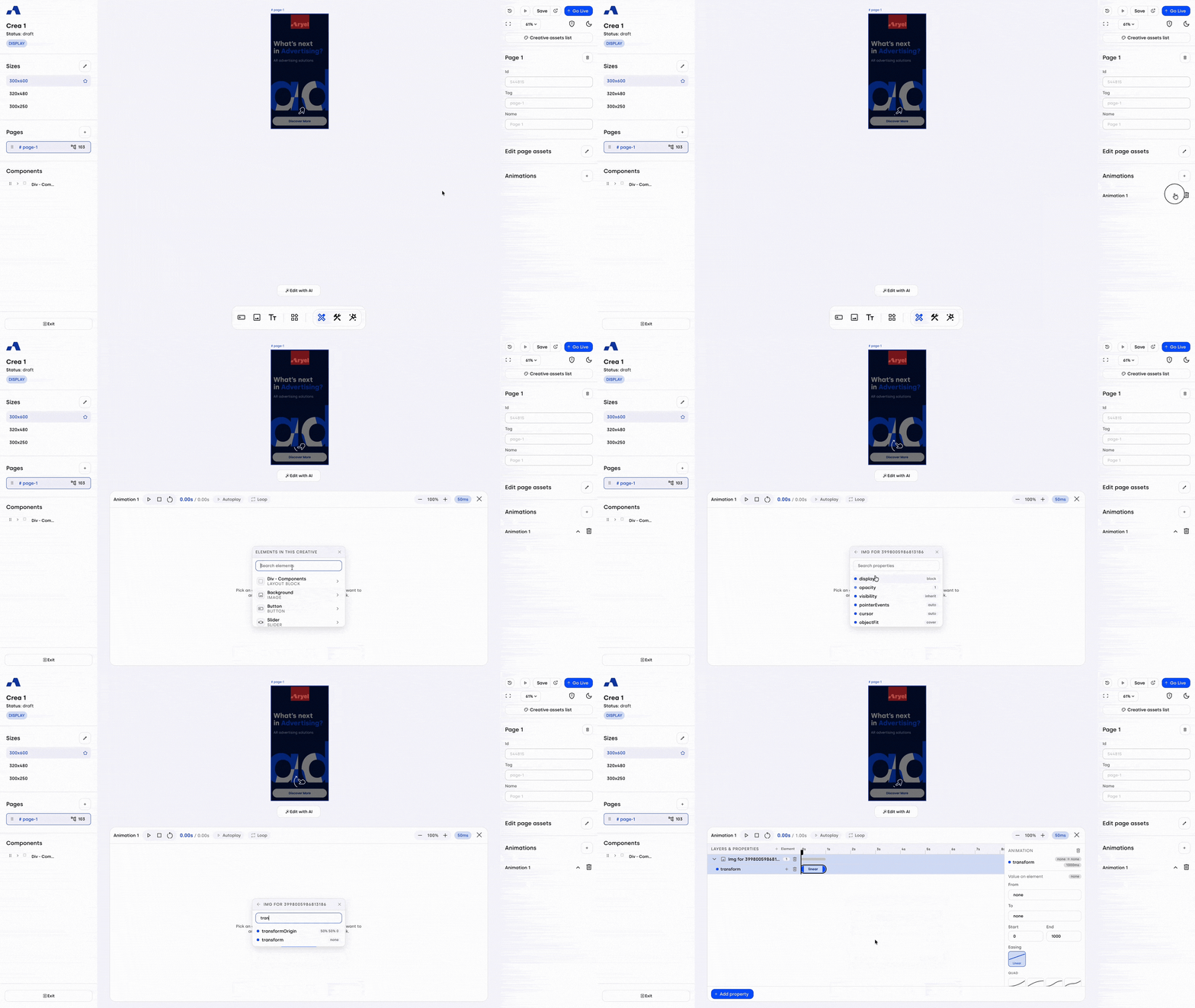
Animation Timeline: Precision Transition Control
We have overhauled the animation experience with a dedicated timeline workspace, giving you granular, visual control over complex transitions directly within the canvas.
Visual Timeline Interface: Access the new timeline at the bottom center of your canvas. Quickly build animations using intuitive dropdowns with search fields to find specific components and the exact properties you want to animate (e.g., opacity, backgroundColor).
Granular Block Controls: Select any animation block on the timeline to fine-tune it in the right sidebar. Define "From" and "To" values, apply custom Easing curves (such as Bounce, Cubic, or Sine), and adjust timing by manually entering milliseconds or dragging the block edges directly.
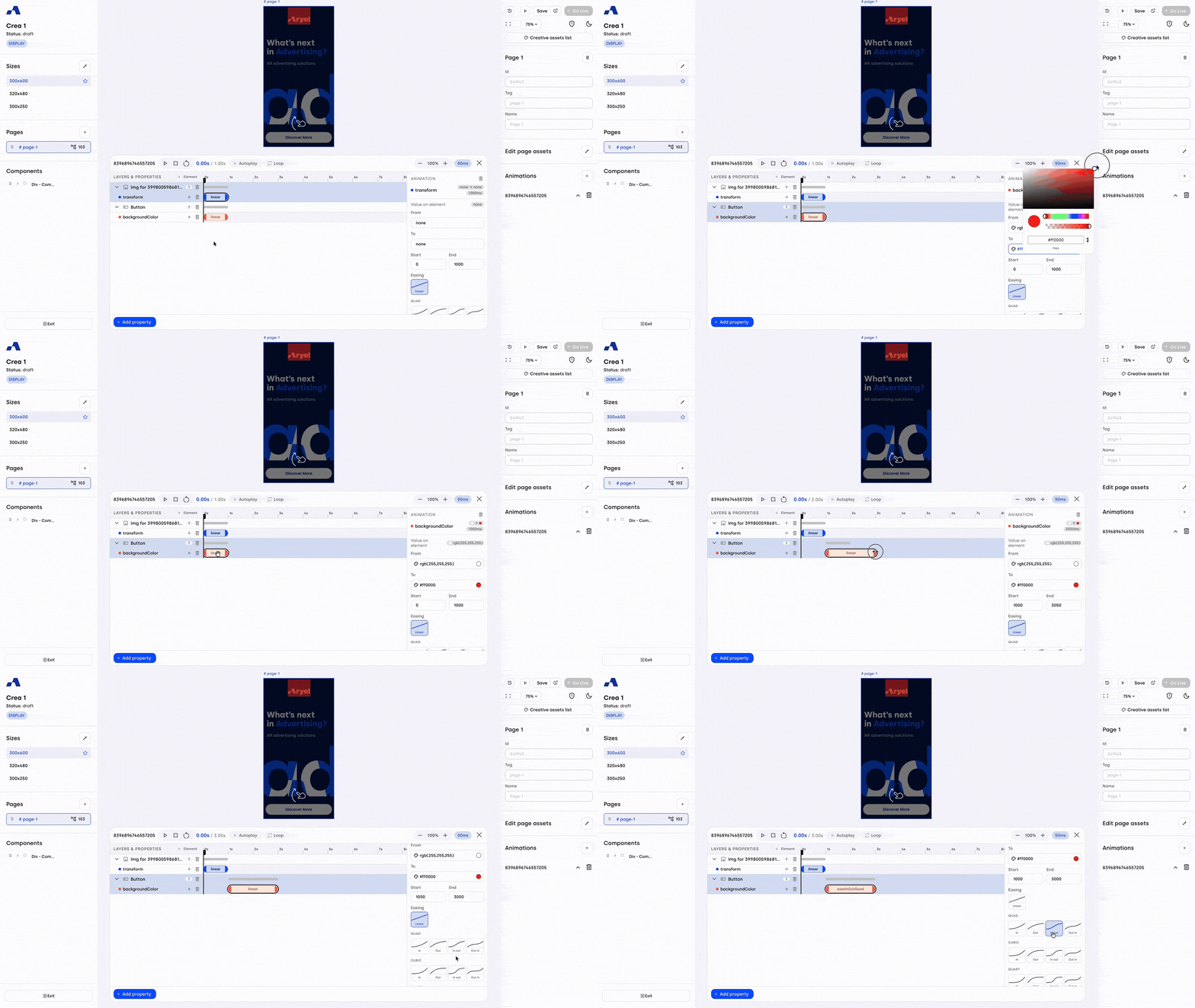
Advanced Sequence Layering: Easily manage highly complex animations. Add multiple sequences to a single property, stack additional properties on an element, or bring entirely new components into the same animation. Dedicated trash icons allow you to safely delete specific blocks, properties, or entire elements without breaking the rest of your setup.
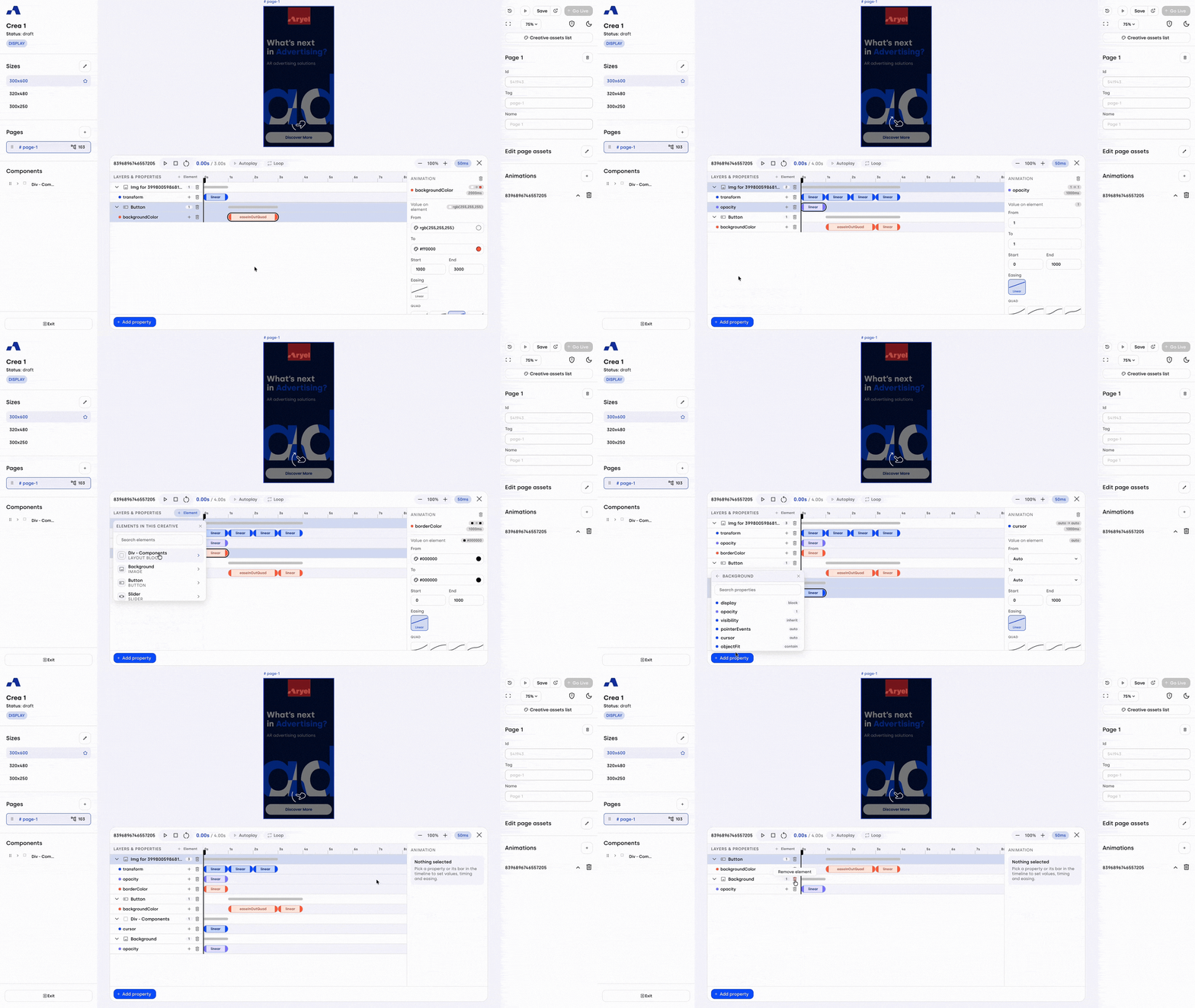
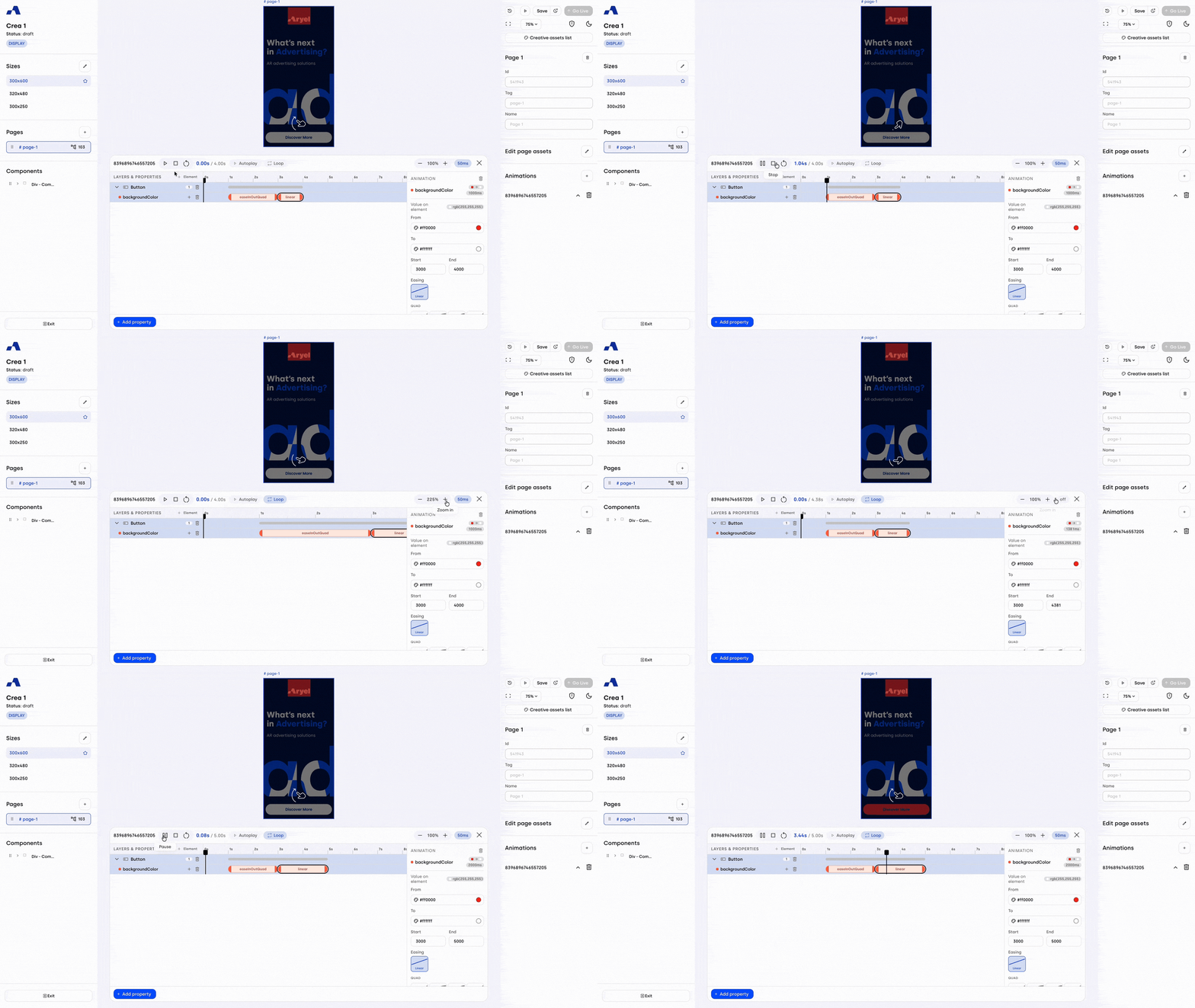
In-Builder Playback & Snapping: Preview transitions directly inside the Builder with Play, Pause, Autoplay, and Loop controls. Use the new Snapping toggle to lock your manual timeline drags to 50ms increments for perfect keyframe alignment, or turn it off for freeform, precise timing.
Canvas Controls & Smart Bounding Boxes
We’ve completely redesigned how you interact with elements on the canvas for maximum precision and a smoother visual experience.
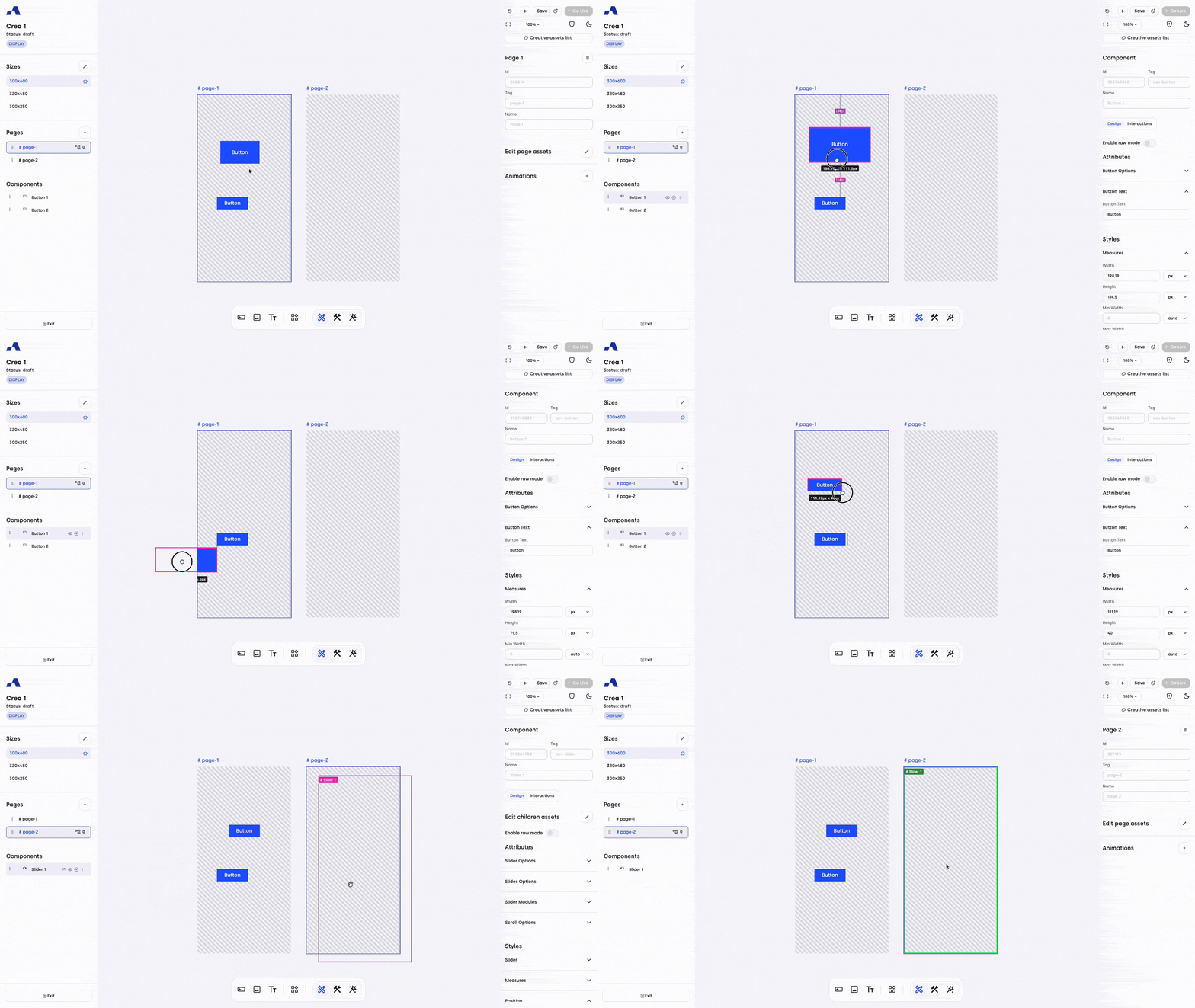
Advanced Resizing & Alignment: You can now resize components by grabbing any edge of the bounding box, not just the corners. Plus, new smart alignment guides automatically appear when dragging an asset, helping you perfectly align and match dimensions with other elements on the page.
Fully Grabbable Borders: The bounding box edges are now 100% grabbable from corner to corner, completely eliminating dead zones.
Refreshed Visual Indicators: We’ve applied a unified Pink accent across the entire overlay and snap liners. The component name label has also been upgraded to a solid pink chip with white text, cleanly anchored to the top-left.
Real-Time Measurement Chip: A brand-new dynamic chip appears below the component only while you are dragging or resizing, instantly displaying your exact applied measurements.
Context-Aware Insert Mode: When dropping a child component into a container via insert mode, the component name chip will now automatically turn green or red to visually indicate whether the placement is valid.
Edit Page/Children Assets: Smarter, More Intuitive UI
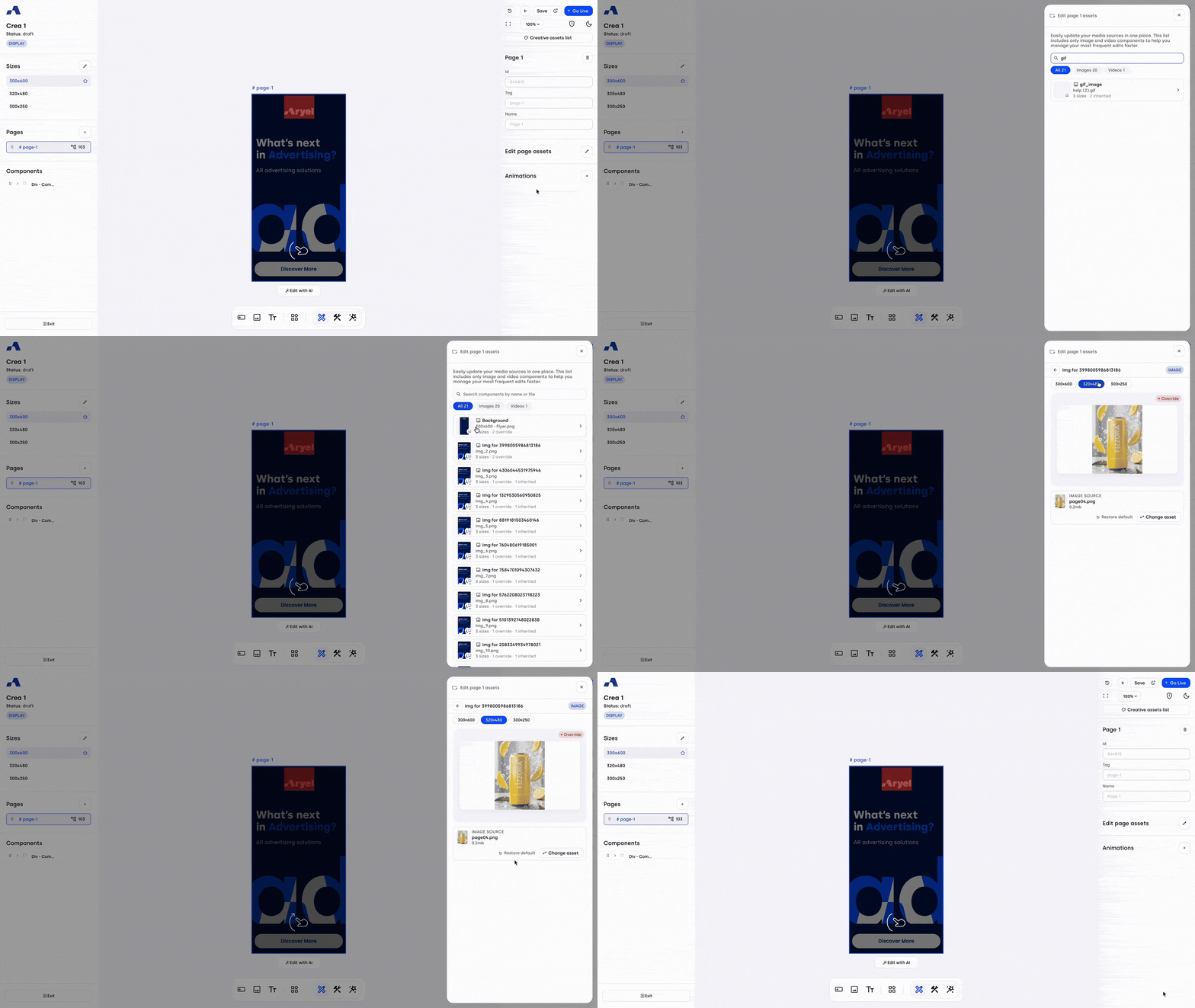
We've redesigned the asset management panel to make finding and updating your media faster and more intuitive.
Search & Type Filters: A new search field lets you quickly locate assets by name or file. When your creative includes both images and videos, dedicated filter chips — All, Images, and Videos — let you switch between views seamlessly, each automatically displaying an asset count. These filters remain hidden if your creative only uses one media type, keeping the interface clutter-free.
Visual Previews & Size Status: Every asset in the list now displays a live thumbnail preview alongside a quick summary of its sizes and their status (e.g. "3 sizes · 1 override · 1 inherited"), so you can assess your setup at a glance without opening each asset.
Clearer Asset Detail View: Opening an asset now shows a type chip (Image or Video) and per-size tabs, each with its own status badge — Default, Inherited, or Override. A large preview updates as you switch between tabs, and a "Restore default" option appears whenever a size has an overridden source, making it simpler to distinguish and manage size-specific sources.
Updated Save Button: The action button at the bottom of the panel, now labeled "Apply edits," only appears once you've made a change, keeping the panel cleaner when there's nothing to save. As before, edits are applied only once you click this button — closing the panel beforehand will discard your changes.
Enhanced Reporting: Granular Downloads & Expanded Access
We have brought more flexibility to how you export and share your performance data.
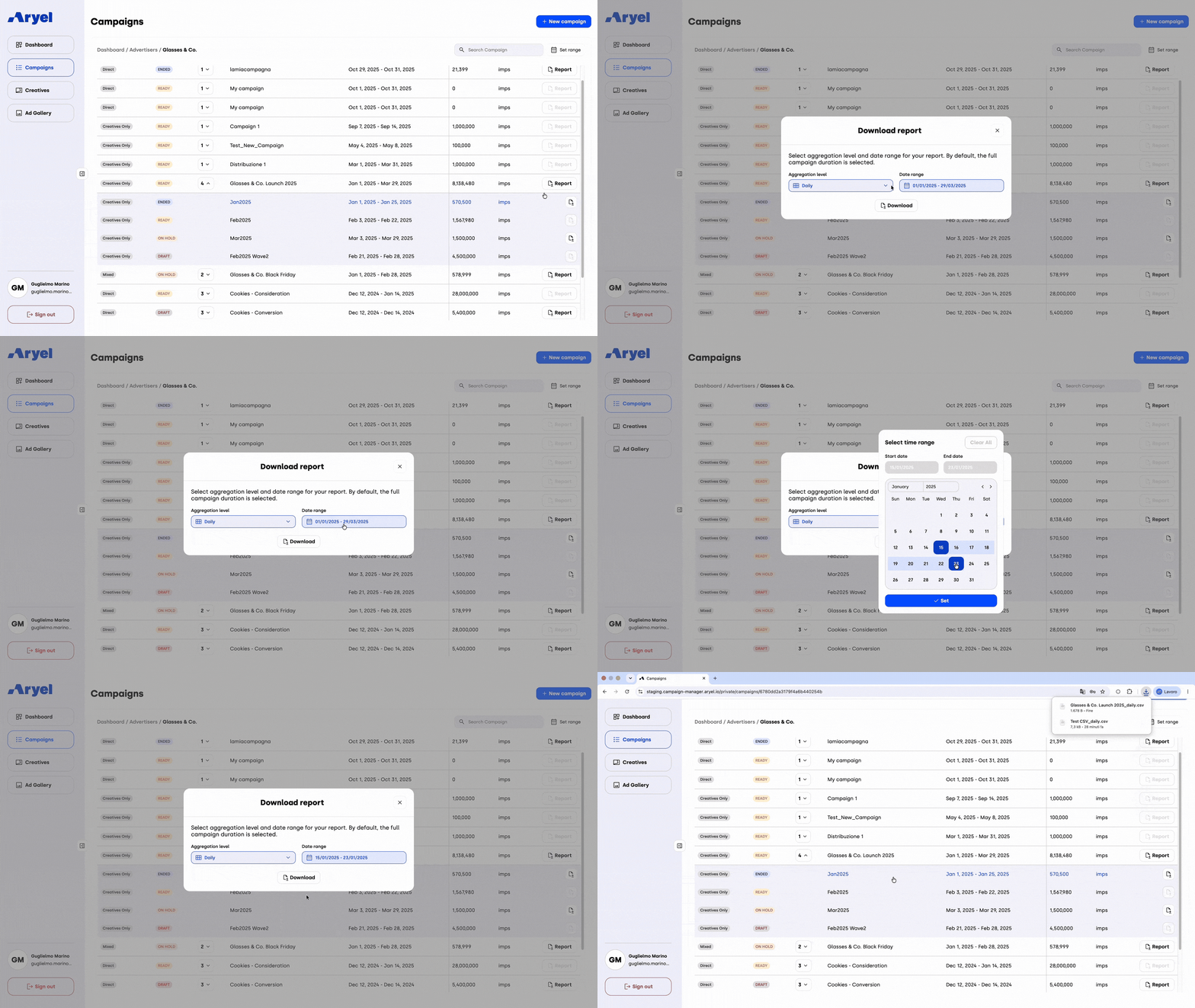
Flexible Aggregation & Date Filtering: When downloading reports from either the Campaign or Flight level, you can now define exactly how your data is grouped. The updated download modal features a new interval selector, allowing you to choose between Daily, Monthly, or Cumulative data aggregation. This new selection works seamlessly with your applied date filters, ensuring your exported data is aggregated precisely within the specific timeframe you’ve set for highly targeted insights.
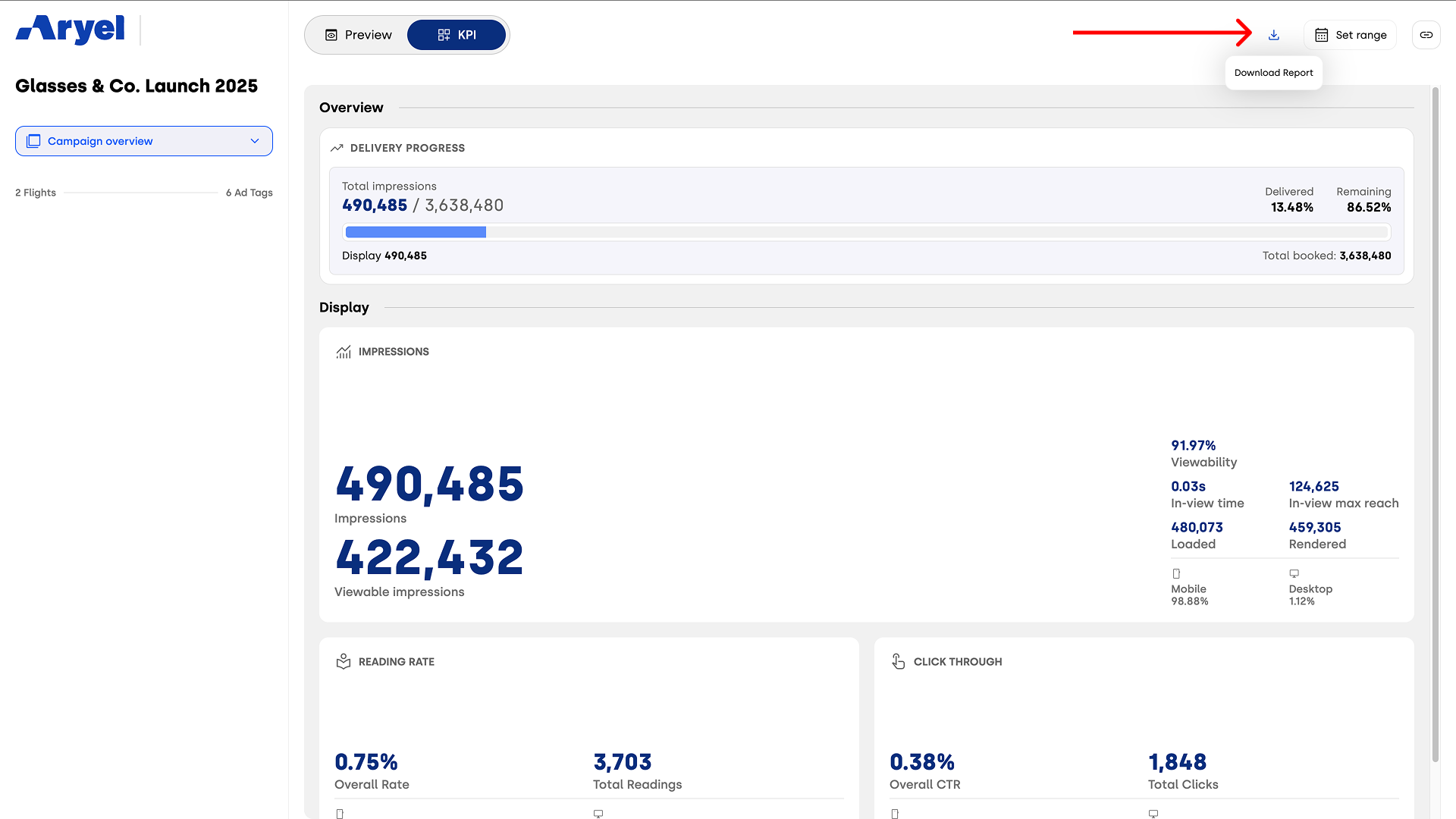
Export from Demo Pages: We’ve made it easier to share performance metrics externally. You can now download reports directly from the Insights-Demo Page.
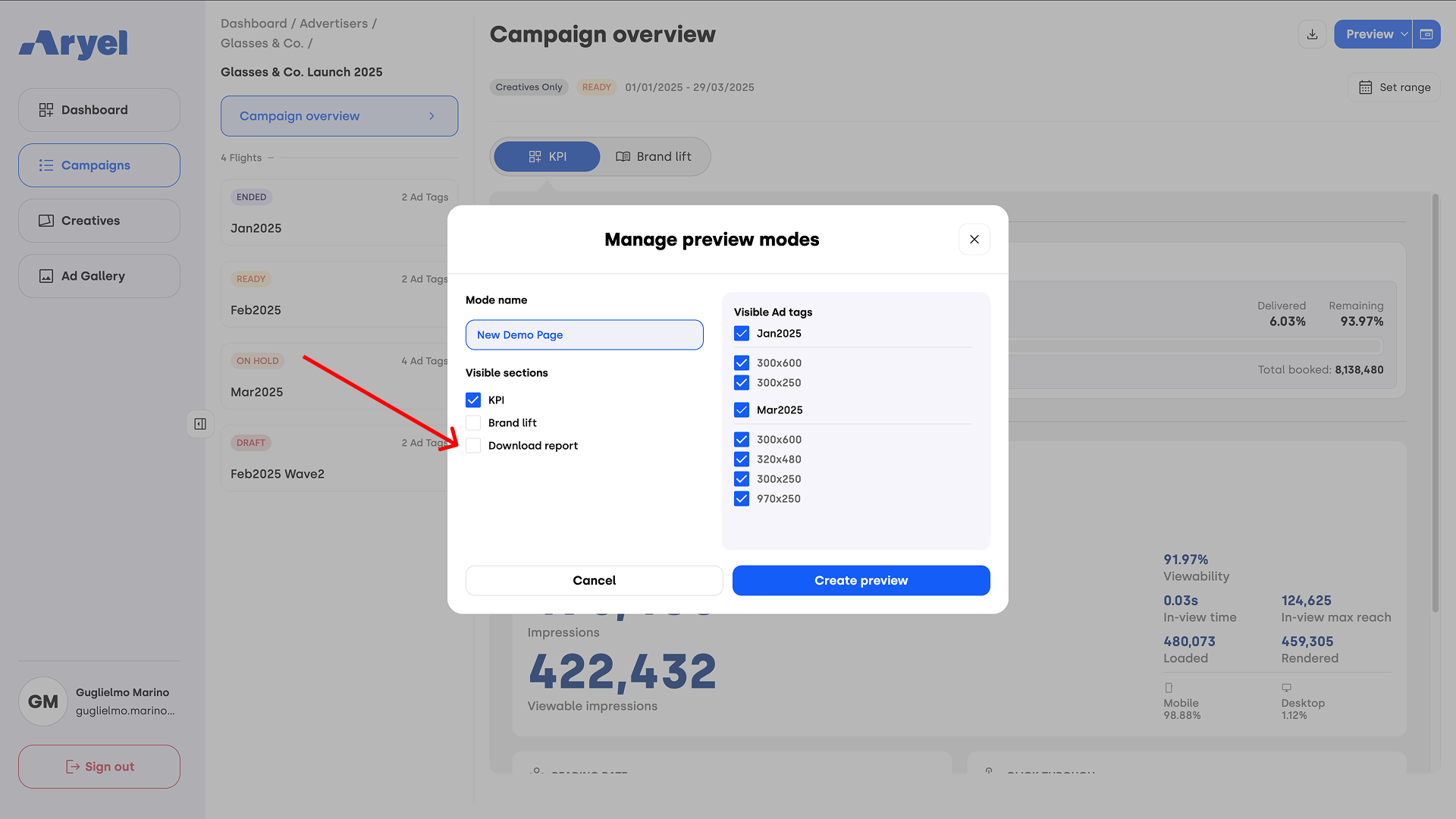
Furthermore, when building custom demo links using the Managed Preview Modes feature, you now have the option to enable report downloads for your viewers. Note that this option becomes available only after selecting the KPI checkbox.
Whether you are orchestrating complex user interactions, fine-tuning precise animations on the new timeline, taking granular control of your canvas elements, managing media assets with the streamlined UI, or exporting highly targeted performance reports, these September enhancements are designed to accelerate your workflow and boost your creative accuracy. Dive into the updated interface to explore these powerful new design and reporting tools.