
Welcome to the July 2026 update. This month, we're transforming how you interact with your workspace and extract crucial campaign data. By prioritizing interface adaptability, faster setup times, streamlined asset organization, and precise reporting capabilities, these latest improvements will help you navigate your data, manage high-volume libraries, and generate targeted insights with unprecedented ease.
Creative Assets List: Customizable Display Modes
Optimize your media management with new, flexible ways to view and browse your files.
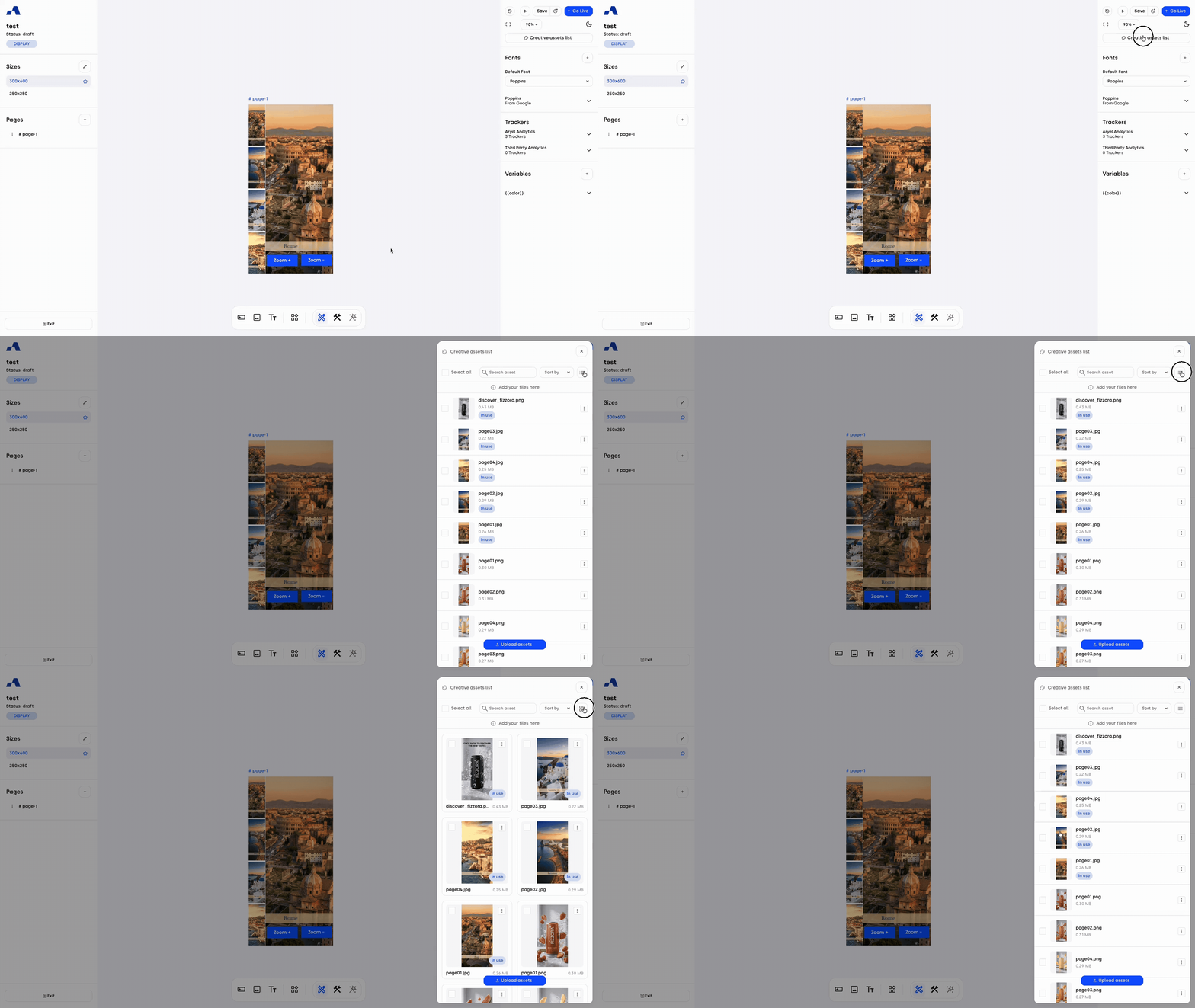
Flexible Viewing Options: You can now seamlessly switch how your media (images, videos, and files) is displayed within the Creative assets list, tailoring the interface to your specific workflow needs.
Visual Grid View: Designed for rapid visual identification, this mode features prominent thumbnails that allow you to spot the exact asset you need at a single glance.
Compact List View: Engineered for bulk efficiency, this layout condenses your media into a highly scannable, data-dense list, making it effortless to navigate, organize, and manage large volumes of files at once.
Media Library & Creative Assets: Expandable Panels & Extended Table View
Gain deeper visibility and control over your files with our new expandable workspace and detailed tabular layouts.
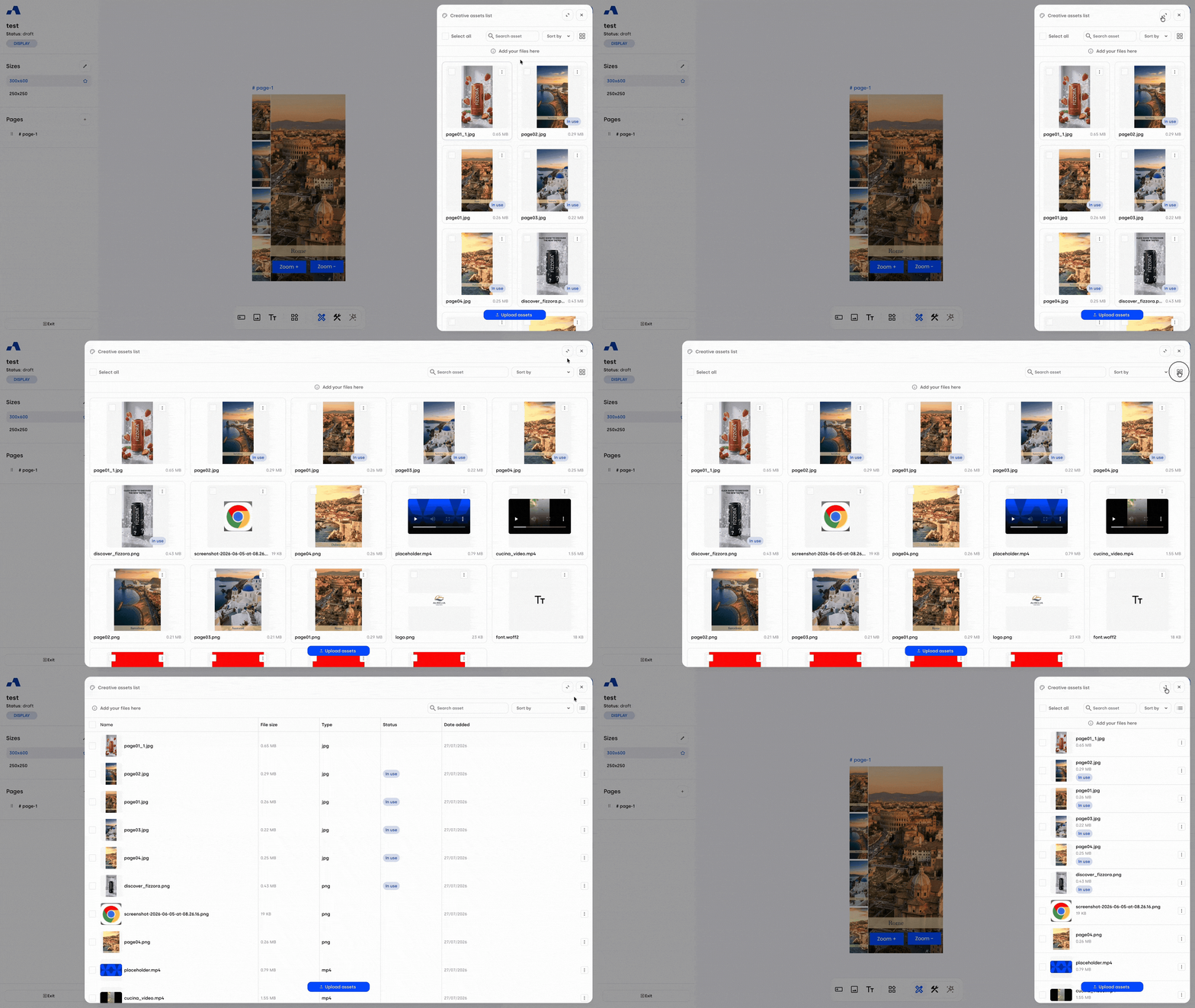
Expandable Workspace Panel: To eliminate the space constraints of the standard sidebar, we have introduced an "Expand/Collapse" toggle directly in the asset panel header. A single click dramatically widens the panel across your canvas, providing the necessary room to effortlessly read and manage high-volume libraries.
Extended Table View: When the panel is expanded and set to the List View mode, the interface automatically upgrades into a structured, multi-column data table. This maximized layout is specifically designed to make reviewing technical details and long file names completely frictionless.
Comprehensive Asset Metadata: The new wide-screen table structure surfaces critical file information at a single glance. It clearly displays the full file Name (paired with a convenient micro-thumbnail), precise File Size, asset Type (e.g., PNG, MP4), Date Added, and real-time Status (prominently displaying the "In Use" badge for actively linked creatives).
Component Creation: Automated Name Field Autofocus
Accelerate your build process with a highly impactful workflow optimization.
Instant Cursor Focus: When generating a new component, the system now automatically drops your cursor directly into the name input field the moment the dialog appears.
Frictionless Workflow: This smart enhancement completely eliminates the need for an extra manual click. You can instantly start typing to label your elements, shaving valuable seconds off repetitive tasks and keeping your creative momentum uninterrupted during complex layout builds.
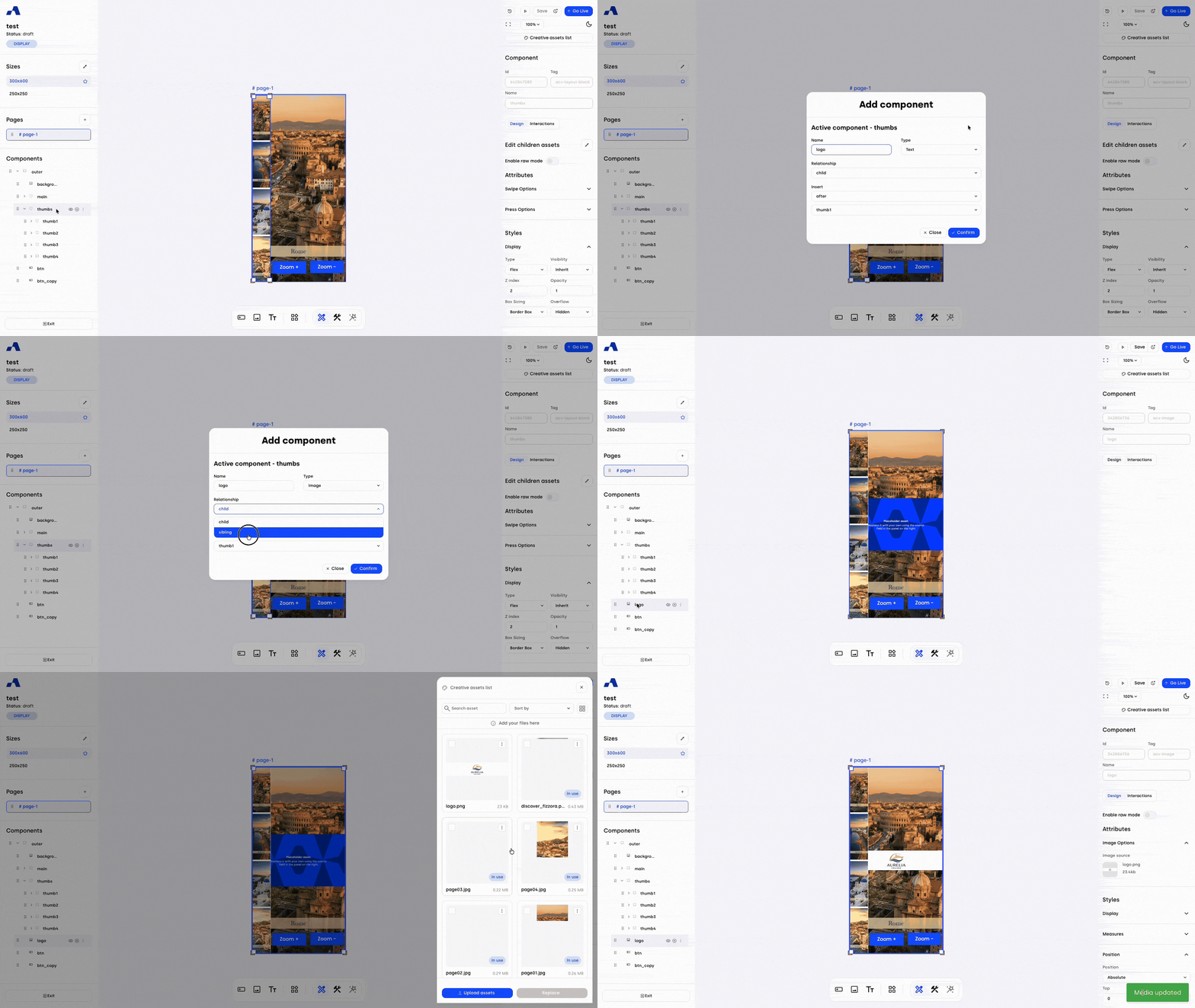
Image & Layout block: Standardized Transform Styles
Enable advanced layout designs with a complete suite of transform styles and refined property organization.
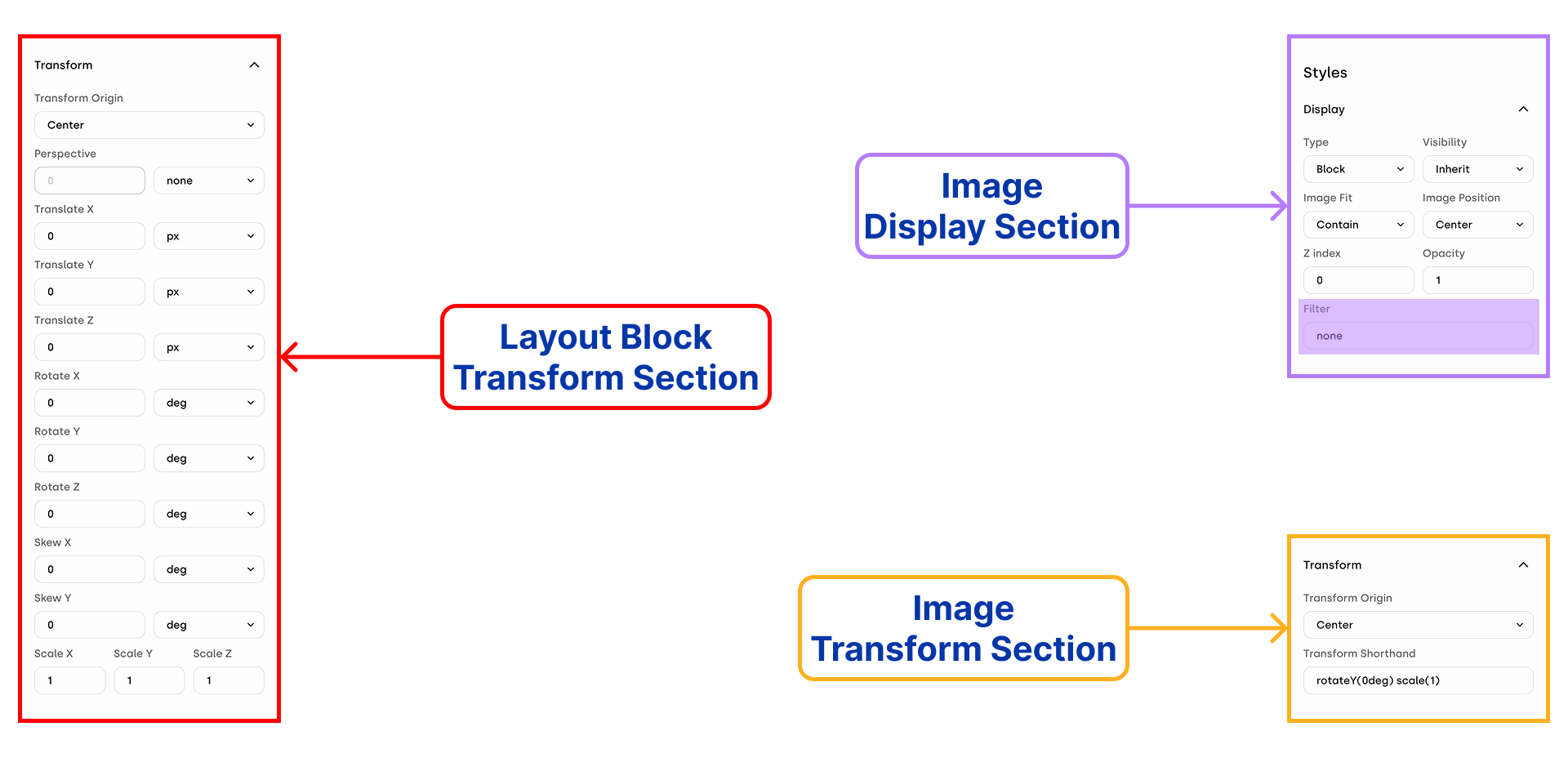
Complete Layout block Transforms: The styles sidebar now features a dedicated transform section for the Layout block. You can precisely adjust Transform Origin, Perspective, Translate (X, Y, Z), Rotate (X, Y, Z), Skew (X, Y), and Scale (X, Y, Z).
Refined Image Properties: We have added the new Transform origin property to the Image. To improve workspace organization, a new "Transform" section now houses both "Transform origin" and the existing transform string (now clearly relabeled as "Transform Shorthand"). Additionally, the "Filter" property has been moved to the "Display" section.
New Actions: We have introduced several new actions to fully support these styling capabilities across both components.
Set scale 3d (x, y, z params): Layout block
Set translate (x, y, z params): Layout block
Set rotate (x, y, z params): Layout block
Set skew (x, y params): Layout block
Set transform origin: Layout block, Image
Set perspective: Layout block
Ads Manager Lists: Enhanced Sorting, Pagination & Search
Navigate your core campaign data with greater speed and precision through upgraded list management tools.
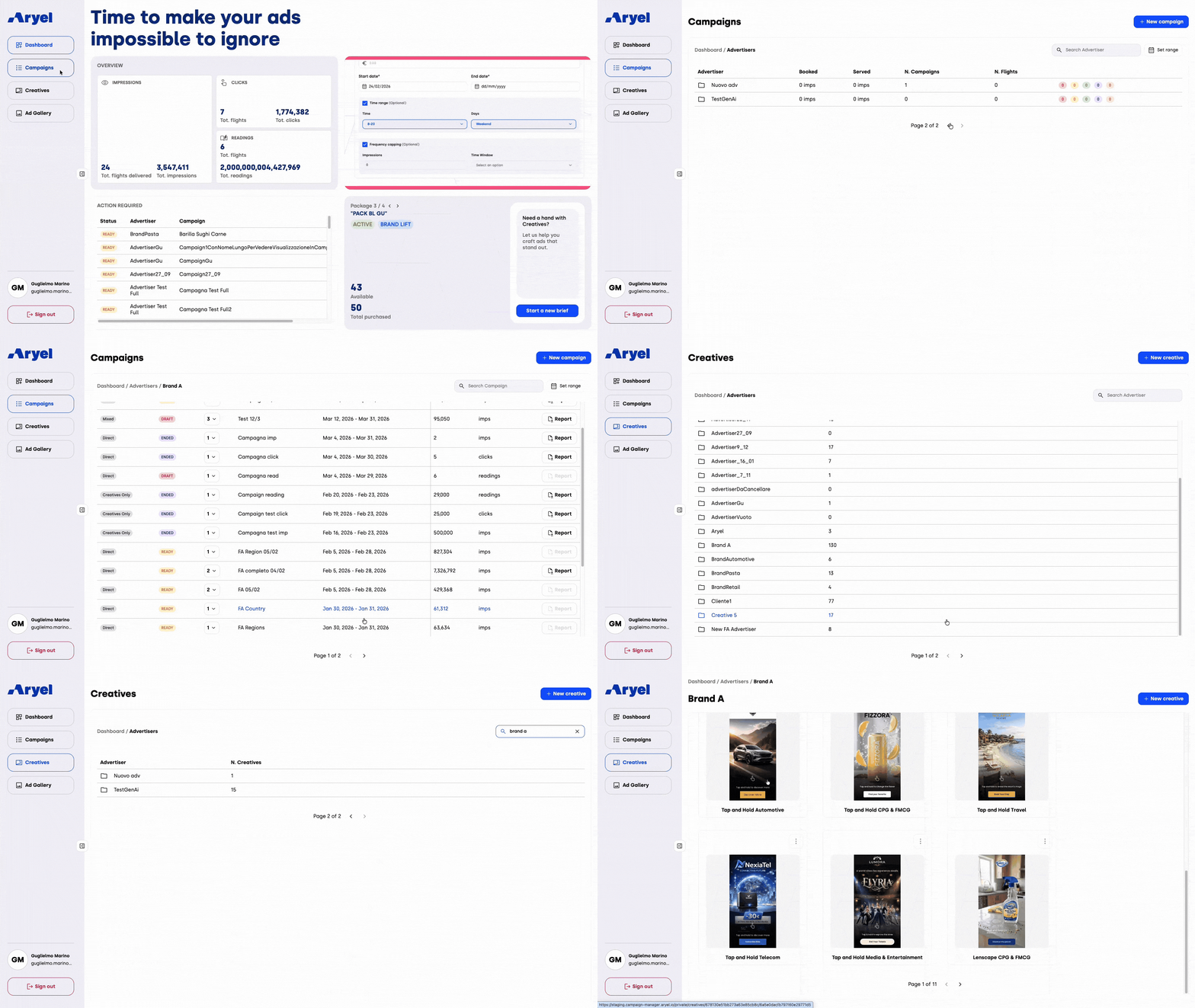
Intelligent Default Sorting: We have refined the default sorting logic across the main Ads Manager lists (Campaigns and Creatives). Lists displaying advertiser names now automatically sort alphabetically for rapid reference, while all other lists prioritize your most recently created items at the top.
Universal Pagination: To help you handle large-scale accounts effortlessly and optimize platform performance, we have implemented structured pagination across every main list view.
Advertiser-Specific Creative Search: Locating the right assets is now faster than ever. The Creatives list introduces a dedicated search filter, allowing you to instantly isolate a specific advertiser.
Reports: Download Reports Based on Applied Date Filters
Extract exactly what you need with our new highly targeted CSV download parameters.
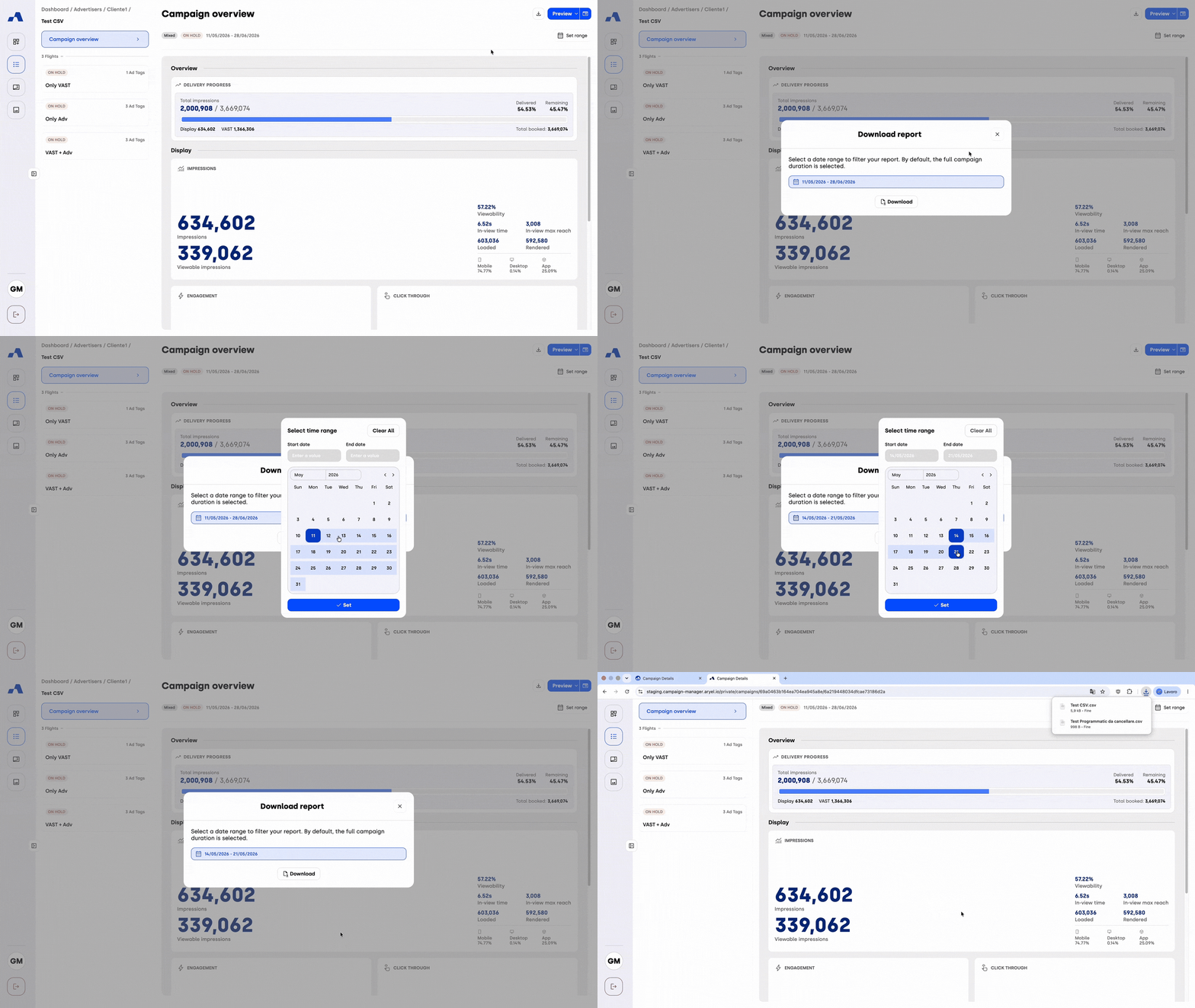
Targeted Data Extraction: You can now filter your reports by custom date ranges prior to downloading, available at both the Campaign and Flight levels. This ensures you only extract the specific period of interest without having to manually clean up data in Excel later.
Interactive Download Modal: Clicking the download icon now opens a dedicated date filter selection window rather than triggering an immediate, broad CSV download.
Total Duration Default: By default, the download window pre-fills with the total start and end dates of your selected Campaign or Flight.
Custom Date Range Selection: Using the new interactive calendar picker, you can manually define a specific start and end date, provided it falls within the active limits of the Campaign or Flight.
Seamless Application: Once you have chosen your dates, simply click "Set" to apply the filter, and then click "Download" to instantly export your customized, filtered CSV.
Whether you are managing complex asset libraries, rapidly generating new components, or extracting highly specific campaign reports, these July enhancements ensure your platform experience is as fluid and intuitive as possible. Dive into the updated interface and discover a faster way to organize your daily tasks and analyze your performance.