
June brings a new wave of powerful enhancements to your creative and campaign workflows. This month’s updates focus on smarter interaction logic, precise event triggers, robust asset safeguards, and streamlined campaign activation, giving you greater control and efficiency than ever before.
Interaction Updates & Smart Action Persistence
We have optimized the interaction workflow to save you time and eliminate repetitive setup tasks when refining your creative logic.
Smart Action Persistence: Changing the target element of an existing interaction no longer wipes your configured actions. The system now intelligently retains your parameters during a target swap, saving you from having to manually re-enter data from scratch.
Automatic Compatibility Checks: Upon selecting a new target element, the Builder instantly evaluates your existing setup. Supported actions remain perfectly intact, while only the specific non-compatible actions are safely removed.
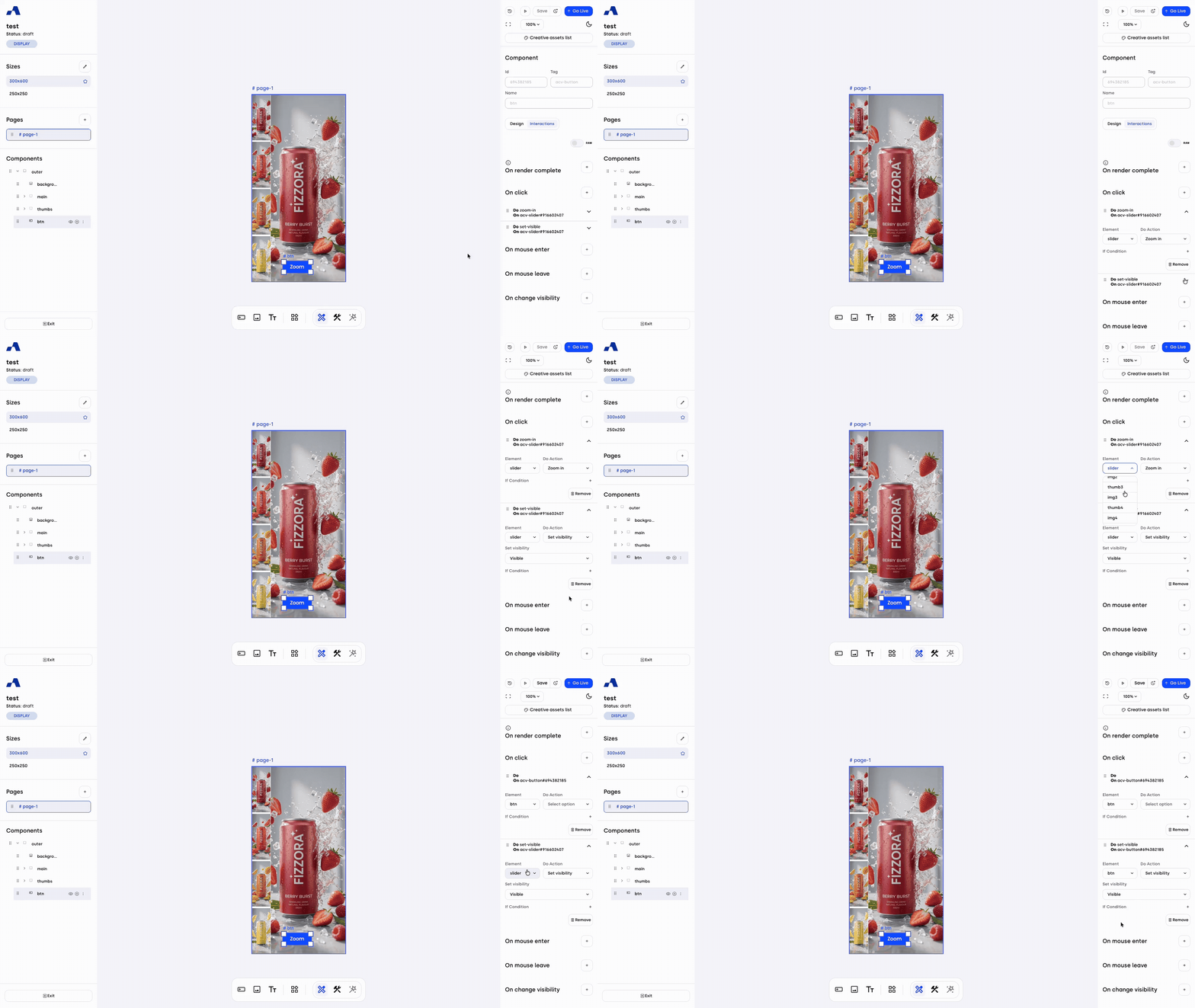
"On Change Visibility" Event Trigger
Expand your creative control with precise timing based on component visibility.
Real-Time Visibility Tracking: You can now trigger an action the exact moment a component appears or disappears on the screen.
Automated State Sharing: The system automatically broadcasts the current visibility state (true or false) as it happens, allowing for highly responsive logic.
Smart Conditions & Analytics: Leverage this real-time data to build intelligent conditions—such as initiating an animation only when an element is actively visible—or route the visibility state directly to your tracking systems for deeper performance insights.
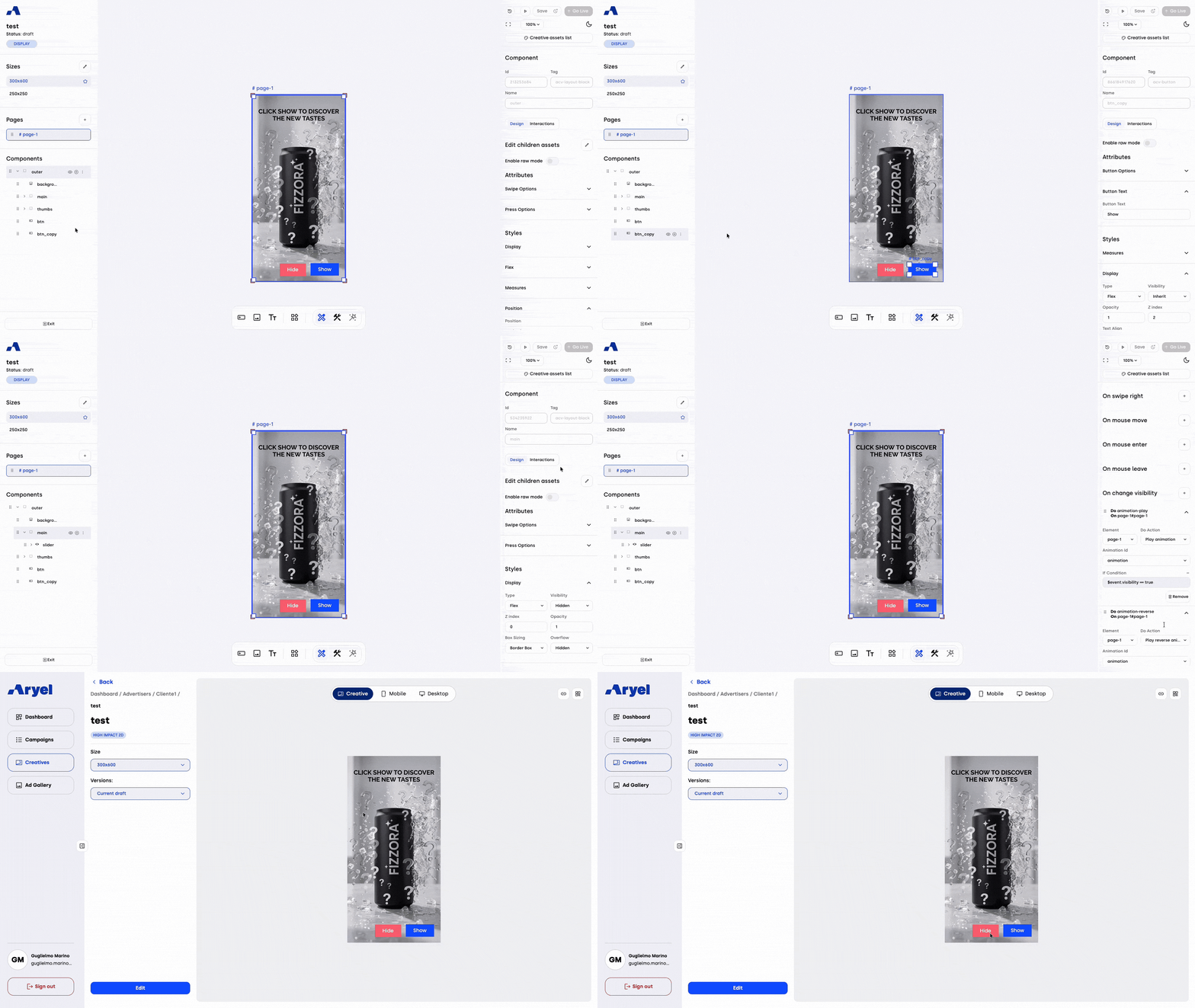
"On Start Drag" Slider Trigger
Enhance your slider layouts with more precise user interaction tracking.
Precise Interaction Interception: We have introduced a new "On start drag" event specifically for slider components. Unlike standard transition triggers that fire indiscriminately during both manual swipes and automatic autoplay cycles, this event pinpoints the exact millisecond a user physically touches and drags the carousel.
Advanced Layout Control: This precise timing is essential for Free Mode layouts, empowering you to instantly pause background processes or trigger immediate visual updates the moment a user engages with the creative.

"On Load" Media Asset Trigger
Gain absolute certainty over your media presentation with precise asset loading detection.
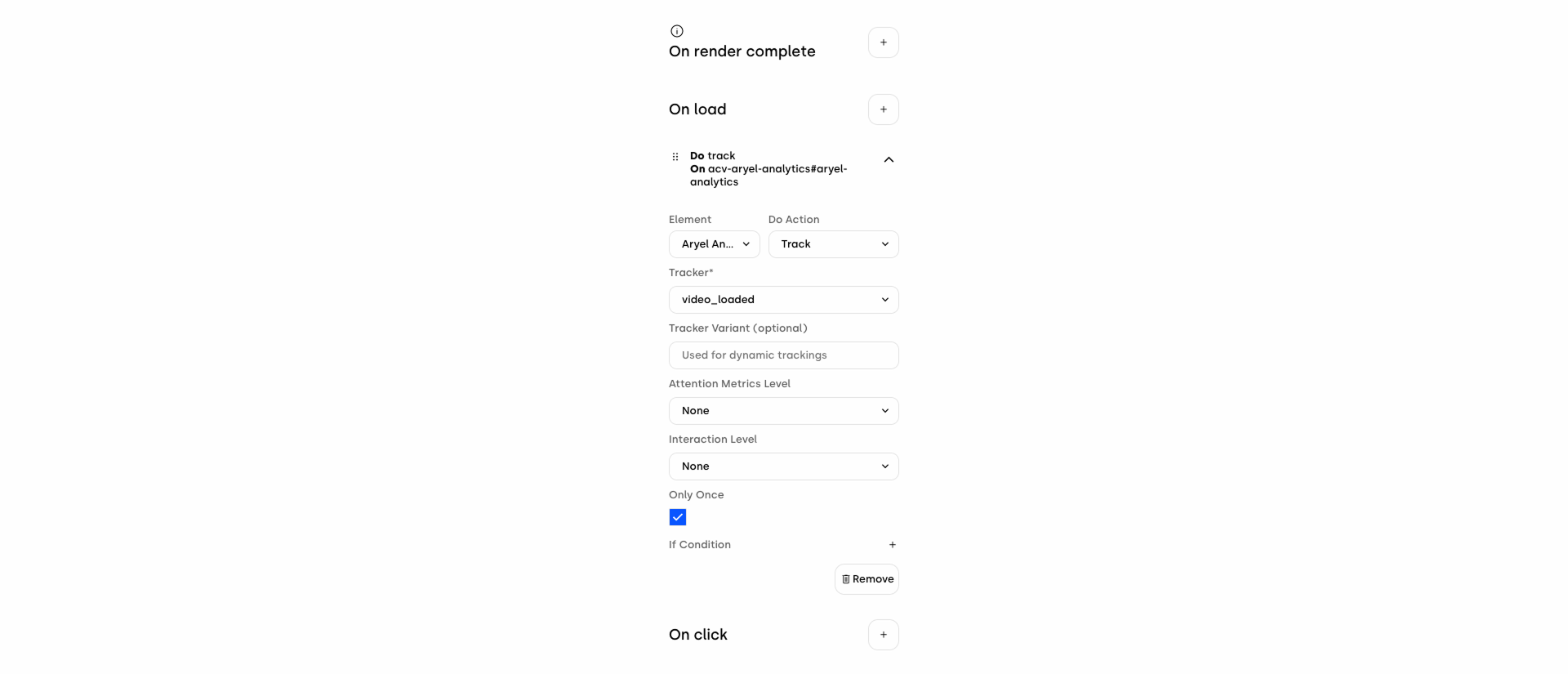
True Asset Readiness: A new "On load" trigger has been implemented for Video and Image components. This detects the exact moment a media file completely finishes downloading, rather than just when the component container is created on the page.
Optimized for Heavy Files: This update is crucial for managing large media files, such as high-resolution images or videos, ensuring your custom logic or tracking only fires when the asset is genuinely fully loaded and visible to the user.
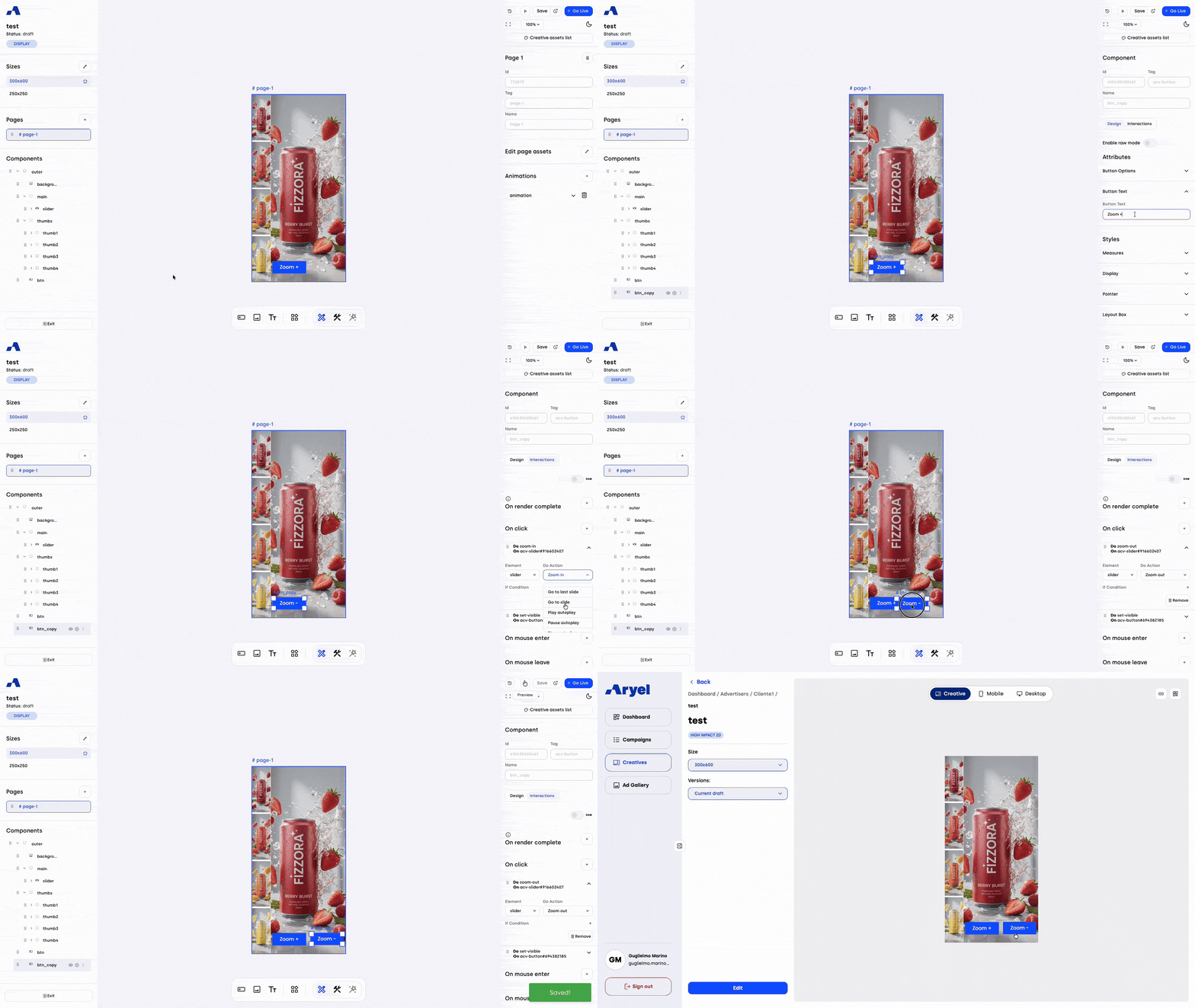
Component Duplication Engine
Accelerate your build process with our new comprehensive component cloning capabilities.
Native Asset Tree Duplication: We have introduced a native duplication workflow accessible via the Asset Tree (left sidebar) kebab menu, featuring options to Duplicate, Rename, and Delete. Selecting "Duplicate" instantly clones all styles, attributes, absolute positioning, and interaction rules.
Recursive Nesting: Complex layouts are handled effortlessly. If a duplicated component contains children (e.g., a layout container with text and images), the duplication functions recursively, preserving the entire nested tree structure and its hierarchies perfectly.
Smart Nomenclature: To keep your workspace organized, duplicated elements automatically append a "_copy" suffix to their original name (e.g., Button_1 becomes Button_1_copy), ensuring clear differentiation at a glance.
Continued Creative Library Optimization
We are further enhancing asset management with powerful new safeguards, advanced sorting capabilities, and bulk operations designed to streamline your workflow and protect your active campaigns.
"In Use" Asset Safeguards & Real-Time Hot Reloading
Protect your design integrity with smart asset tracking and seamless updates.
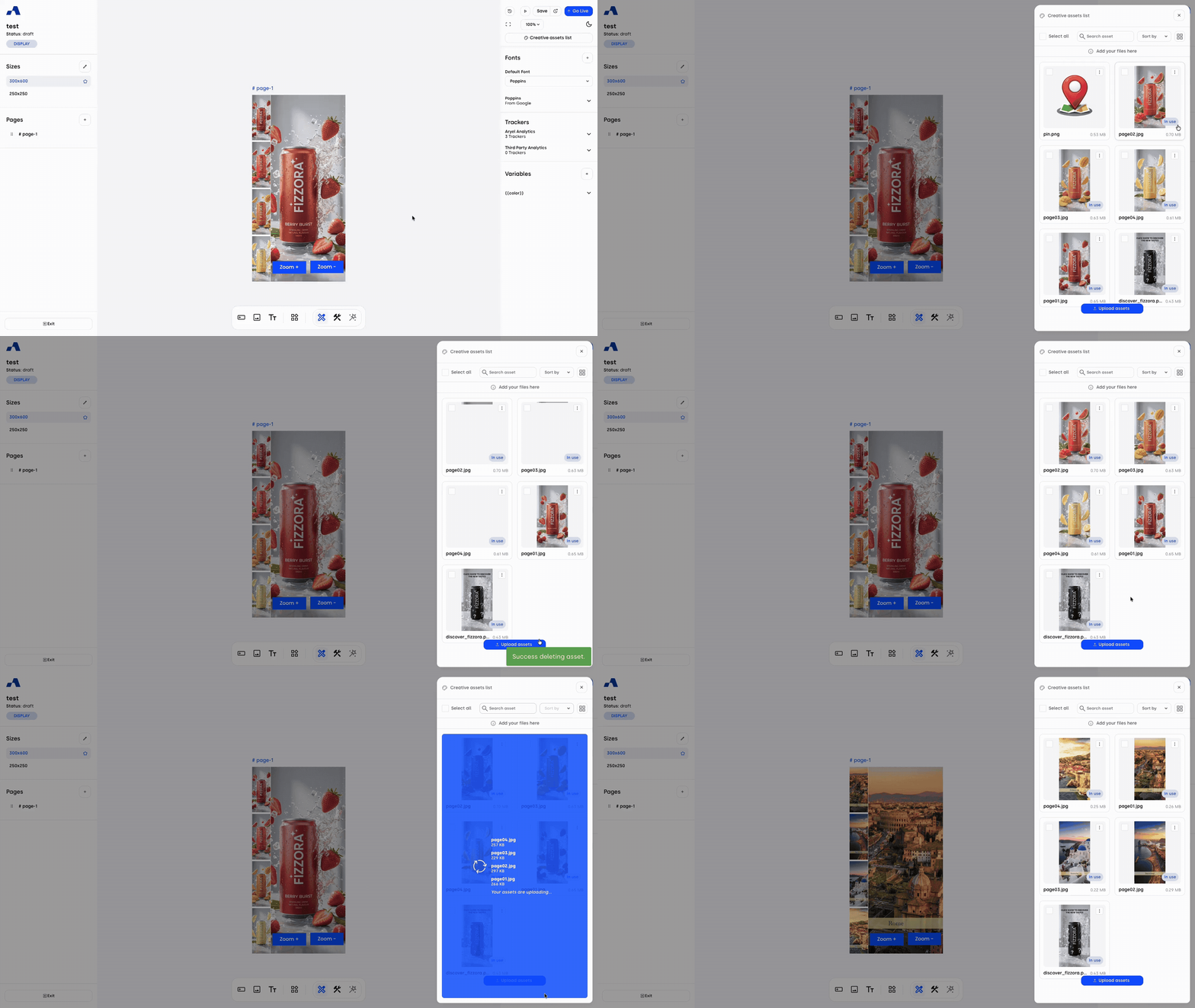
Visual "In Use" Badges: The platform now dynamically scans your canvas, instantly identifying actively linked source assets. These files automatically receive a prominent "In Use" badge directly on their media library thumbnail so you always know what is live.
Automated Deletion Protection: To prevent accidental data loss and broken layouts, the delete option is automatically hidden from the UI for any flagged, actively used asset.
Real-Time Hot Reloading: When you swap an asset source, the platform instantly updates the canvas and seamlessly transfers the "In Use" flag to the new media entry—no page refreshes required.
Advanced Multi-Criteria Asset Sorting
Find what you need faster with granular sorting controls and smarter upload workflows.
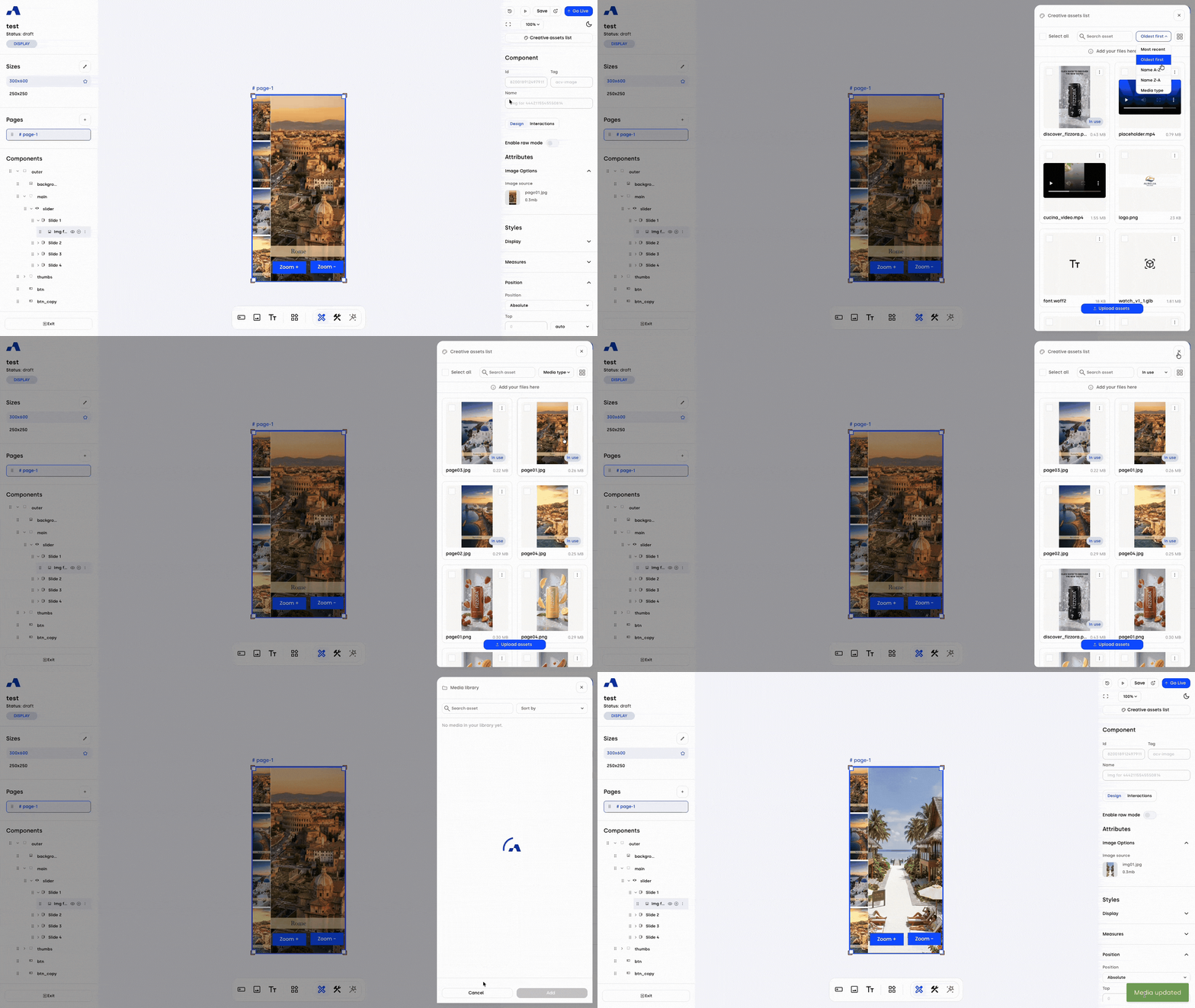
Expanded Sorting Parameters: A new multi-criteria sorting dropdown menu has been added alongside the search bar in both the global Media Library and project file panels. Beyond the default "Most Recent" view, you can now sort by Oldest, Name (A-Z or Z-A), Type (grouping files by extensions like images, videos, and fonts), and "In Use" (bringing actively embedded files straight to the top of the grid).
Smart Auto-Selection: During the source replacement phase, the system now intelligently auto-selects the file you just uploaded—whether from the library or your computer—saving you an extra click.
Bulk Actions Management
Cut down on manual cleanup time with our new high-performance batch operations.
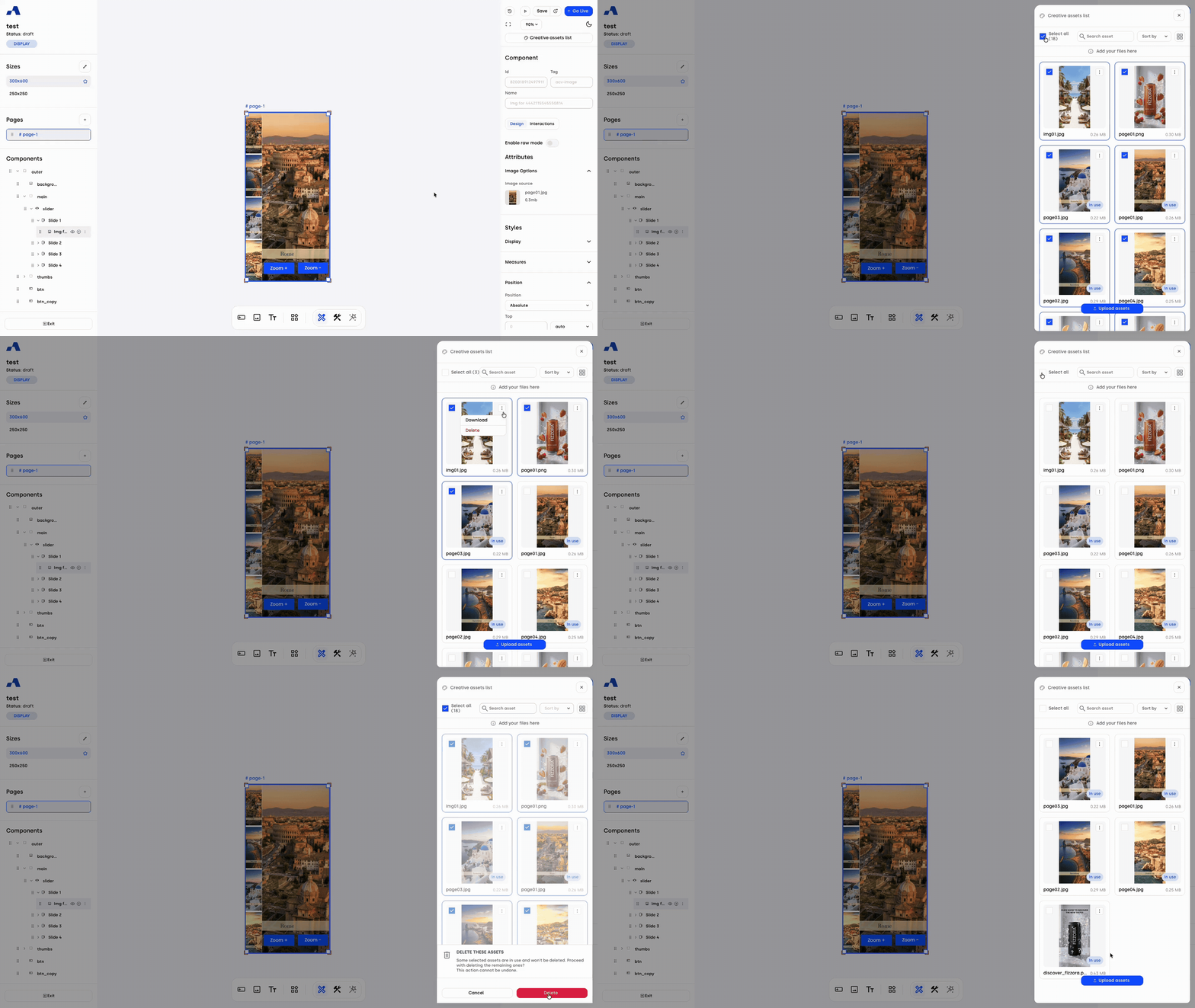
Massive Delete & Batch Download: You can now select multiple asset tiles simultaneously within both your project and global libraries. Trigger massive, single-click "Delete" or batch "Download" operations to keep your workspace organized effortlessly.
Intelligent Bulk Safety: Active assets remain strictly protected even during mass operations. If a bulk delete selection includes both used and unused files, the system will smartly bypass the active ones and remove only the unused assets, keeping your live project completely safe.
Media Library Performance & Search Enhancements
Experience faster browsing and more powerful search capabilities with our re-engineered library architecture.
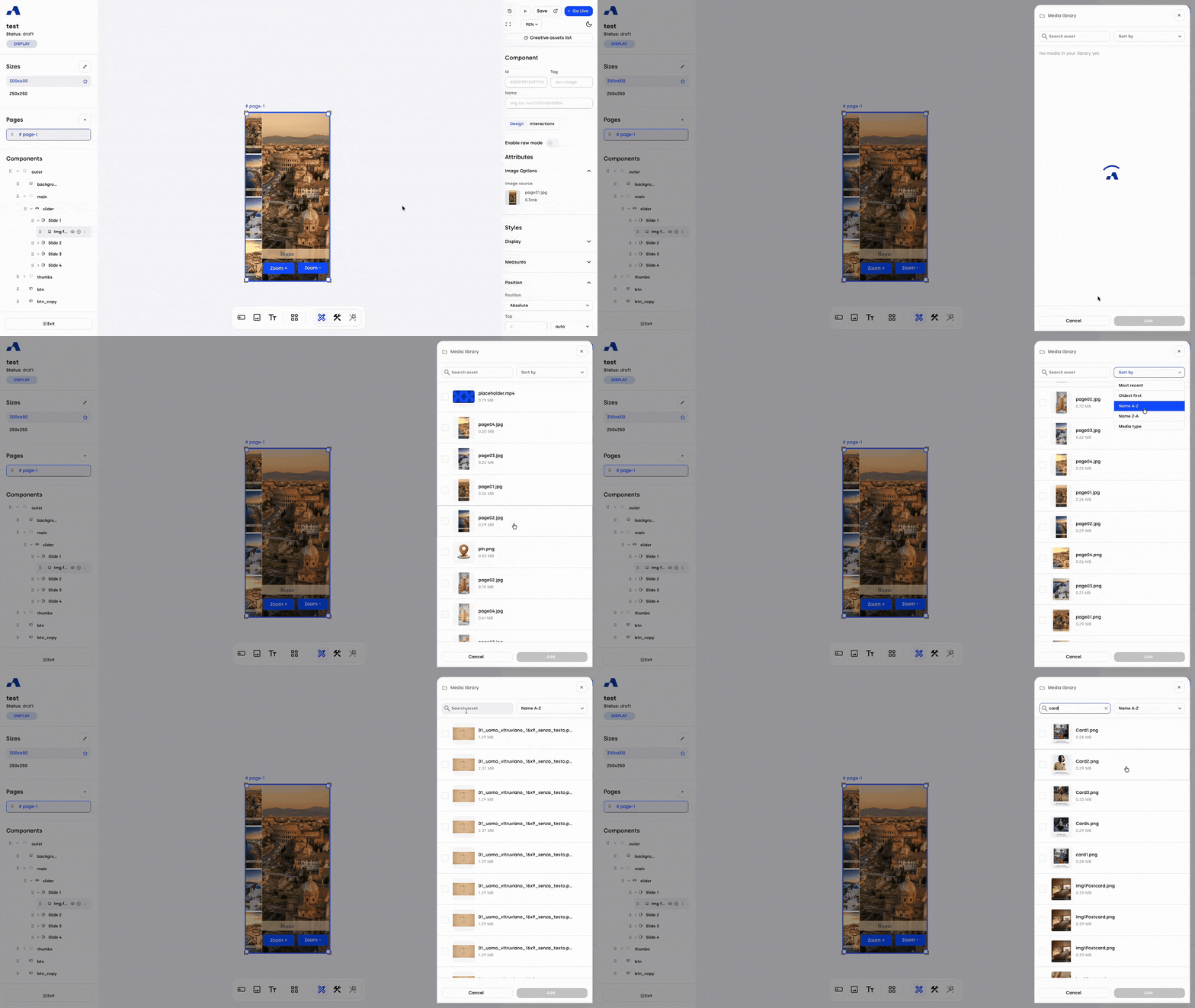
Optimized Lazy Loading: We have replaced rigid grid limits with a smooth, high-performance lazy loading framework. As you scroll past the initial 9-item threshold, media entries now stream seamlessly into view, drastically improving loading times and browsing fluidity.
Full-Database Search & Sorting: To guarantee absolute accuracy, our text search and sorting algorithms have been transitioned to the backend. Your queries and filters no longer process only the locally displayed items; they now instantly scan your entire database ecosystem to surface the exact matches you need, no matter how deep they are stored.
Full Activation (FA) Flow: Geo-Filtered Inventory & Bulk Selection
Streamline your campaign setup with smarter geographical targeting and faster inventory management tools.
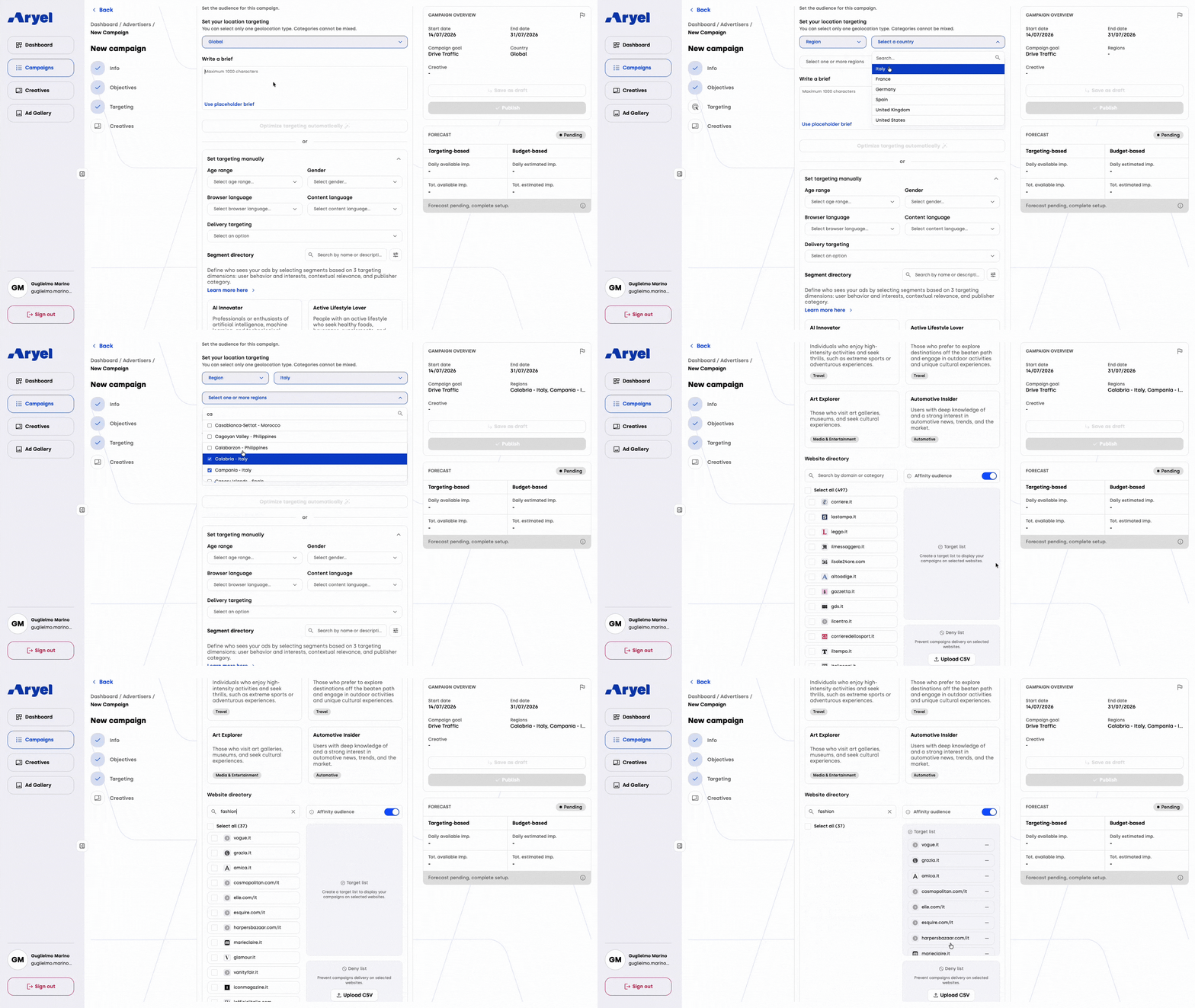
Automated Geo-Filtering: We have enhanced the targeting engine to automatically cross-reference granular geographic selections, such as specific Regions, Cities, or Postal Codes. The system now intelligently filters your available publisher list to exclusively display websites from the corresponding countries, completely removing the need to apply broad country-level filters first.
Publisher Bulk Selection ("Select All"): Building your media plan is now significantly faster. We have introduced a "Select All" bulk checkbox to the inventory management UI. You can now filter websites by specific parameters, such as industry categories or verticals (e.g., News), and add the entire filtered subset to your campaign with a single click, eliminating tedious manual selection.
This June, our focus is on giving you absolute control over your creative logic while maximizing your productivity and protecting your active builds. Log in to take advantage of these new precise interaction triggers, bulk operations, and smart safety safeguards, and start building more resilient, high-performing campaigns today.