
May brings a new level of efficiency and control to your creative process. This month’s updates focus on streamlining asset management, simplifying the design workflow, and expanding your creative toolkit with more flexible interaction logic and enhanced campaign safety controls.
Creative Media & Library Optimization
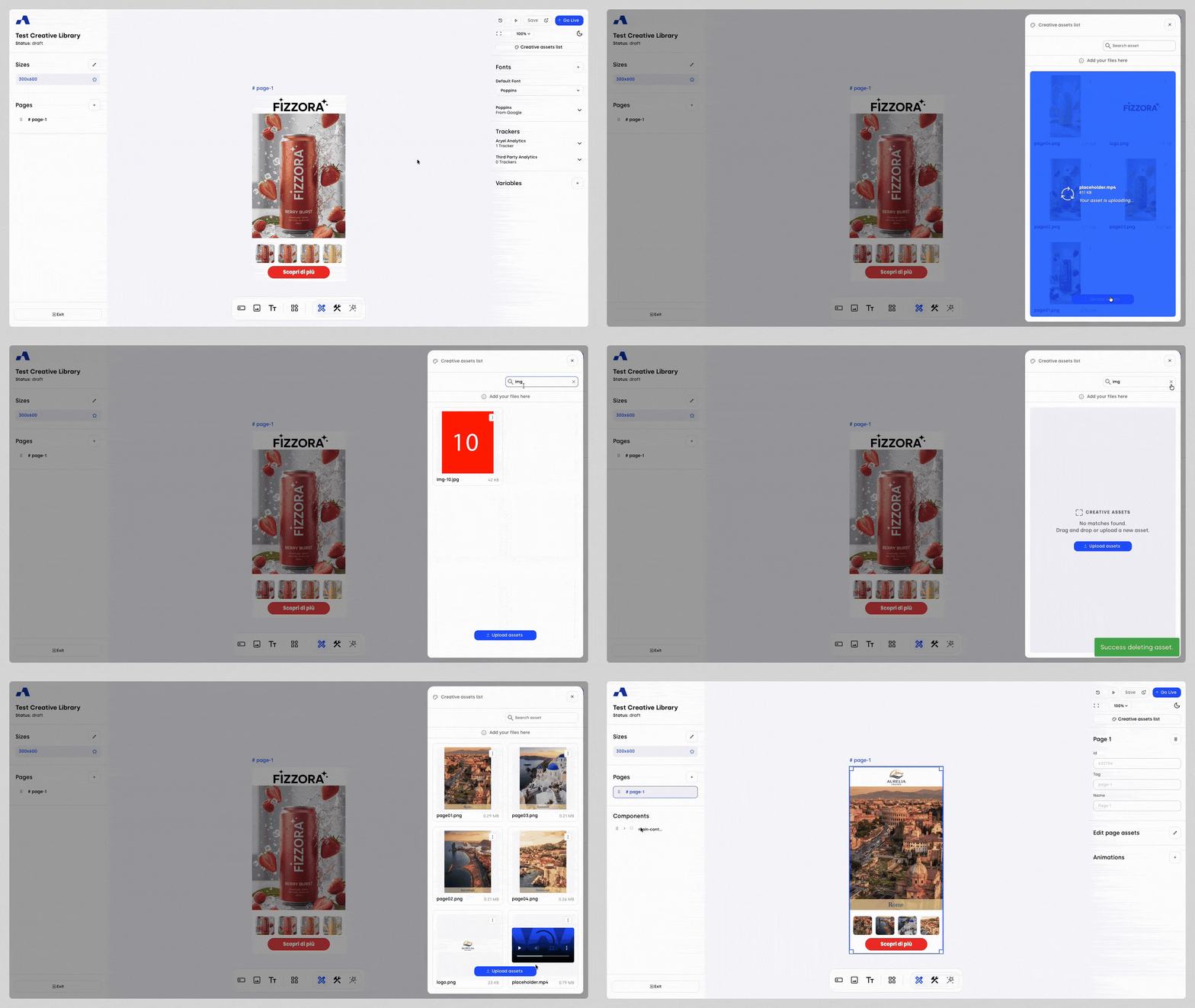
We have completely overhauled asset and library management to provide a more intuitive and efficient experience. Accessible via the "Creative Assets List" button in all builder modes, this centralized panel is now your hub for all media needs.
Refined Asset Management: The panel displays clear format guidelines and weight limits at the top. Each asset is presented as a file tile with a preview, name, and size, while a new kebab menu provides quick Download and Delete actions.
Flexible Upload & Batch Processing: The updated flow allows you to import files from your account’s Media Library or directly from your local device. Drag and drop multiple files simultaneously, with an intelligent confirmation prompt for replacing existing files.
Contextual Replace: The panel is now context-aware. When replacing a source file, it automatically filters to show only relevant assets (e.g., image-only filters for image sources), reducing errors and saving time.
Safety & Organization: To prevent accidental data loss, we have implemented a Deletion Confirmation flow. Additionally, the library now defaults to "Most Recent" sorting, keeping your latest assets at the top of the grid.
Instant Search: A new Multi-Library Search Bar spans both your global Media Library and project-specific assets, allowing you to filter files by name instantly.
Redesigned Properties Panel & Smart Defaults
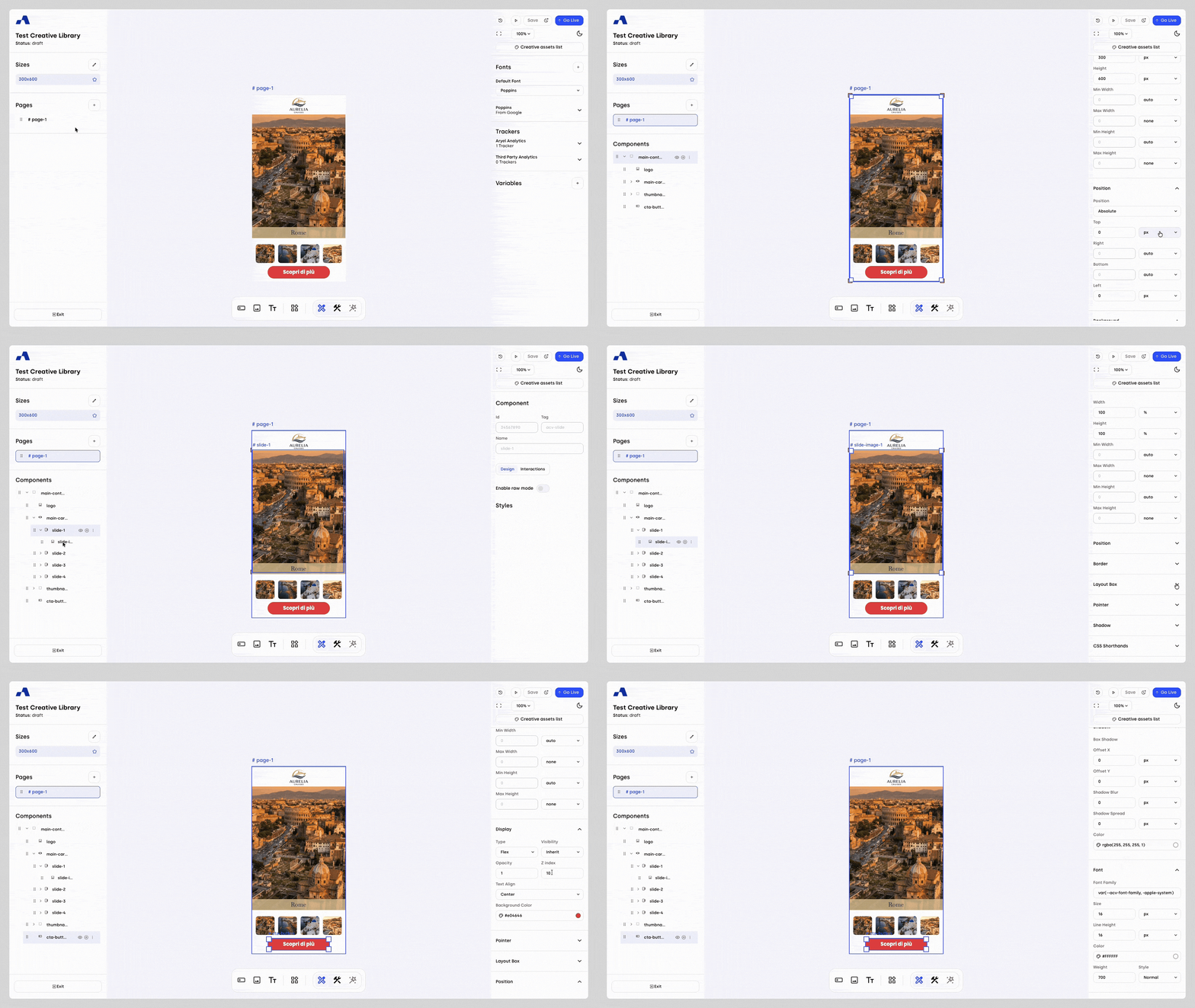
We have introduced a more intuitive way to manage component properties within the Design tab. To keep your workspace clean and focused, the property panels now feature an expandable accordion structure.
Smart Auto-Expansion: Efficiency is at the heart of this update. Any section containing custom properties — those that have been modified from their default values — will automatically appear expanded for immediate access.
Streamlined Workflow: Unmodified sections remain collapsed by default, reducing visual clutter and allowing you to focus on the specific attributes you are currently tweaking.
Full Manual Control: While the system intelligently surfaces active changes, you retain complete authority over the interface; every section can still be expanded or collapsed manually.
Enhanced Dynamic Styling with Variable Support
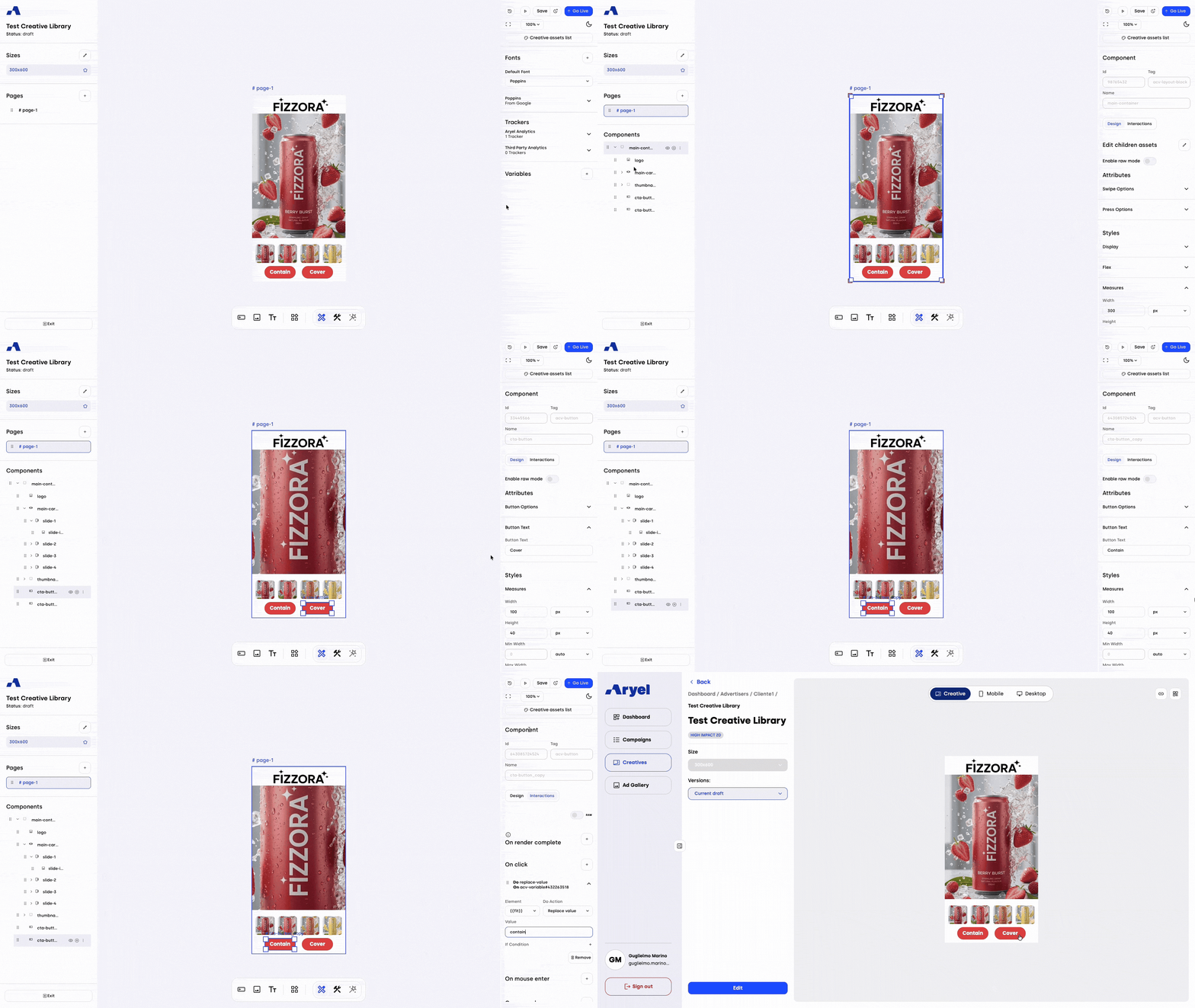
We have extended the power of variables directly into the Design tab, unlocking a new level of creative flexibility. You can now manage style property values using variables to create truly dynamic and responsive designs.
Raw Mode Integration: By toggling the new "Raw Mode" switcher, you can unlock a professional input field for compatible design properties.
Intuitive Indicators: Once enabled, a clear 'raw' indicator appears next to the field, signaling that the property is powered by a variable. This allows you to inject dynamic data directly into your styling, enabling real-time adjustments and conditional design states.
Expanded Interaction Capabilities
We have completed a comprehensive review and restructuring of the interaction actions available across all components. This initiative significantly expands your creative toolkit, providing greater layout flexibility and more granular control over component behavior.
Standardized Workflow: Interaction naming conventions and the order of actions have been unified, ensuring a predictable and intuitive building experience regardless of the component.
Expanded Action Set: We have introduced a wide array of powerful new actions. These additions allow for more sophisticated, complex interaction logic, enabling the creation of highly responsive and engaging experiences with greater ease.
Full Activation Campaign Setup: Forecast Alerts & Publishing Safety
We have upgraded the self-service Full Activation (FA) campaign setup to provide better visibility into inventory availability, helping you make data-driven decisions before your campaign goes live.
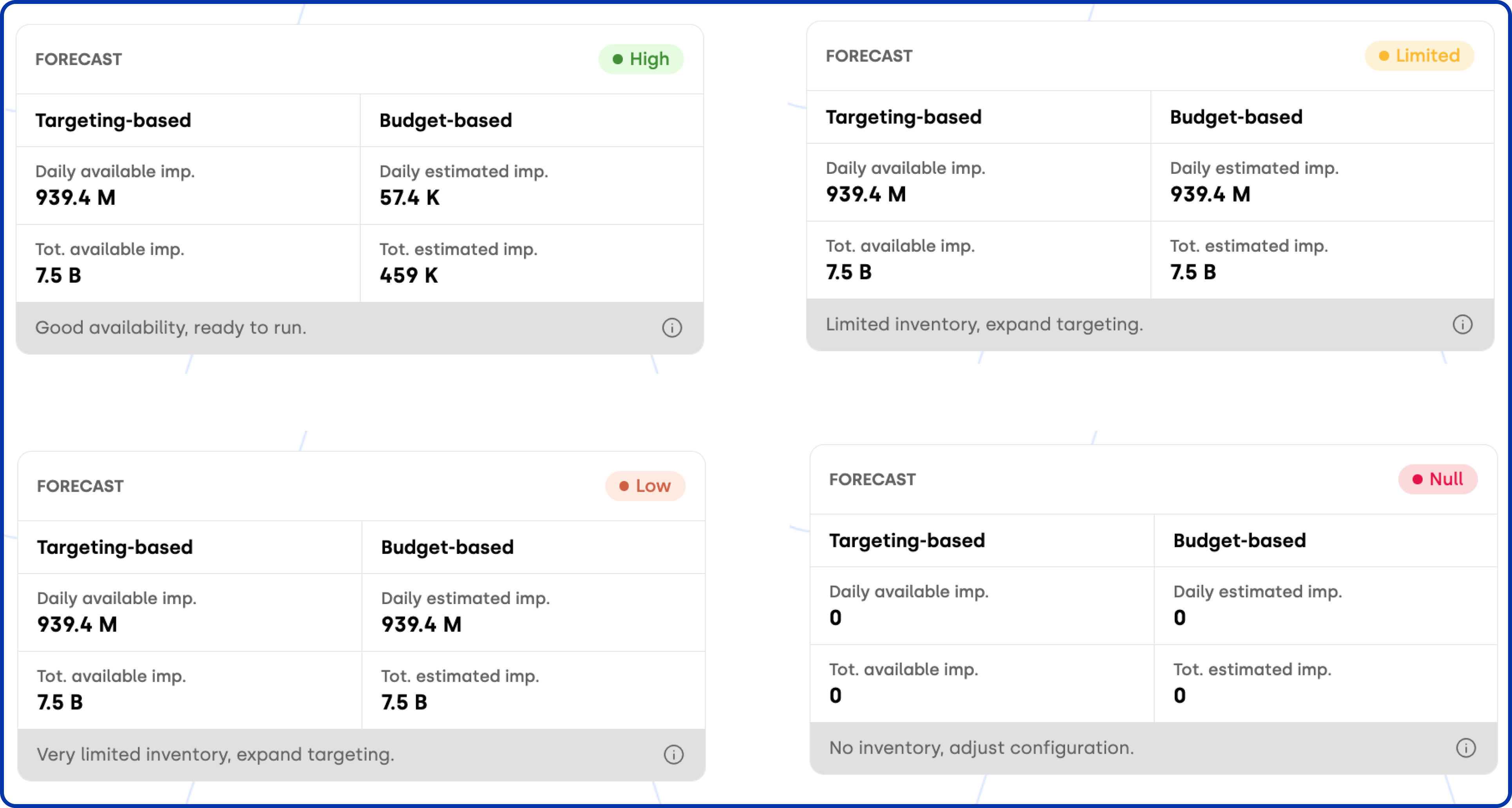
Real-Time Forecast Alerts: The summary widget now features a color-coded indicator that reflects inventory availability at a glance:
🟢 Green (High): Sufficient impression volume to fully cover your budget.
🟡 Yellow (Limited): Moderate availability; delivery may fluctuate, posing a potential risk of under-spending.
🟠 Orange (Low): Coverage is significantly lower than required; there is a high probability of under-delivery.
🔴 Red (None): Available impressions are at zero; the campaign cannot be delivered.
Publishing Safety Controls: To ensure campaign integrity, we have introduced a "Hard Stop" logic. If inventory availability drops to zero, the "Publish" button is automatically disabled. An explanatory tooltip will guide you on the necessary adjustments to your targeting to proceed with the activation.
May’s updates are designed to help you build more sophisticated, data-driven experiences with less effort. Explore these new features today and elevate the precision of your creative workflow.