
The month of April introduces a powerful set of features designed to elevate the technical capabilities of your creatives. From the native production of VAST formats to sophisticated new logic for sliders and tracking, these updates focus on providing deeper engagement metrics and a more fluid building experience.
VAST Creative Production & Management
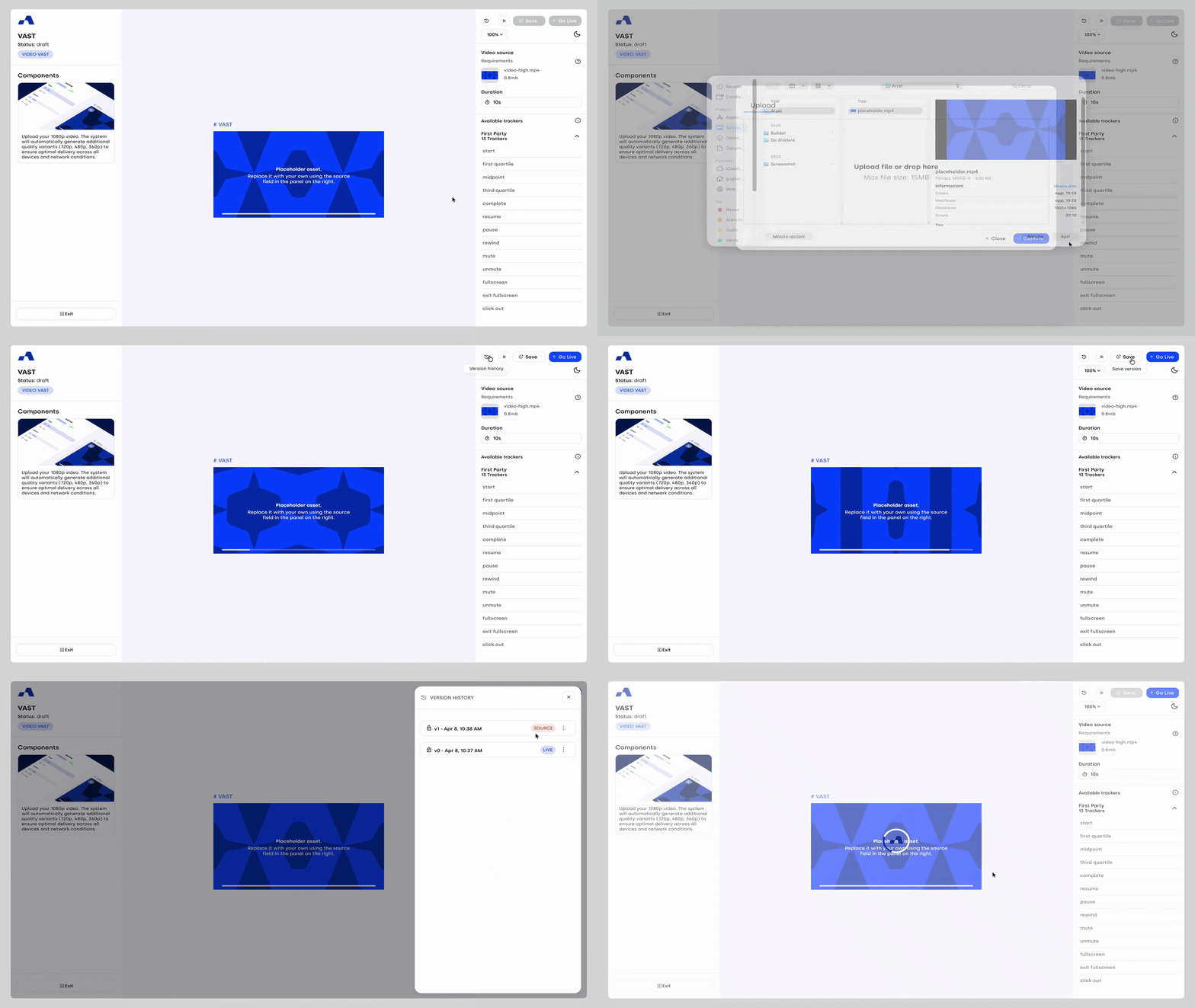
We have fully integrated the VAST creative creation flow within the Ads Manager, making end-to-end management of these formats available to all users. This update streamlines the video ad workflow significantly: by uploading a single high-quality source video, the system automatically handles the complex task of multi-resolution compression. It generates all the necessary versions required for seamless distribution across different players and bandwidths, ensuring your video ads look perfect on any screen.
Refined VAST Metrics in Ads Manager
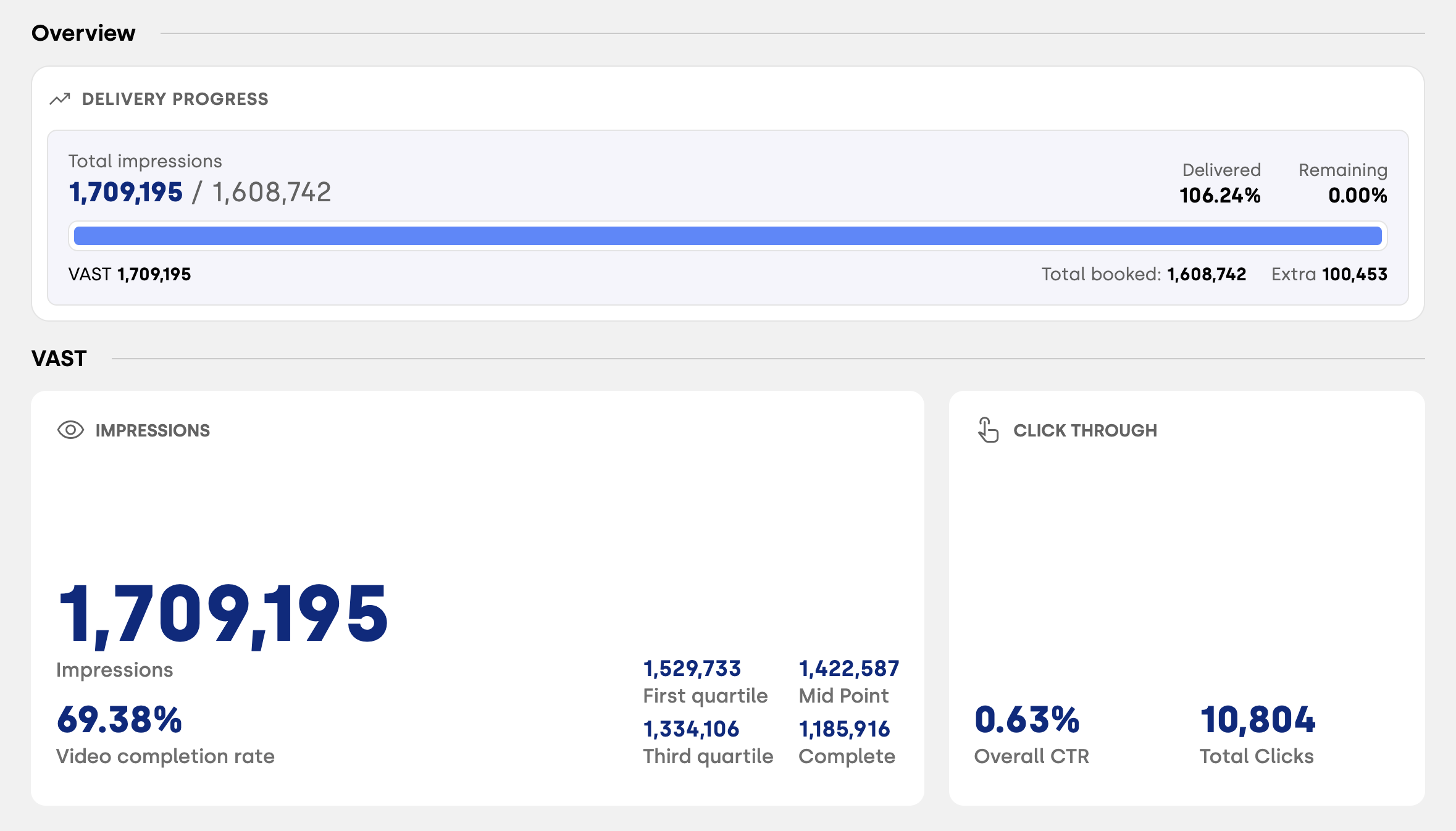
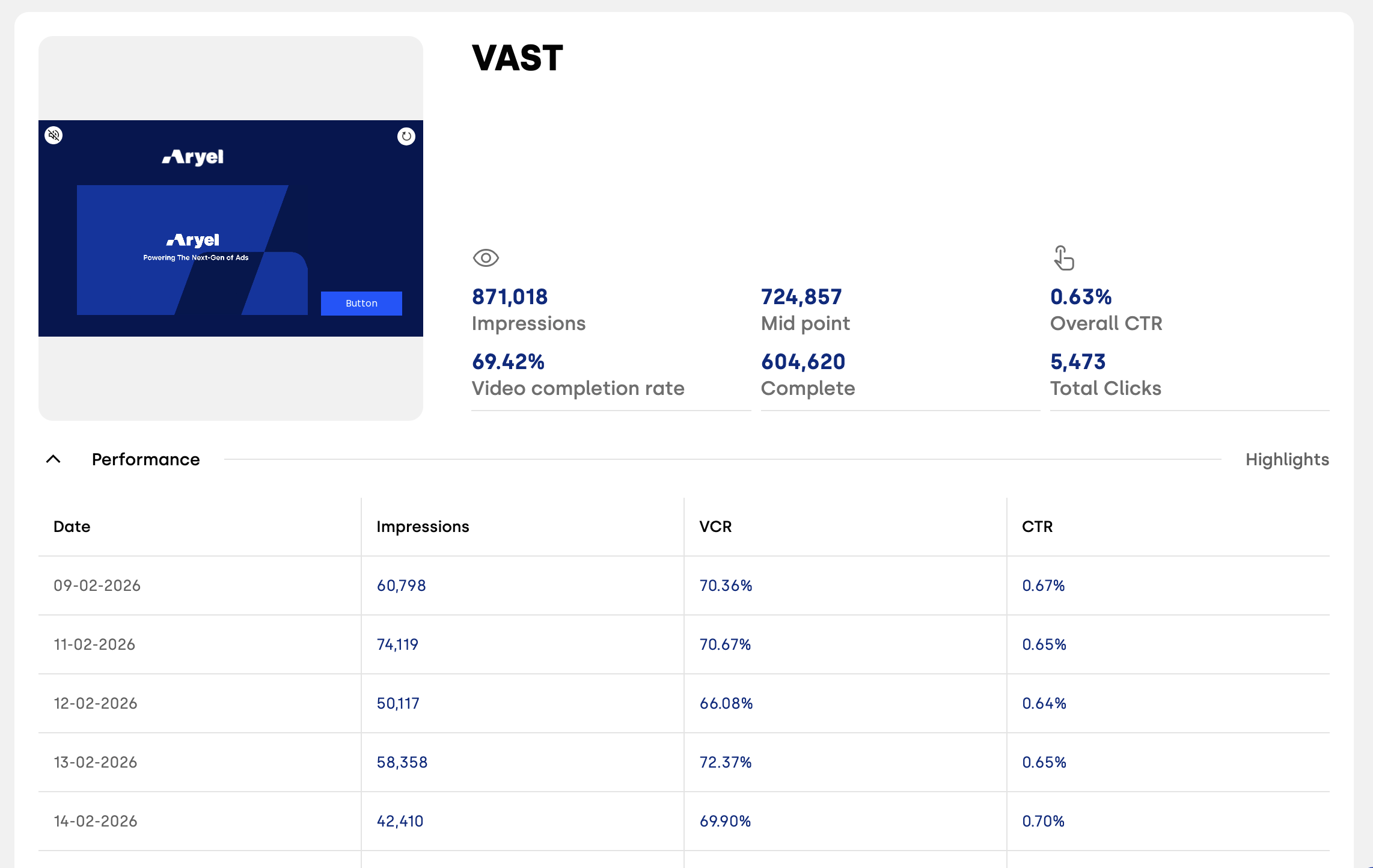
To complement the new VAST production capabilities, we have updated the KPI page to prioritize the metrics that matter most for video. The summary blocks and Performance tab now lead with Completion Rate and all completion quartiles (25%, 50%, 75%, 100%). Additionally, the daily performance breakdown now includes Completion Rate alongside Impressions and CTR, providing a comprehensive view of how viewers are consuming your video content.
Major Slider Component Evolution
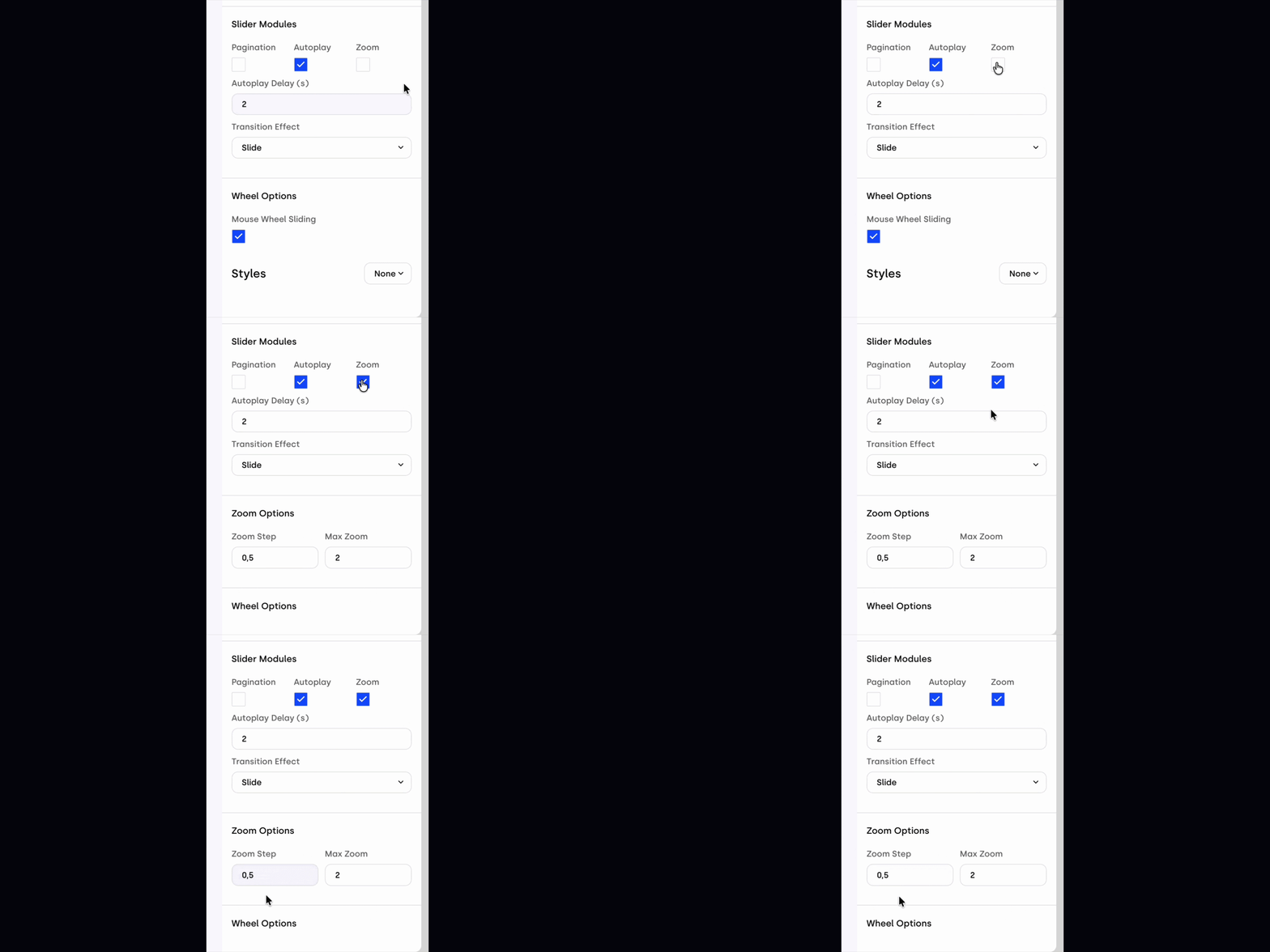
The Slider component has received a massive technical overhaul, introducing professional-grade navigation and viewing options:
Zoom Module: A new dedicated module allows you to define precise zoom steps and maximum scales. It fully supports mobile pinch-to-zoom and includes new actions like Zoom In, Zoom Out, and Set Zoom. You can even trigger interactions based on the zoom level using the new On change zoom scale event.
Mouse Wheel & Autoscroll: You can now enable mouse wheel navigation for desktop users. Furthermore, the new Autoscroll option allows for hands-free navigation with fully customizable delay and velocity settings.
Free Mode Inertia: For "Free Mode" enthusiasts, we’ve developed a custom inertia module. By titles virtual translations, it provides a smoother, physics-based scrolling experience that feels more natural and premium.

Smarter Dynamic Trackers
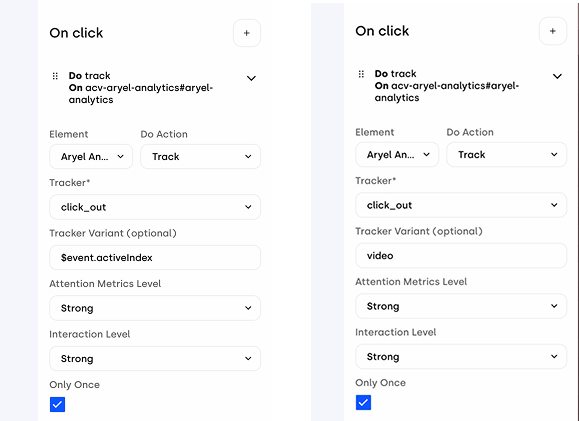
Managing data for multi-page components is now much simpler with the introduction of the "Variant" field within Tracking Interactions. Instead of creating a separate tracker for every single slide, you can now use a single tracker (e.g., view_page) and link the Variant field to the active index event. The system will automatically generate separate records for each page change, drastically reducing manual setup time.
Integrated Attention Metrics Trigger
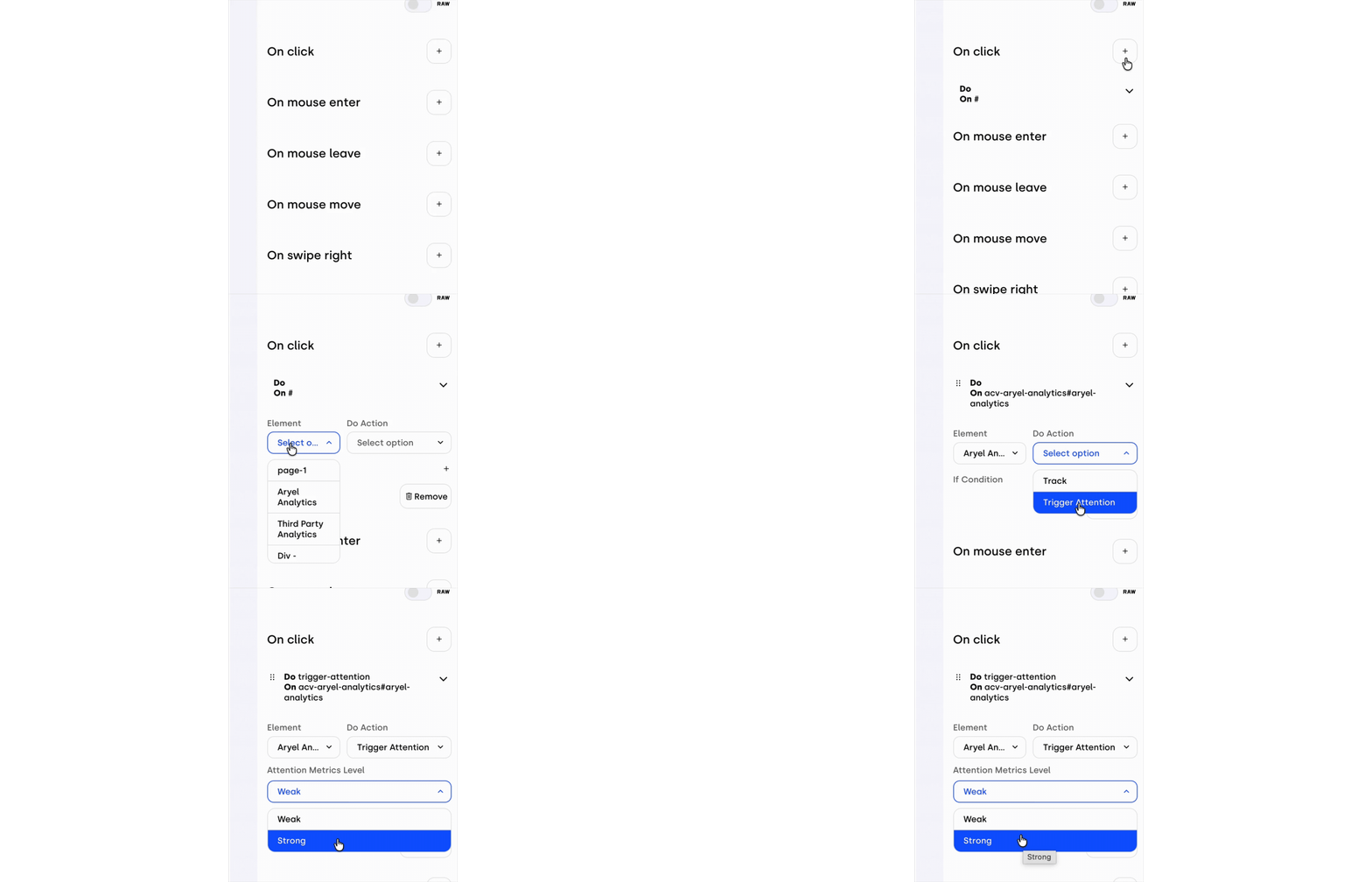
We’ve made it easier to capture high-level engagement data with the new Attention Metrics Trigger. You can now trigger "Weak" or "Strong" attention metrics directly as a dedicated interaction. This eliminates the need to manually attach a tracker to an interaction, ensuring that attention data is recorded accurately and effortlessly.
Variable Usage in Conditions
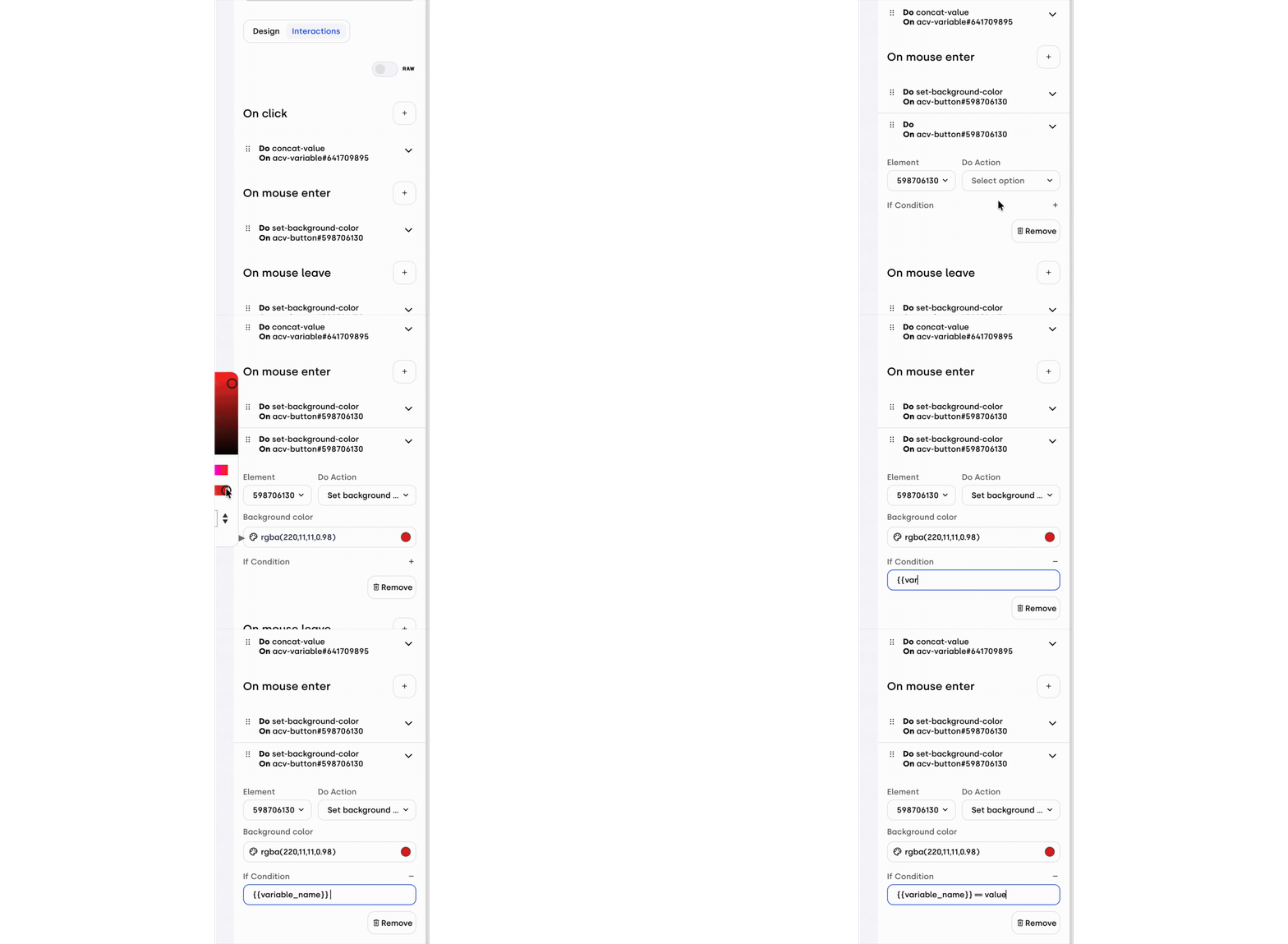
Building on our recent logic updates, you can now call variables directly within interaction condition fields. This unlock significantly increases creative flexibility, allowing you to build complex, branching behaviors based on real-time data or user states without leaving the interaction accordion.
Source File Deletion
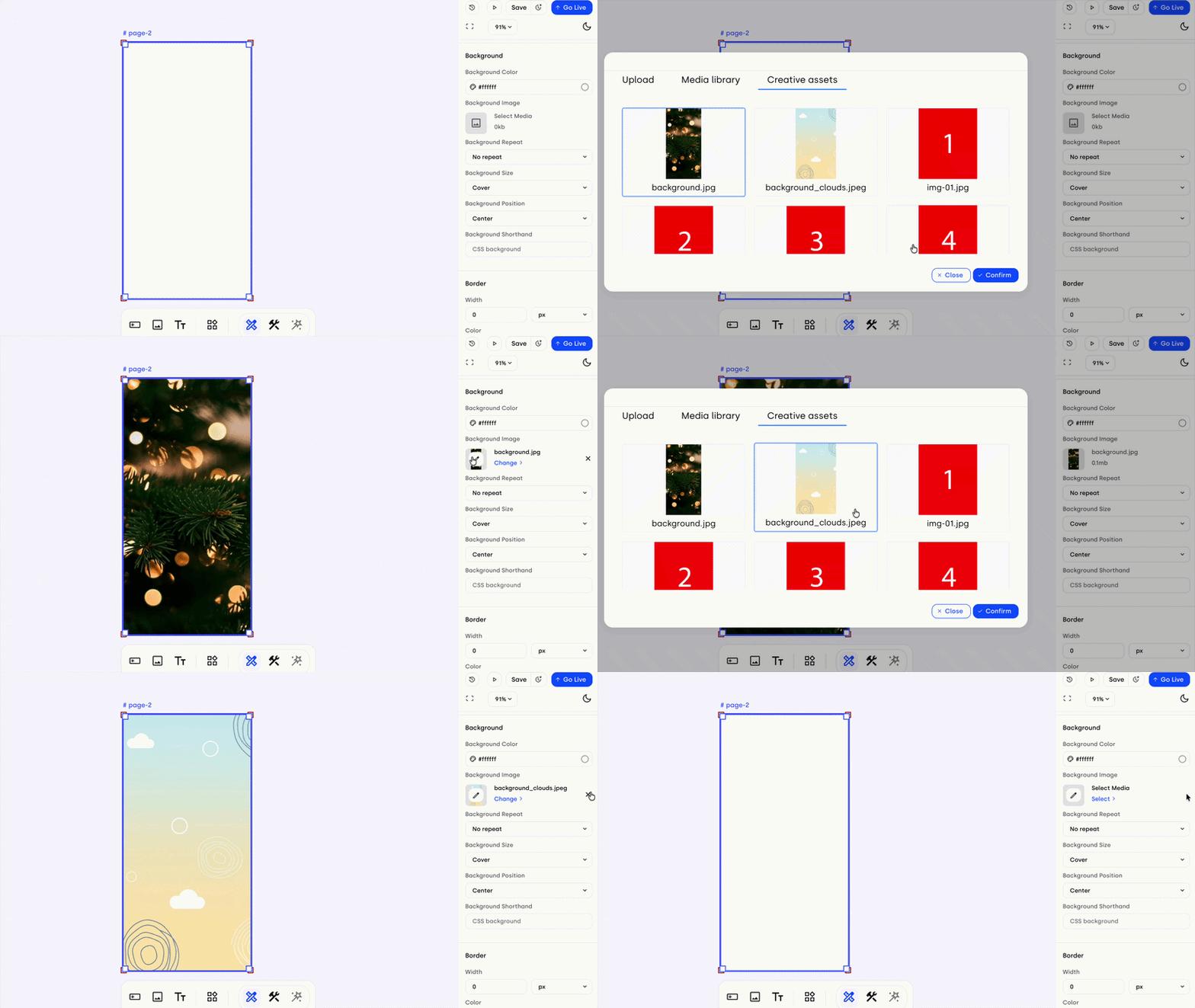
To give you more control over your component states, we’ve added a "delete" (X) icon to source fields in the right panel (such as Layout Block backgrounds or 3D textures). This icon appears on hover and allows you to completely remove an applied asset and return the component to an empty state, rather than simply replacing it with another file.
April’s updates are all about precision — whether it's the precision of a zoom scale, the accuracy of a VAST completion metric, or the efficiency of a dynamic tracker. These tools are designed to help you build more sophisticated, data-driven experiences with less effort.