
This month brings important updates designed to enhance and optimize your Self-Service activations, giving you greater flexibility and control over your campaign workflow.
From advanced creative management with Versioning, extended setup options for campaign creation in Full Activation – Direct, and improved tag handling, these updates are built to make your operations more agile and efficient.
Versioning
Versioning Ads Manager Builder allows you to progressively save and manage multiple versions of the creative you’re working on.
This feature gives you the flexibility to keep editing a creative even when it is already attached to a delivering tag, enabling you to prepare updates in a separate version and push them live at the most appropriate moment.
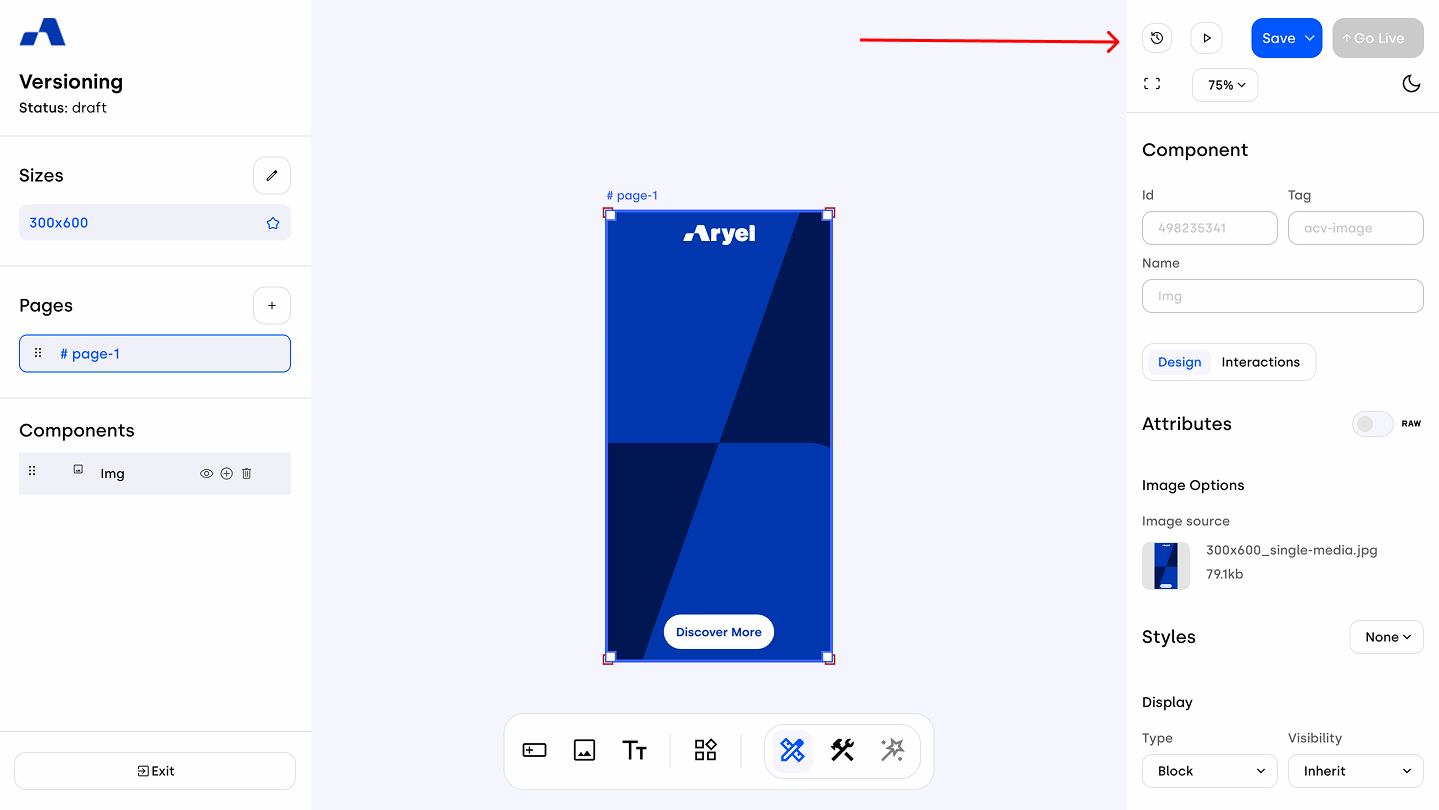
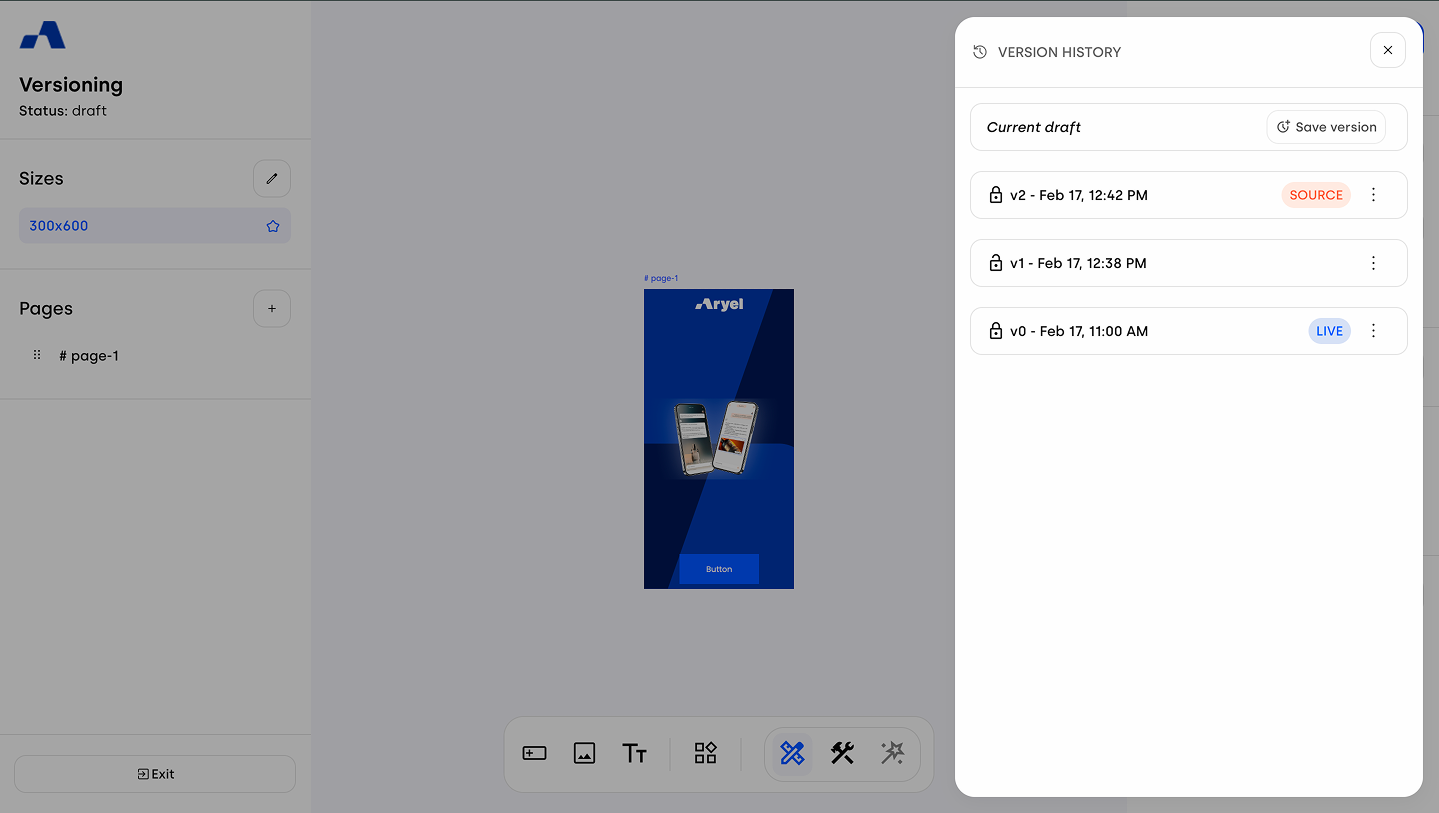
When you start building a creative from scratch or from template, the system automatically generates Version V0, which initially functions both as the Live version connected to the tag for delivery and as the Source version used as your working base inside the Builder canvas.
As you continue adding components and refining your work in the workspace, you can progressively save new versions and decide which one should act as Source and which one should be set as Live.
Time Range & Frequency Capping
For campaigns created in Full Activation – Direct, two new setup options are available, allowing for more advanced customization of your campaign delivery.
With Time Range, you can define when your campaign should be delivered by selecting either 8:00 a.m. – 8:00 p.m. or 8:00 p.m. – 8:00 a.m., as well as choosing whether delivery should run on Weekdays or during the Weekend. In addition, Frequency Capping allows you to control how many times each individual user sees your ad by defining both the number of impressions and the corresponding time window.
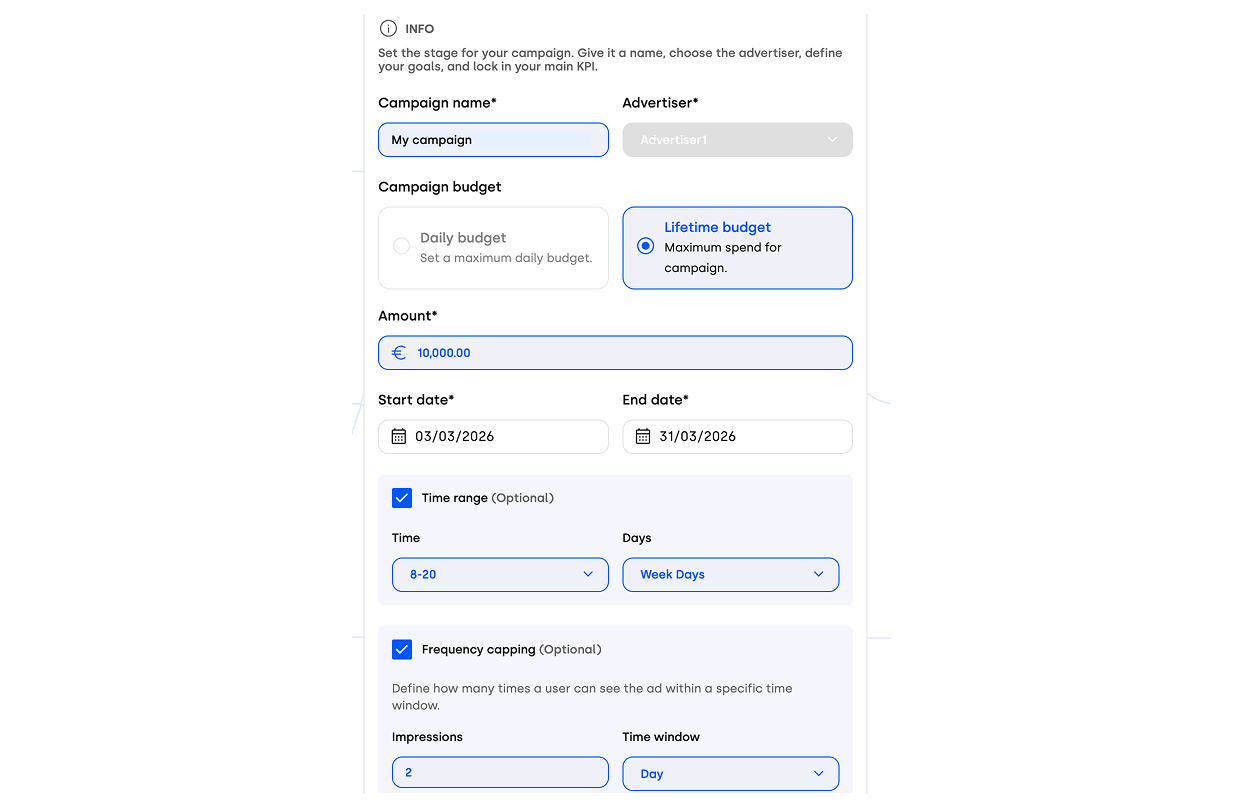
These options allow you to fine-tune your campaign setup and align delivery with your strategic objectives.
Tag Duplication & Rename
By selecting the Settings option from the dropdown menu in the Setup tab within the Flight Detail Page, you can access tag configurations. Choosing Duplicate allows you to rename the tag and, once confirmed, the system will generate a new tag identical to the original one.
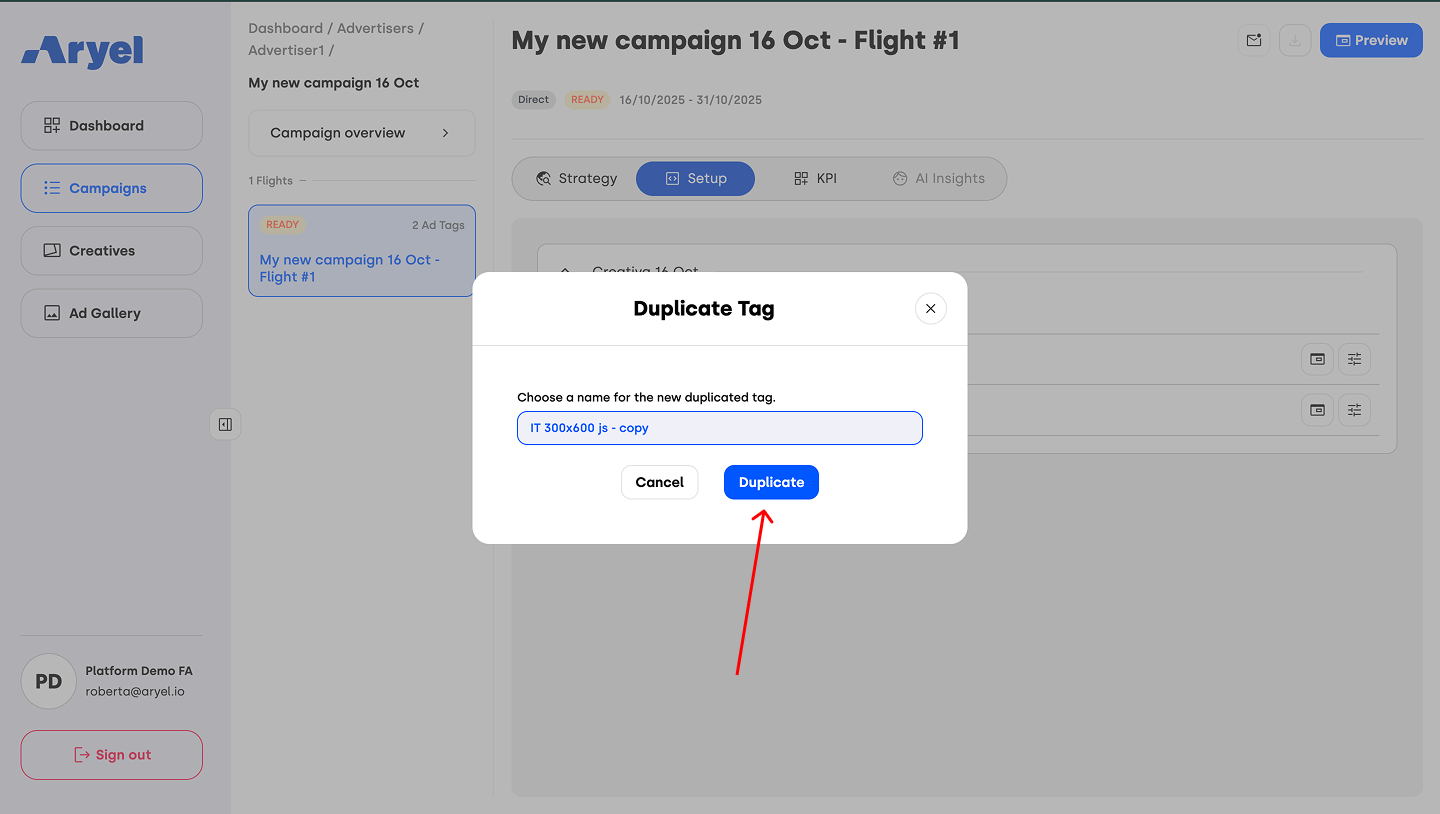
This functionality is particularly useful if you need to assign different tracking tags or click-out URLs while maintaining the same creative content and sizes.
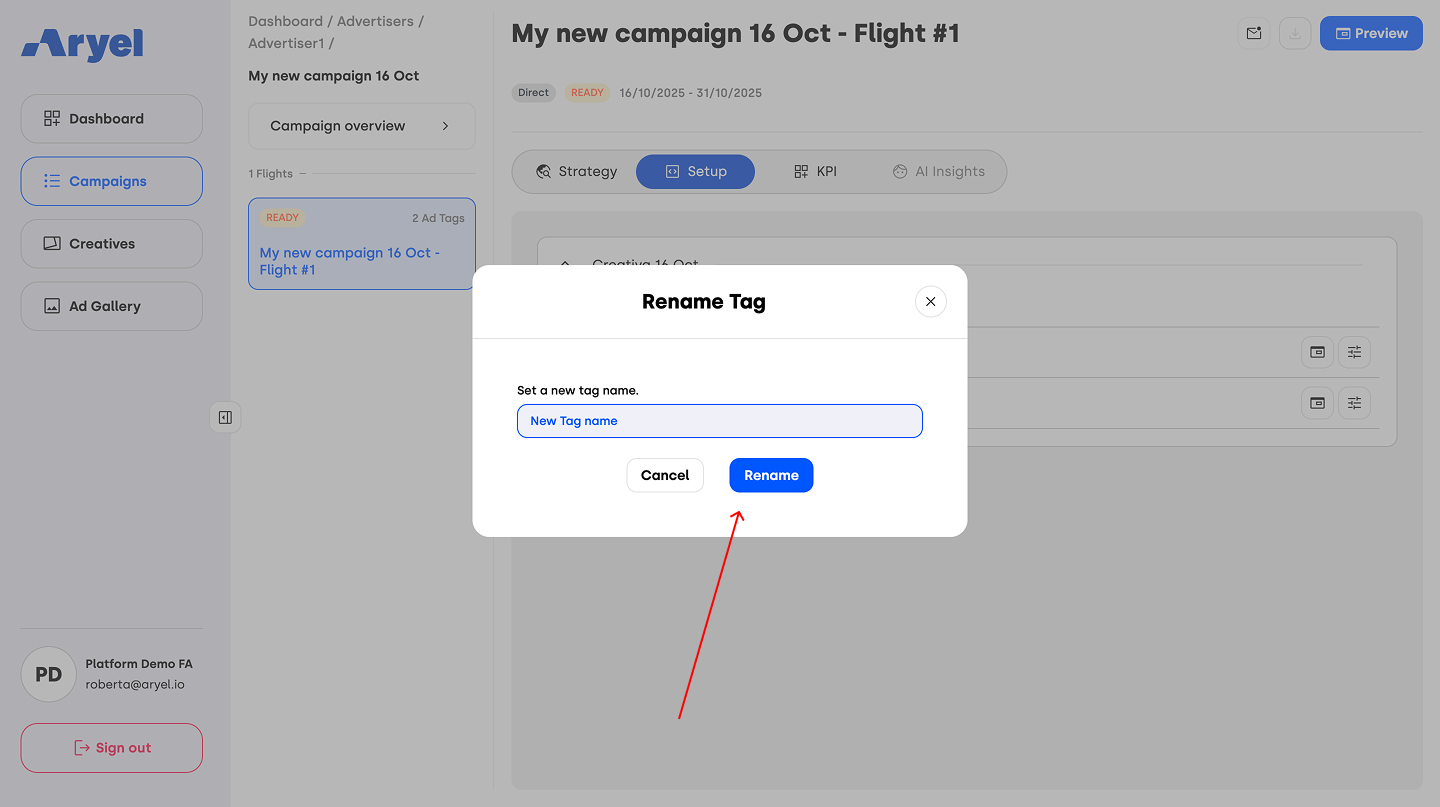
Additionally, by selecting Rename from the dropdown, you can simply update the tag name using a nomenclature that better suits your internal workflow.
With these new updates, your campaign workflow becomes more optimized and agile. You can implement changes even during campaign delivery, gain greater flexibility in defining your setup, and manage your creatives and tags with enhanced control and precision.