
With the last month of the year, we’re introducing a new set of updates to the Ads Manager, designed to provide more visibility and streamline your day-to-day workflows.
Key Metrics in the Advertiser List
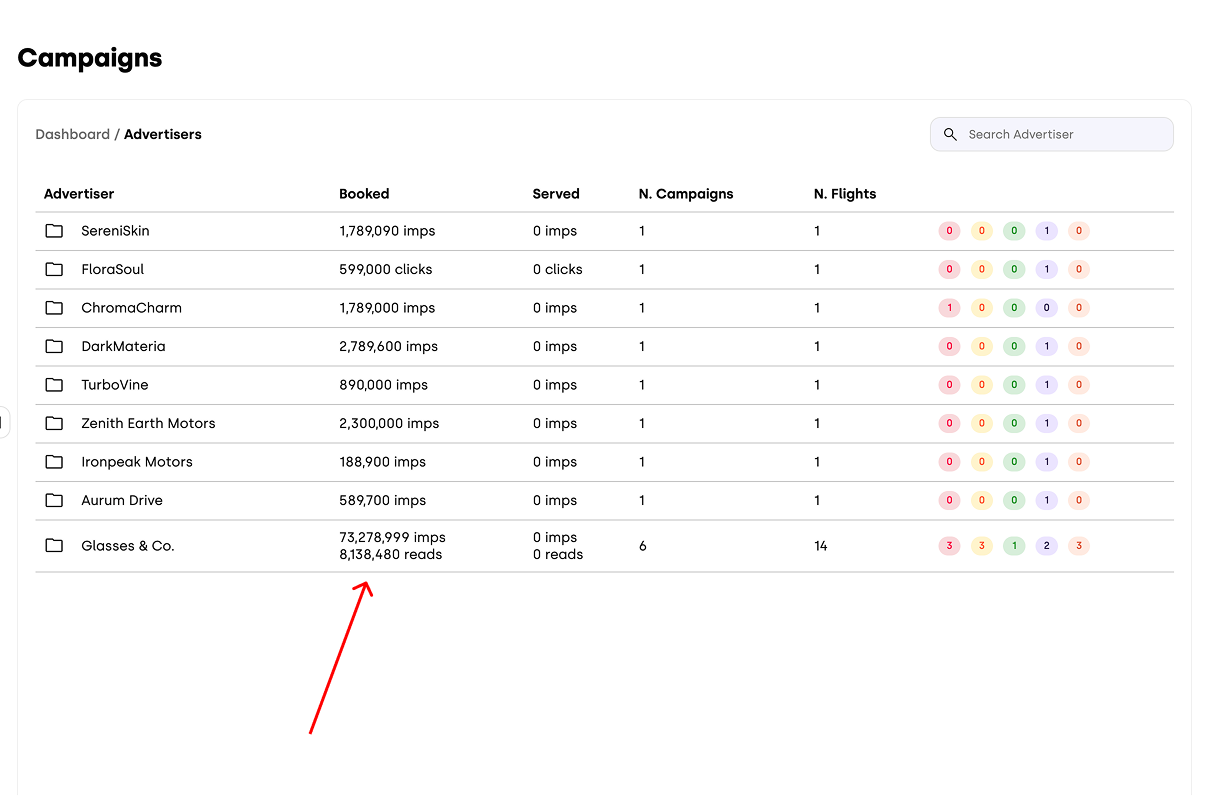
When you access the Campaign List, the first page you’ll see is the Advertisers view. Here, each folder groups all the campaigns created for a specific advertiser. Below the Booked and Served columns, you can view the number of booked and delivered impressions. If a campaign is based on a different key metric — such as Readings or Clicks — the corresponding booked and served values for that metric will also be displayed. This enhancement allows you to immediately understand delivery performance at a glance, regardless of the metric your campaigns are optimized for.
Template Updates
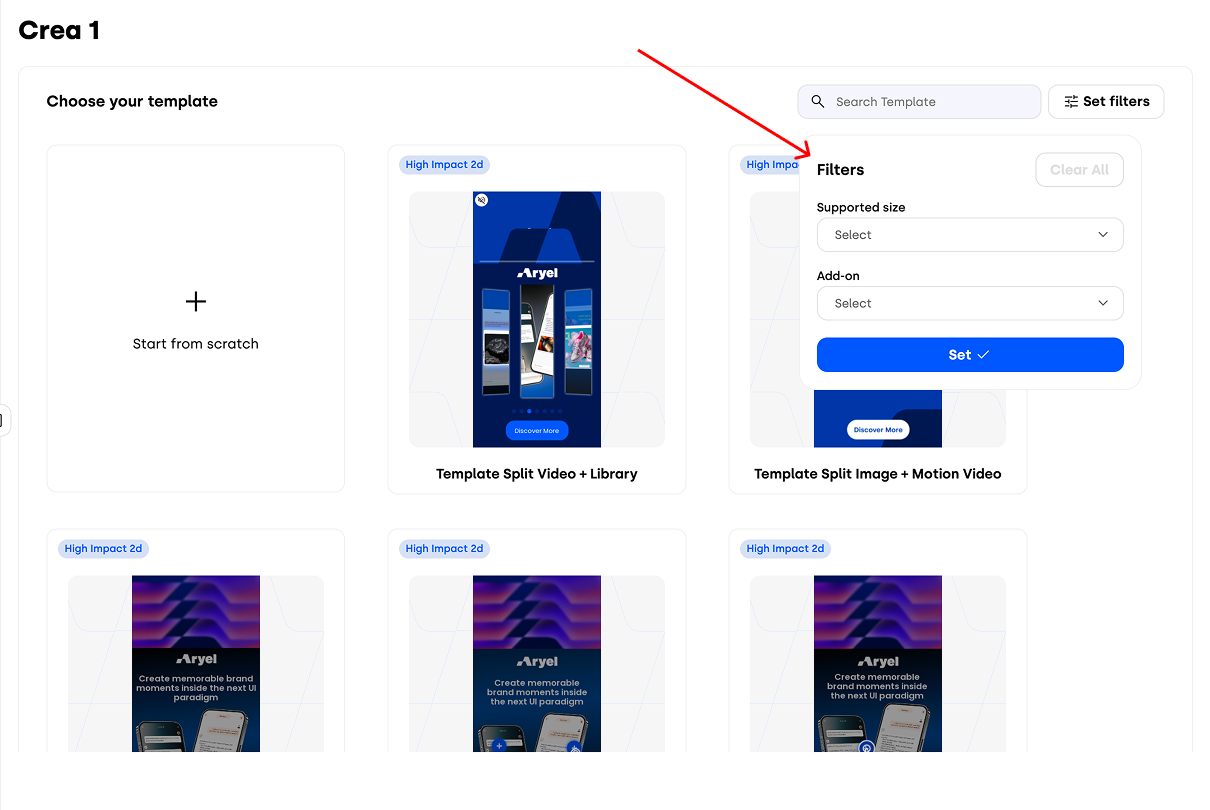
For users with a self-service license, creating a new creative from a template is now faster and more intuitive. When you choose to start from a template, you’ll find a new Set Filters button in the top-right corner of the Templates section, next to the search bar.
These filters help you quickly narrow down the most suitable template for your creative by allowing you to select supported sizes and available add-ons. This makes it easier to identify the right starting point and significantly speeds up the template selection process.
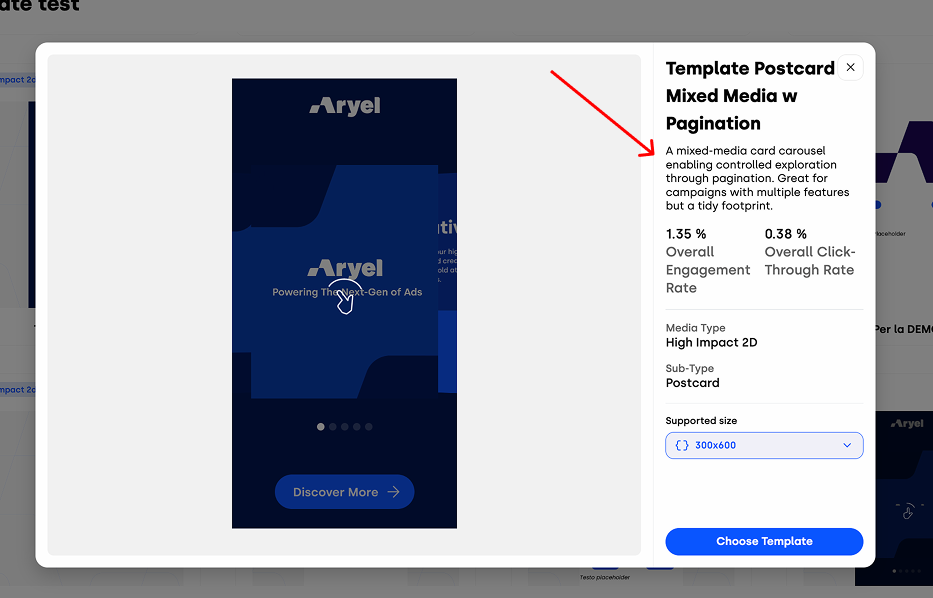
Once you select a template, clicking on its card opens a modal with a full creative preview. On the right-hand side, you’ll also find a detailed description of the creative, designed to help you fully understand the user experience before proceeding.
These updates are designed to surface more relevant information and simplify decision-making throughout your ad creation process.